OPERATION
3.8 Auto Header Height Control (AHHC)
MacDon’s Auto Header Height Control (AHHC) feature works in conjunction with the AHHC option available on
certain combine models.
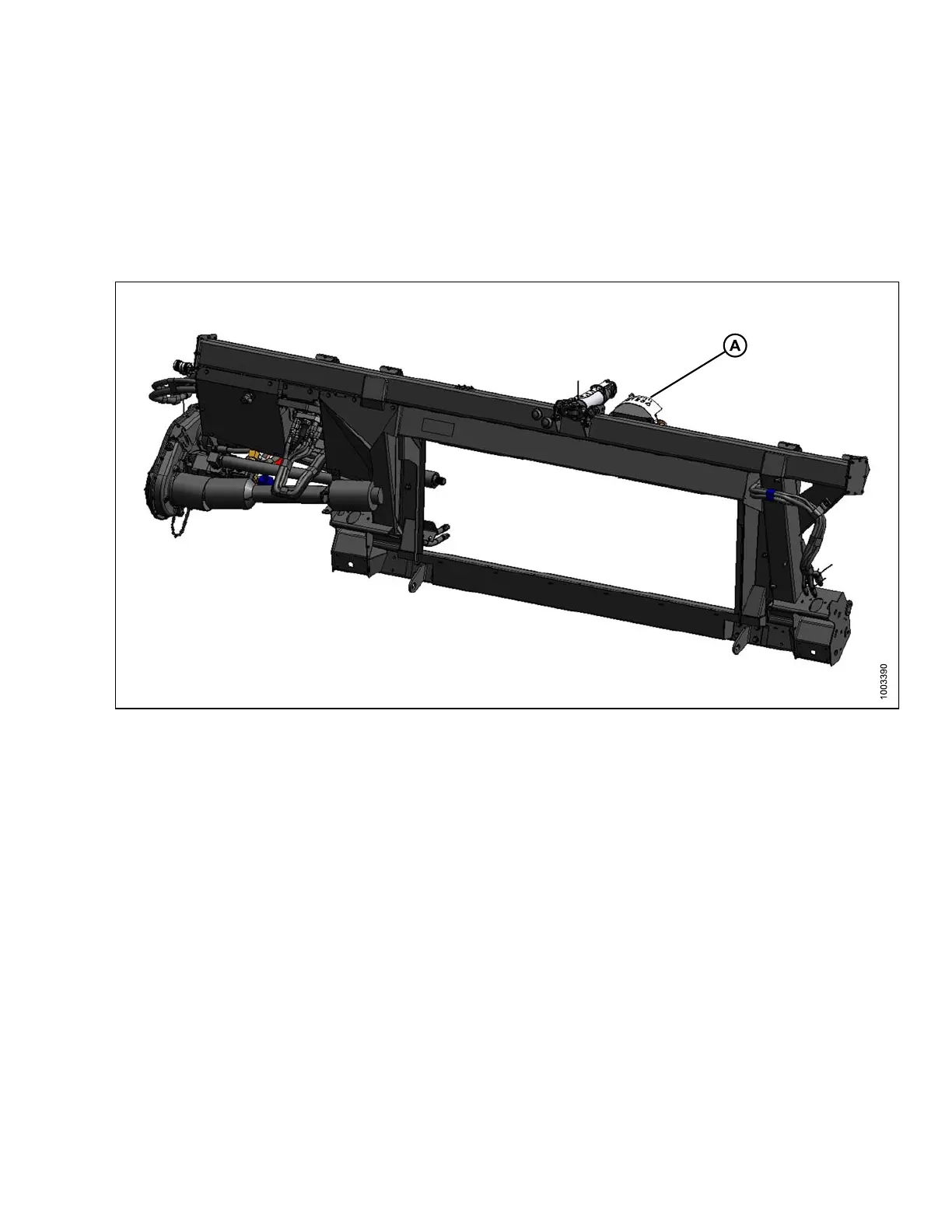
A sensor is installed in the float indicator box (A) on the CA25 Combine Adapter. This sensor send a signal to
the combine allowing it to maintain a consistent cutting height and an optimum adapter float as the header follows
ground contours.
Figure
3.93: CA25 Combine Adapter
CA25 Combine Adapters are factory-equipped for AHHC; however, before using the AHHC feature, you must do
the follo wing:
1. Ensure that the AHHC sensor ’s output voltage range is appropriate for the combine.
For more information, refer to 3.8.1 Auto Header Height Control Sensor Output Voltage Range – Combine
Requirements, page 91.
2. Prepare the combine to use the AH H C feature (applies only to some combine models—refer to the instru ctions
for your combine).
3. Calibrate the AHHC system so that the combine can correctly interpret d ata from the height sensor on the
combine adapter (refer to the instructions for your combine).
NOTE:
Once calibration is complete, you are ready to use the AHHC feature in the field. For eac h combine,
certainoperationsettingscanbeusedtoimprovetheperformanceoftheAHHCfeature(refertothe
instructions for your combine).
147695 89 Revision A









 To Next Page