OPERATION
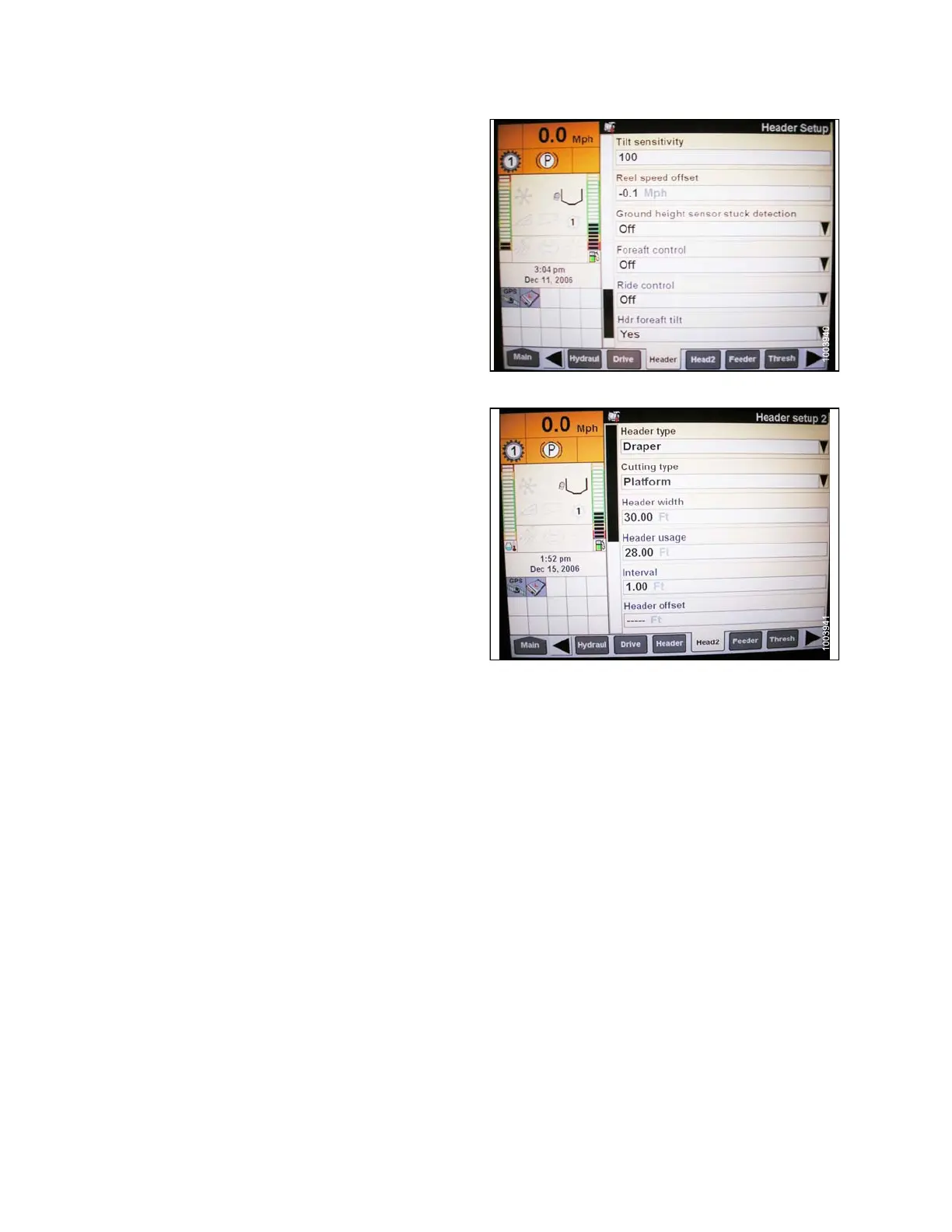
9. Install FORE-AFT CONTROL, and HDR FORE-AFT
TILT (if applicable).
Figure 3.143: Case IH Combine Display
10. Press HEAD2 at bottom of screen.
11. Ensure HEADER TYPE is DRA PER.
NOTE:
If recognition resistor is plugged in to header
harness,youwillnotbeabletochangethis.
12.SetcuttingtypetoPLATFORM.
13. Set appropriate HEADER WIDTH and
HEADER USAGE.
Figure 3.144: Case IH Combine Display
Calibrating the Auto Header H eight Control System (Case Combines with Version
28.00 Software)
For be
st performance of the Auto Header Height Control (AHHC), perform these procedures with the center-link
set to
D. When setup and calibration are complete, adjust the center-link back to desired header angle. Refer to
3.7.3
Header Angle, page 66.
NOTE:
Changes may have been made to the combine controls or display since this document was published. Refer to
the combine operator’s manual for updates.
1. Ensure center-link is set to D.
147695
1
12
Revision A









 To Next Page