OPERATION
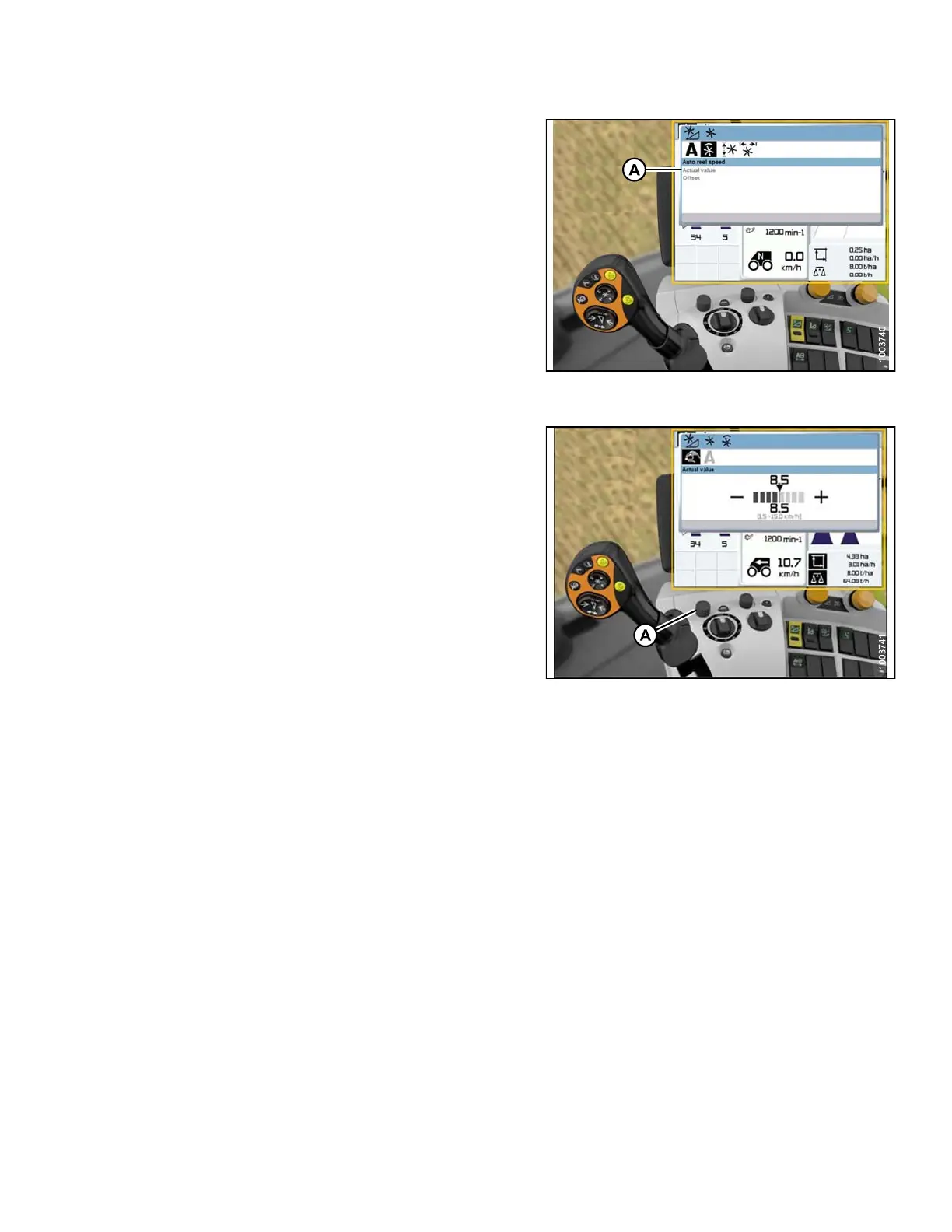
3. Select A CTUAL VALUE (A) from the AUTO REEL
SPEED window (if you are using Auto Reel Speed).
The ACTUAL VALUE window opens and displays the
auto reel speed.
Figure 3 .228: Combine Display, Console, and
Joystick Lever
4. Use control knob (A) to raise or lower the reel speed.
Figure 3 .229: Combine Display, Console, and
Joystick Lever
3.8.12 Lexion 700 Series Combines
Calibrating the Auto Header Height Control (Le xion 700 Series)
For be
st performance of the Auto Header Height Control (AHHC), perform these procedures with the center-link
set to
D. When setup and calibration are complete, adjust the center-link back to desired header angle. Refer to
3.7.3
Header Angle, page 66.
NOTE:
Changes may have been made to the combine controls or display since this do cument was published. Refer to
the combine operator’s manual for updates.
To ca
librate the AHHC, follow these steps:
1. Ens
ure center-link is set to D.
2. Ens
ure that the header float is unlocked (A).
147695 157 Revision A









 To Next Page