MAINTENANCE AN D SERVICING
Installing Drive Cover
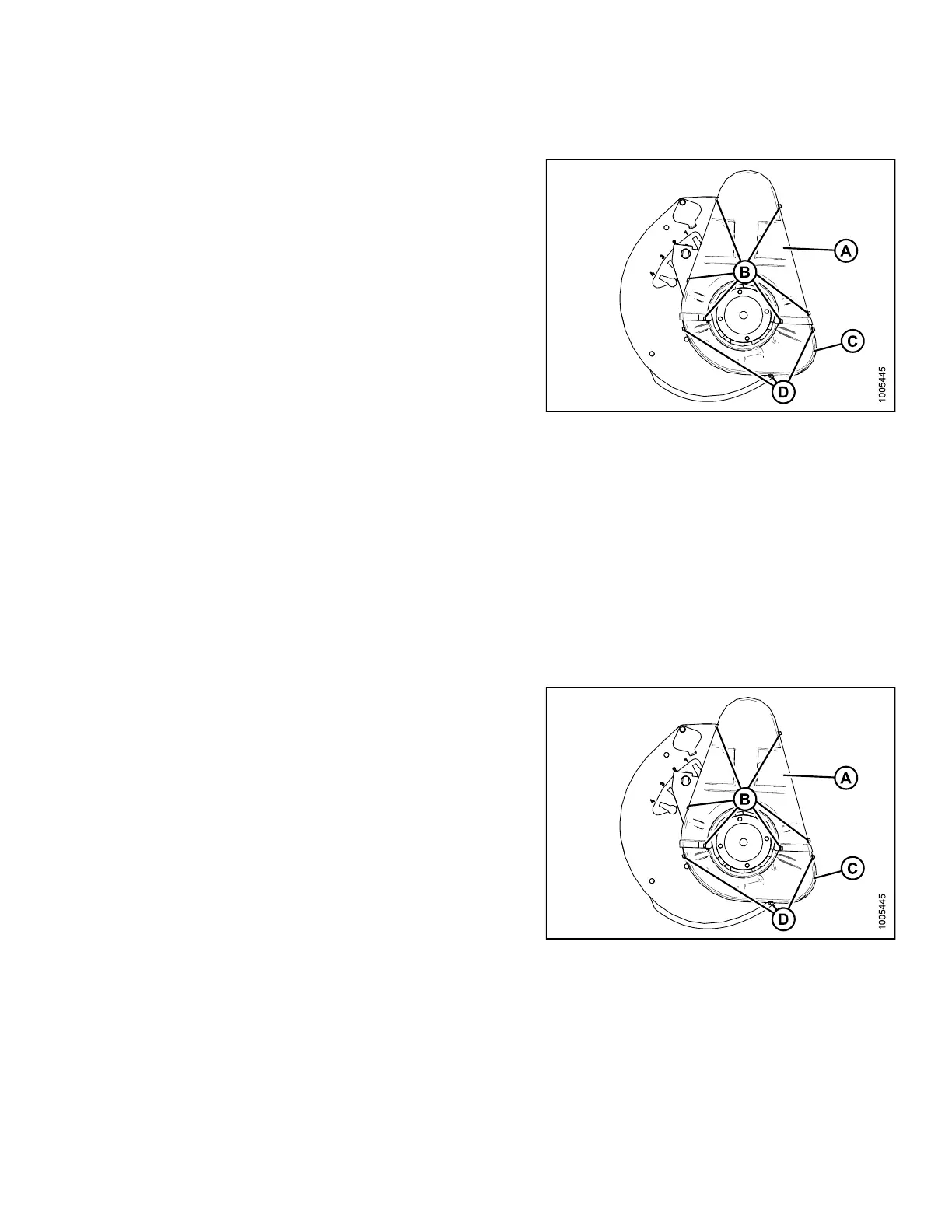
1. Position the lower cover (C) first (if removed) and
secure with three bolts (D).
2. Install upper cover (A) using the six bolts (B).
Figure 5.2
69: Reel Drive Cover
5.14.4 Rep
lacing Drive Chain
The drive chain on a high-torque double-reel drive can be replaced using two methods. Refer to:
• Disconnecting the Reel Drive Method, page 384
• Breaking the Chain Method, page 386
Both procedures are acceptable, but disconnecting the reel drive method is preferred because the chain integrity is
not affecte d.
Removing Drive Cover
1. Remove
the six bolts (B) that secure the upper
cover (
A) to the reel drive and to the lower cover (C).
NOTE:
The lower cover (C) may also be removed by
taking off the three bolts (D).
Figure 5.270: Double Reel
147695 383 Revision A









 To Next Page