MAINTENANCE AND SERVICING
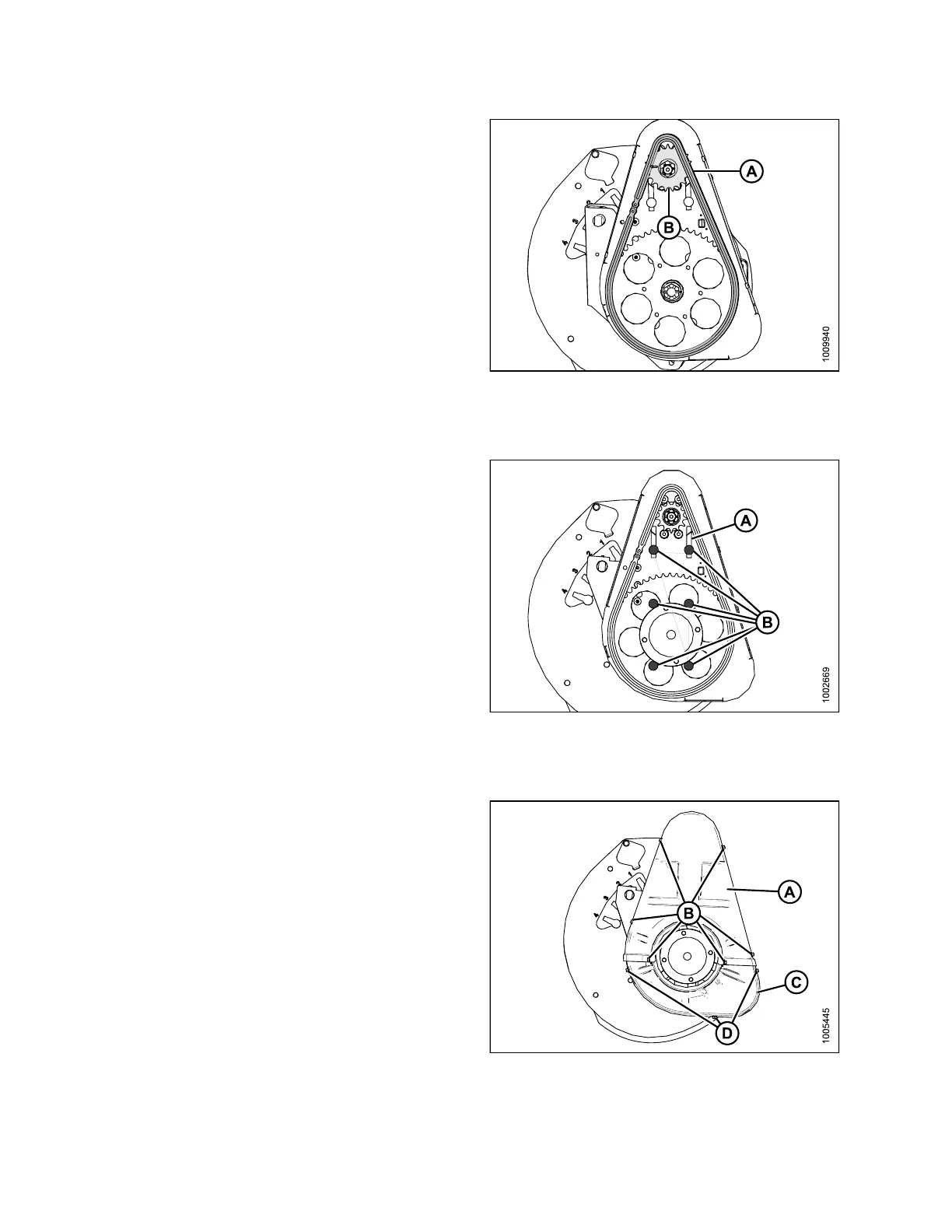
3. Install the chain (A) onto drive sprocket (B).
Figure 5.247: Reel Drive
Tightening Drive Chain
1. Ensure the
six bolts (B) securing motor mount to chain
case are l
oose.
2. Slide mot
or and motor mount upwards until chain (A)
is tigh t,
and tighten bolts (nuts on backside).
3. There sho
uld be 1/8 in. (3 mm) of slack in the chain.
Adjust if
necessary.
4. Torque b
olts (B) to 54 ft·lbf (73 N·m).
Figure 5.248: Reel Drive
Installing Drive Cover
1. Position the lower cover (C) first (if removed) and
secure with thre e bolts (D).
2. Install upper cover (A) us ing the six bolts (B).
Fig
ure 5.249: Reel Drive Cover
147695 374 Revision A









 To Next Page