OPERATION
Adjusting Auto Reel Speed (Lexion 700 Series)
NOTE:
Changes may have been made to the combine controls or display since this document was published. Refer to
the combine operator’s manual for updates.
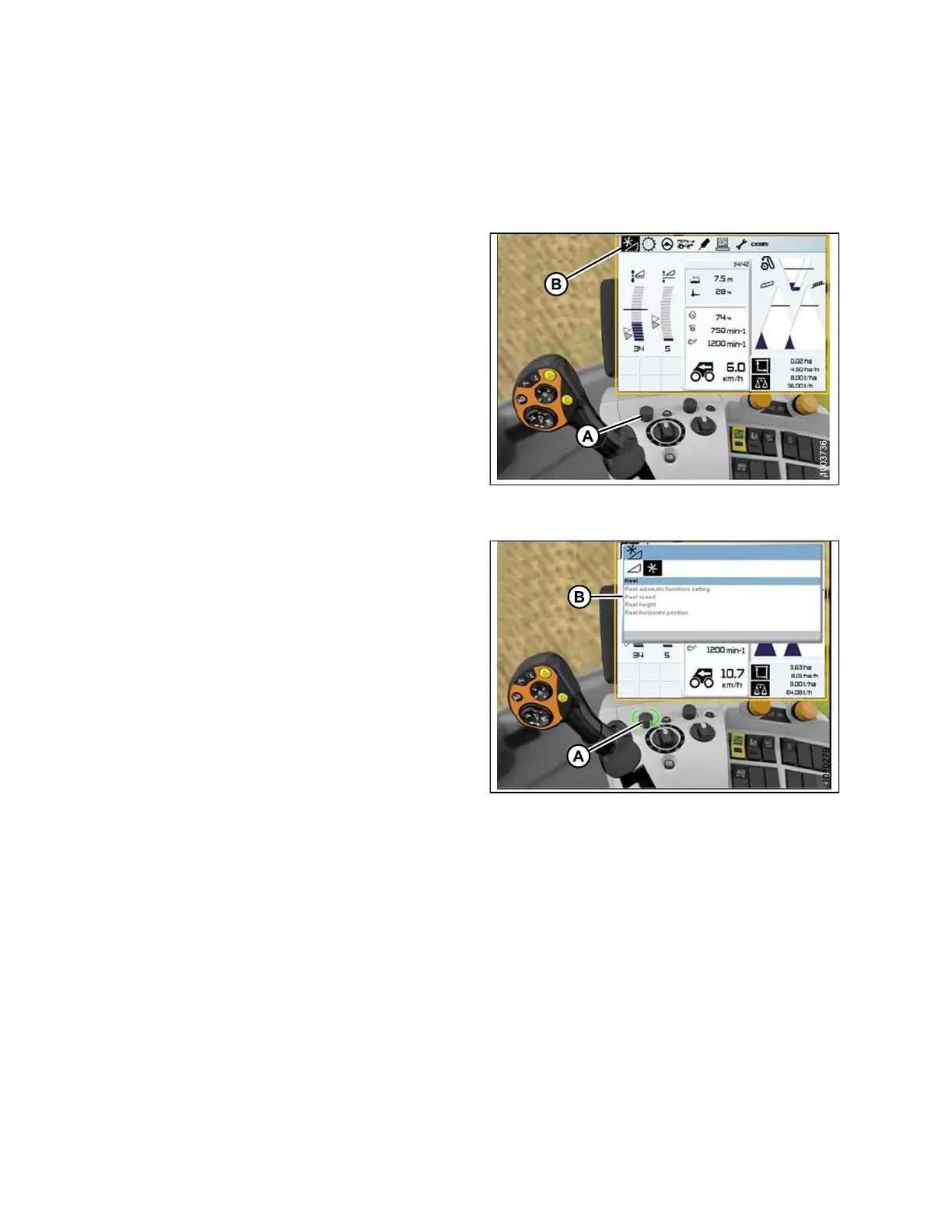
1. Use control k
nob (A) to highlight the H EADER/REEL
icon (B), and
press control knob (A) to select it. The
HEADER/REEL
window opens.
Figure 3.241: Combine Display, Console, and
Joystick Lever
2. Use contr
ol knob (A) to s elect REEL SPEED (B), and
adjust th
e reel speed (if you are NOT using Auto Reel
Speed). A
graph displays in the window.
Figure 3.242: Combine Display, Console, and
Joystick Lever
147695 162 Revision A









 To Next Page