MAINTENANCE AN D SERVICING
Replacing Lexion 400 Series Sensor
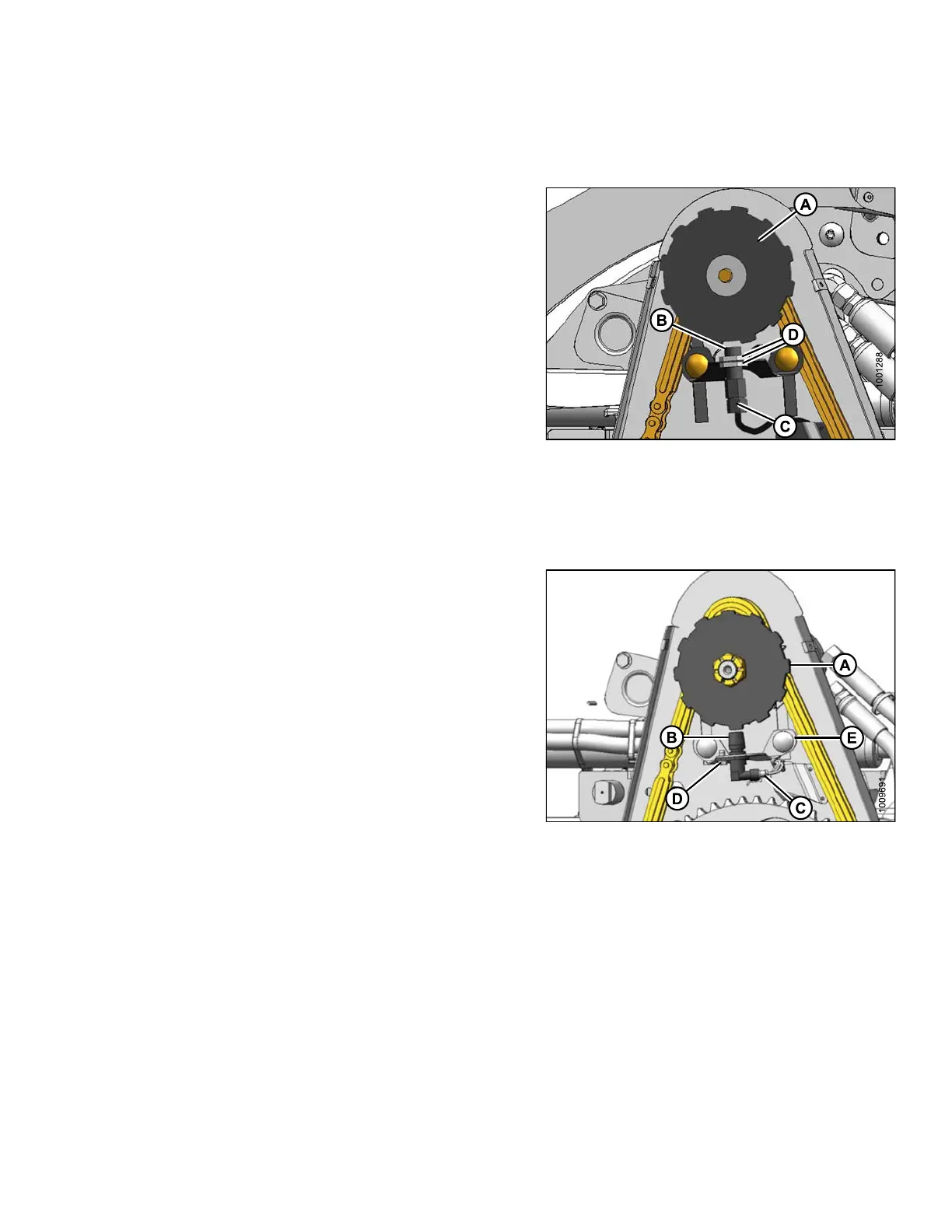
To replace the reel speed sensor for a Lexion 400 series combine, follow these steps:
1. Disconnect connector (C).
2. Remove top nuts (D) and remove sensor (B).
3. Remove top nut from new sensor and locate in support.
Secure with to p nut (D).
4. Adjust gap between sensor disc (A) and sensor (B) to
0.12 in. (3 m m) with nuts (D).
5. Connect to harness at (C).
IMPORTAN T:
Ensure sen
sor electrical harness does NOT contact
chain or sp
rocket.
6. Reinstall cover. Refer to In sta lling Drive Cover, p age
388.
Figure 5.2
89: Speed Sensor
Replacing Lexion 500/700 Series Sensor
To replace the reel speed sensor for a Lexion 500 or 700 series combine, follow these steps:
1. Disconnect connector (C).
2. Remove screw (D) attaching sensor and remove
sensor (B).
3. Locate new sensor in support and secure with
screw (D).
4. Adjust gap between sensor disc (A) and sensor (B) to
1/8 in. (3 mm) by bending support (E).
5. Connect to harness at (C).
IMPORTAN T:
Ensure senso
r electrical harness does NOT contact
chain or spro
cket.
6. Reinstall cover. Refer to In sta lling Drive Cover, p age
388.
Figure 5.290
: Speed Sensor
147695 391 Revision A









 To Next Page