OPERATION
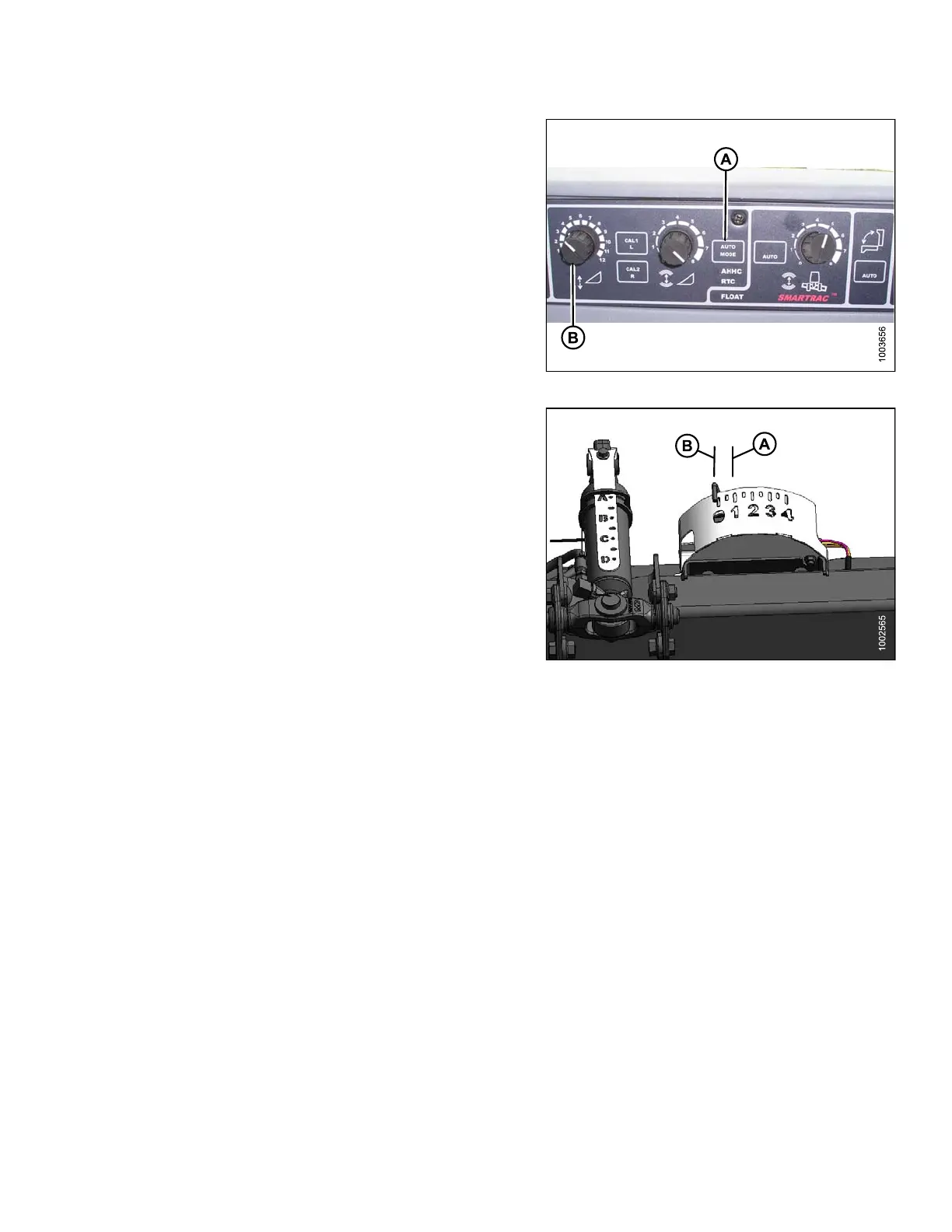
To adjust header height, ensure the header is in Auto
Header Height Control (AHHC) mode. This is indicated by
the AUTO MODE LED light (A) displaying a continuous,
solid light. The header will lower to the height (ground
pressure) corresponding to the position selected with the
height control knob (B).
Turn the knob counterclockwise for minimum ground
pressure, and clockwise for maximum ground pressure.
Figure 3.162: AHHC Console
NOTE:
The ideal ground pressure, in most cases, is one number
of separation on the AHHC from having the header
fully suspended off the ground (B) to just resting on the
ground (A).
Figure 3.163: Float Indicator Box
Adjusting t he Sensitivity of the Auto Header Height Control (Gleaner R65/R75)
NOTE:
Changes may have been made to the combine controls or display since this do cument was published. Refer to
the combine operator’s manual for updates.
147695 123 Revision A









 To Next Page