MAINTENANCE AND SERVICING
5.11 Adapter Stripper Bars and Feed Deflectors
5.11.1 Installing Stripper Bars
To install stripper bars to the adapter, follow these steps:
1. Detach header from combine. Refer to 4 Header
Attachment/Detachment, page 197 for you r
specific combine.
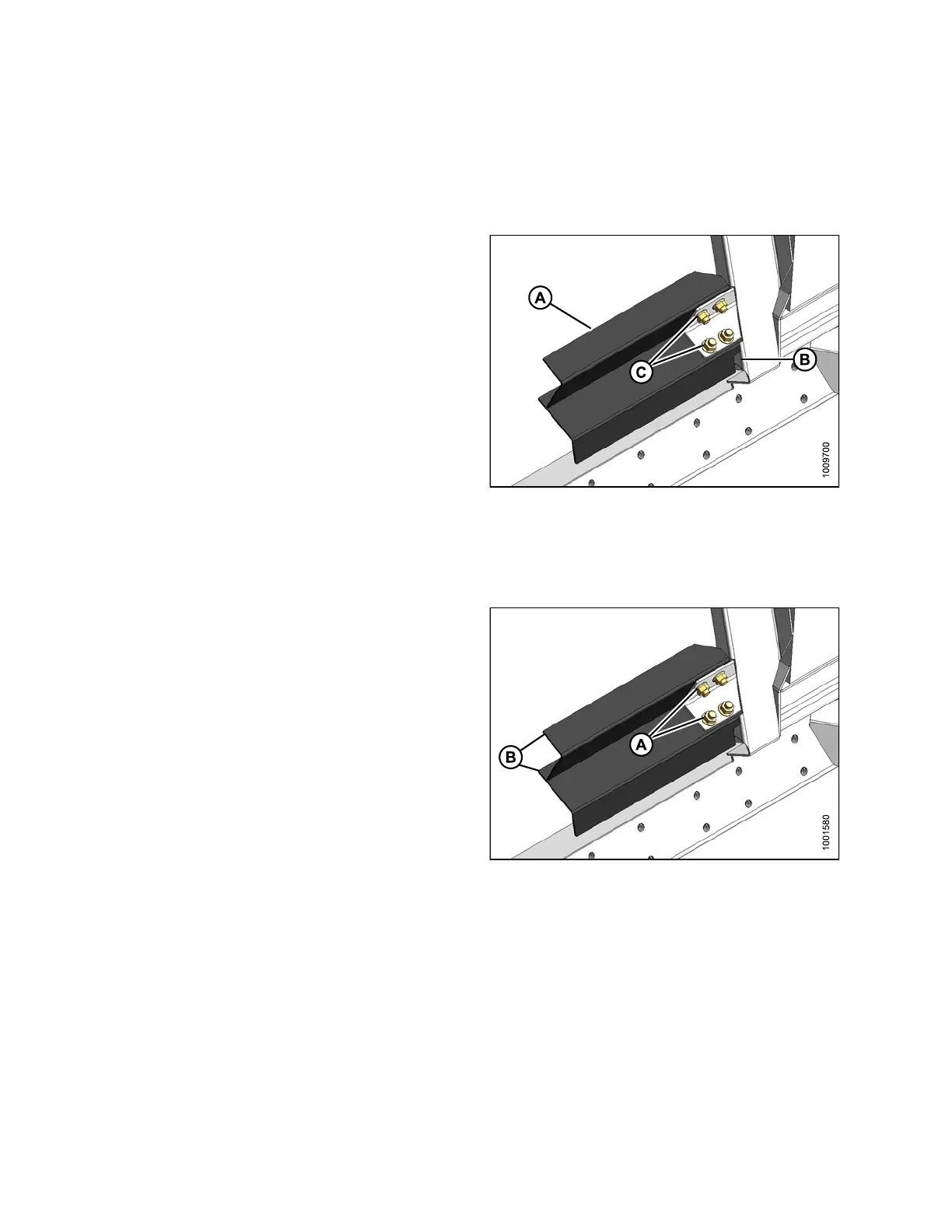
2. Position stripper bar (A) so n otch (B) is at corner of
frame. Secure it to the adapter with four bolts and
nuts (C ). Nuts to ward combin e.
3. Repeat at opposite side.
4. Attach header onto the combine. Refer to 4 Header
Attachment/Detachment, page 197.
Figure 5.
151: Stripper Bar
5.11.2 Re
moving Stripper Bars
To remove stripper bars from the adapter, follow these steps:
1. Detach header from combine. Refer to 4 Header
Attachment/Detachment, page 197 for you r
specific combine.
2. Remove four bolts and nuts (A) securing stripper
bar (B) to adapter frame, and remove bar.
3. Repeat at opposite side.
4. Attach header onto the combine. Refer to 4 Header
Attachment/Detachment, page 197.
Figure 5.152: Stripper Bar
5.11.3 Replacing Feed Deflectors
To re
place feeder deflectors in New Holland CR model combines, follow these steps:
1. Deta
ch header from combine. Refer to 4 Header Attachment/Detachment, page 197 foryourspecific combine.
147695 332 Revision A









 To Next Page