MAINTENANCE AN D SERVICING
Replacing Poin ted Guards on a Single-Knife Header
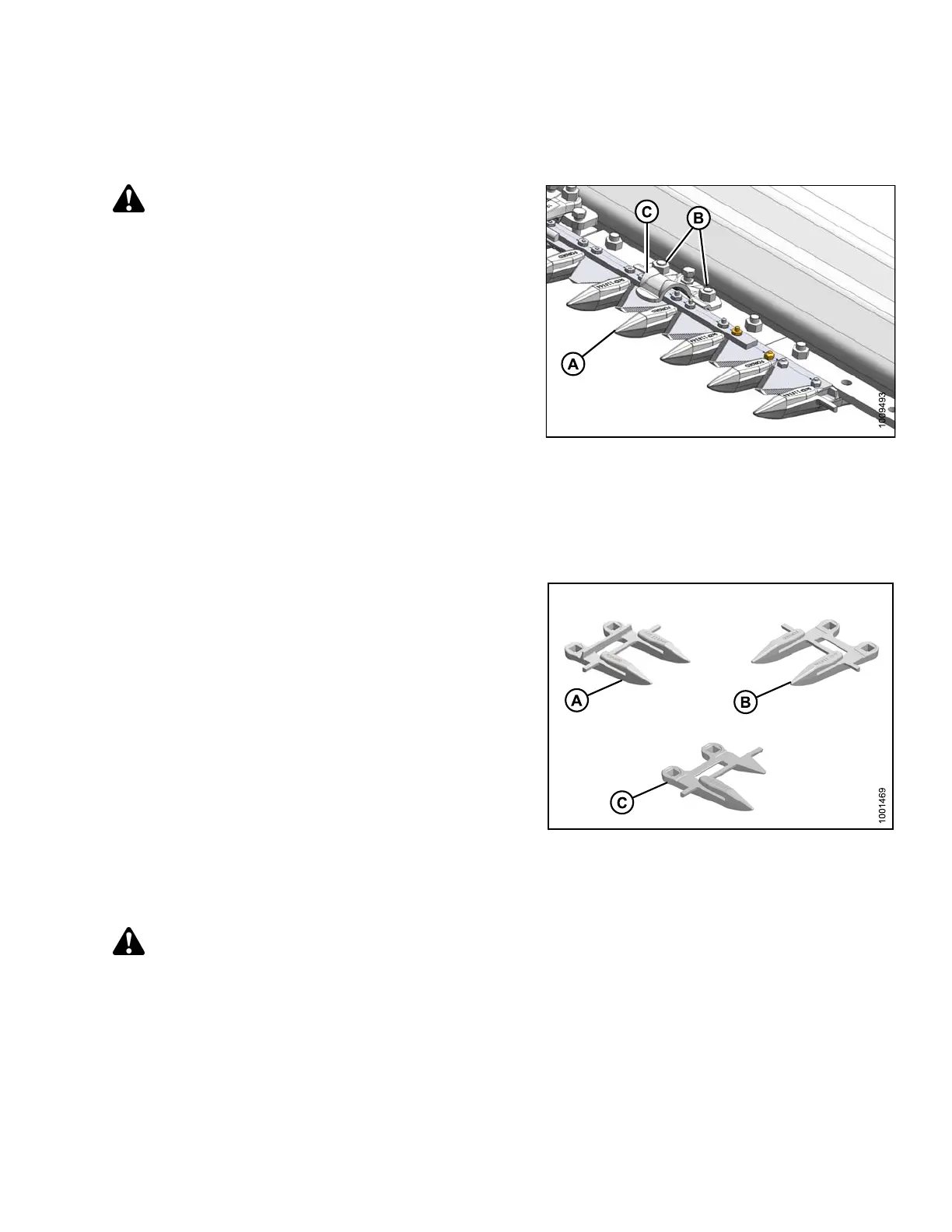
To replace pointed knife guards on a single-knife header, follow these steps:
WARNING
To avoid bodily injury from fall of raised reel, always
engage reel safety props before going under raised
reel for any reason.
1. Stroke knife so that knife sections are spaced midway
between the guards.
2. Remove two nuts (B) and bolts that attach guard (A)
and hold-down (C) (if applicable) to cutterbar.
3. Remove guard, hold-down, and plastic wear plate
(if installed).
4. Position new guard (A) and plastic wear plate (if
applicable) on cutterbar, and install bolts.
IMPORTAN T:
The first four outboard guards on drive side(s) of
header do not have a ledger plate. Ensure that
proper replacement is installed.
Figure 5.93: Cutterbar
5. Install hold-down, and secure with nuts. Tighten nuts
to 50 ft·lbf (68 N·m).
6. Check and ad just clearance between hold-down and
knife. Refer to Checking Knife Hold-Downs, page 308.
Figure 5.94: Guards
A-Normal
B - Drive Side C - Half Guard (End)
Replacing Pointed Gu
ards on a Double-Knife Hea der
WARNING
To avoid bodily injury from fall of raised reel, a lways engage reel safety props before going under raised
reel for any reason.
Refer to Replacing Pointed Guards on a Single-Knife Header, page 305 for typical guard replacement.
The g uard near the center of the double-knife header (where the two knives overlap) requires a slightly different
replacement procedure.
To replace the pointed center guard or center top guide on a double-knife header, follow these steps:
147695 305 Revision A









 To Next Page