OPERATION
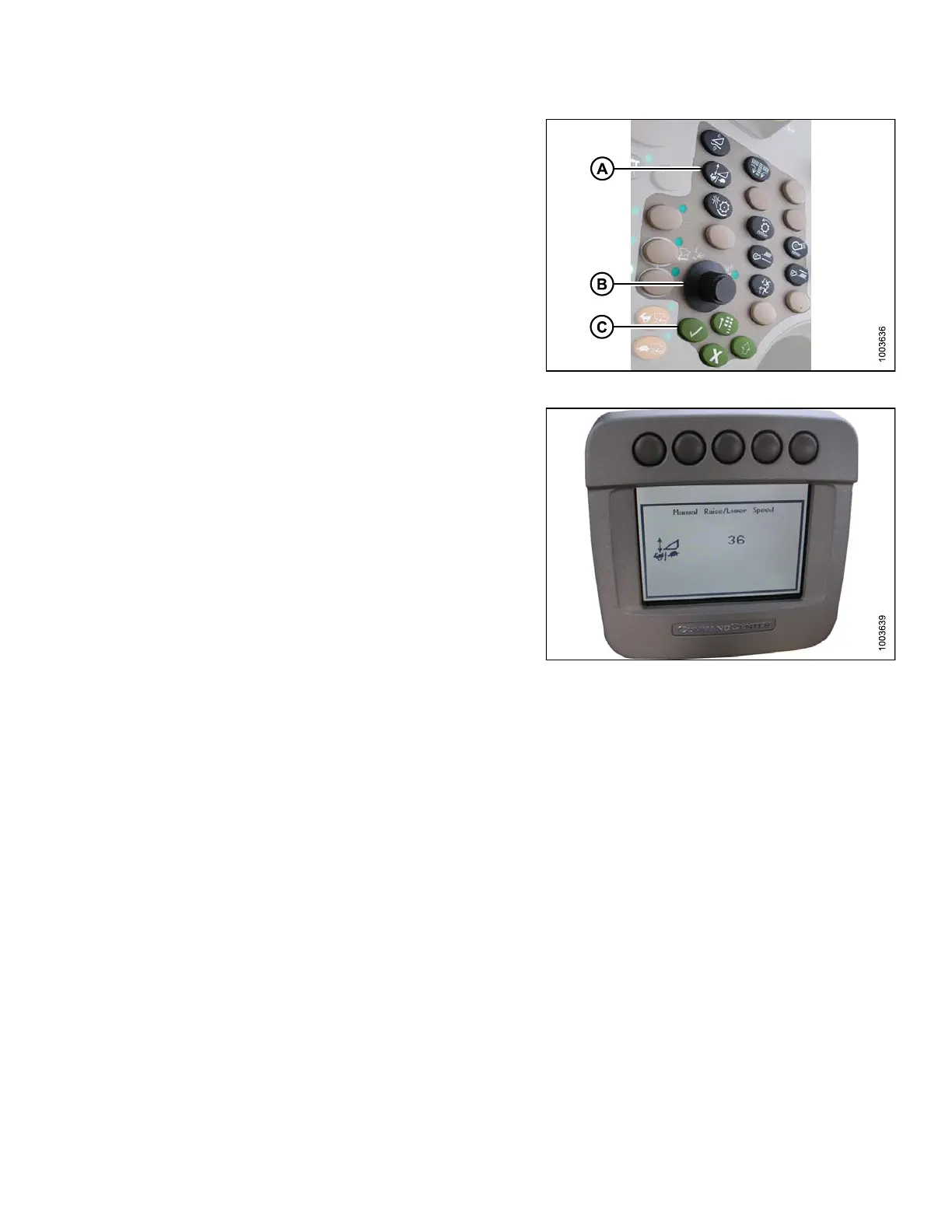
1. Press button(A) and the current raise/lowerrate setting
will appear on the monitor (the lower the reading, the
slower the rate).
2. Use scroll knob (B) to adjust the rate. The adjustment
will be saved automatically.
NOTE:
If the page remains idle for a short period of
time, it will automa tically return to the prev ious
page. Pressing the check mark button (C) will
also return the monitor to the previous page.
Figure 3.196: Combine Control Console
NOTE:
The numbers depicted on the displays in these
illustrations are fo r referen ce purpos es only; th e y
are not intended to represent the specificsettings
for your e quipment .
Figure 3.197: Combine Display
3.8.10 John Deere S Series Combines
Checking Voltage Range from the Combine Cab (John Deere S Series)
NOTE:
Chang
es may have b een made to the combine c o ntrols or display s ince t his docu ment was published. Refer to
the co
mbine operator’s manual for updates.
To check the sensor output voltage range from the combine cab, follow these steps:
1. Position the header 6 in. (150 mm) above the ground, and unlock the adapter float.
147695 143 Revision A









 To Next Page