OPERATION
IMPORTANT:
Check that the knife speed is within the values in the
table. For procedure, refer to Checking Knife Speed,
page 72.
IMPORTANT:
Under normal
cutting conditions, knife speed taken at the
knife drive p
ulley should be set between 600–640 rpm
(1200–1280 s
pm). If set to low side of chart, you could
experien c e k
nife stalling.
Table 3.7 FD75 Header Knife Speed
Recommended K
nife Drive
Speed Range (r
pm)
Header Size
Single-Knife
Drive
Double-Knife
Drive
30 ft
600–700
—
35 ft
550–650
—
40 ft
525–600 550–700
45 ft
—
550–700
Checking Knife S
peed
This section contains the procedure for checking the knife speed. If it is higher than the specified range, contact
your MacDon Dealer.
WARNING
Stopcombineengineandremovekeybeforemaking
adjustments to machine. A child or even a pet could
engage the drive.
1. Stop combine engine, and remove key from ignition.
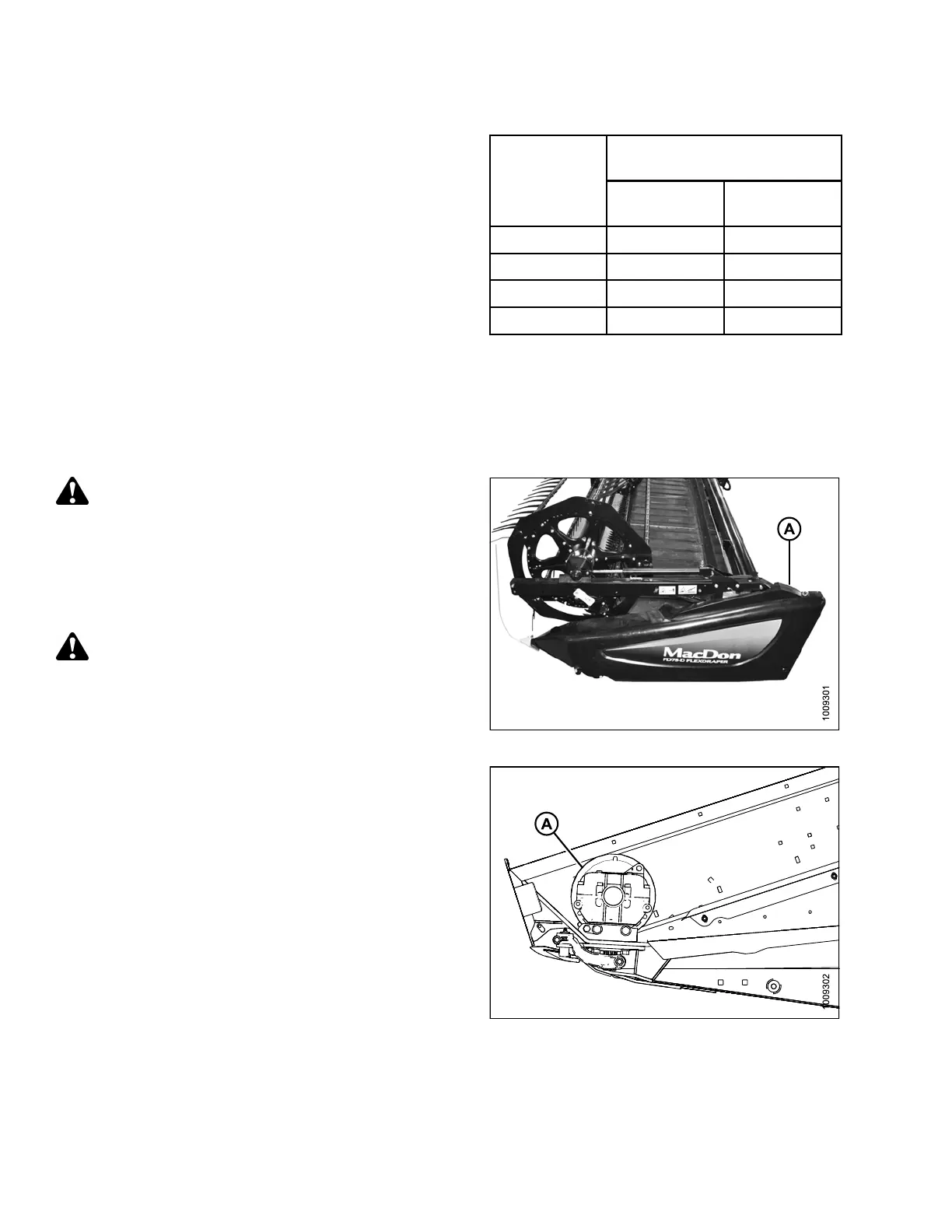
2. Open the left endshield (A).
WARNING
Ensure bystanders are clear before starting engine.
Figure 3.61
: Left Endshield
3. Start combine engine, engage the header drive, and
run the combine at operating rpm.
4. Measure the rpm of the knife drive box pulley (A) with
a hand-held tachometer.
5. Shut down the combine.
6. Compare measured pulley rpm with the values in the
knife speed chart. Refer to 3.7.7 Knife Speed, page
71.
7. If it is higher than the specified range for your header,
contact your MacDon dealer.
Figure 3
.62: Knife Drive Pulley
147695
7
2
Revision A









 To Next Page