MAINTENANCE AN D SERVICING
IMPORTAN T:
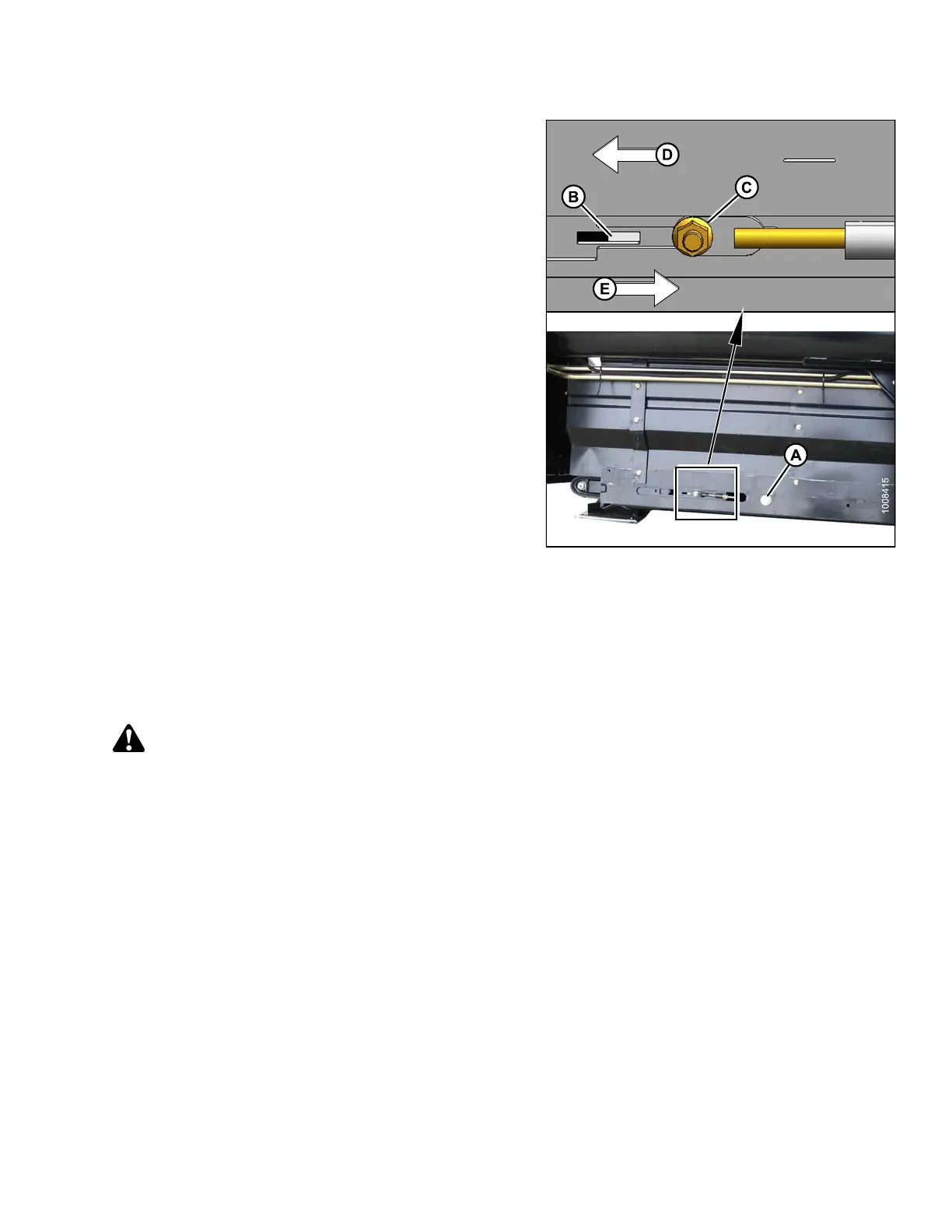
Do NOT adjust nut (C). This nut is used for draper
alignment only.
6. Turn adjuster bolt (A) counterclockwise to loosen, and
white indicator bar (B) will move outboard in direction of
arrow (D) to indicate that draper is loosening. Loosen
until bar is about halfway in window.
7. Turn adjuster bolt (A) clockwise to tighten, and white
indicator bar (B) will move inboard in direction of
arrow (E) to indicate that draper is tightening. Tighten
until bar is about halfway in window.
IMPORTAN T:
•Toavoidpre
mature failure of drape r, draper rollers,
and/or tig
htener components, do not operate with
tension se
t so that white bar is not visible.
•Toprevent
the draper from scooping dirt, ensure
draper is t
ight enough that it does not sag below
point whe
re cutterbar contacts the ground.
Figure 5.
162: Tension Adjuster: Left-Hand
Shown – Ri
ght-Hand Opposite
5.12.4 A
djusting Header Draper Tracking
Each draper deck has a fixed drive roller (A) and a spring-loa de d idler roller (B) that can be a ligned by adjuster rods
so th at the draper tracks properly on the rollers.
If the draper is tracking incorrectly, refer to the following directions to correct the tracking:
CAUTION
To avoid personal injury, before servicing machine or opening drive covers, refer to 5.1 Preparation for
Servicing, page 251.
147695 337 Revision A









 To Next Page