OPERATION
Removing Crop Dividers from Header without Latch Option
To remove crop dividers from a header without the latch option, follow these steps:
DANGER
To avoid bodily injury or death from unexpected start-up or fall of raised machine, always stop engine,
remove key, and engage safety props before going under header for any reason.
1. Lower reel, raise header, stop engine, remove key, and engage safety props. For instructions, refer to your
combine operator’s manual.
2. Open/remove header endshields. Refer to 3.2.3 Endshields, page 33.
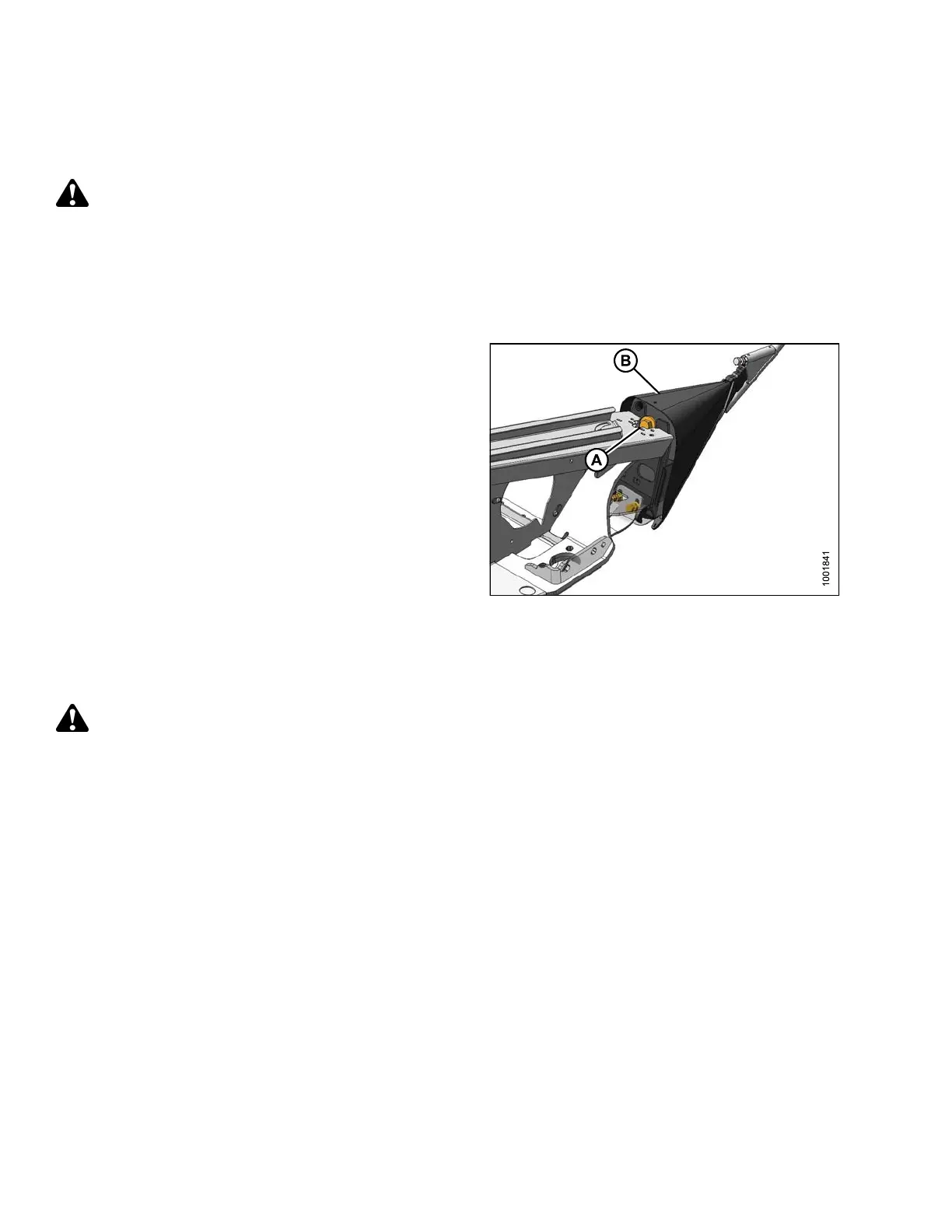
3. Remove bolt (A), lock washer, and flat washer.
4. Lower divider (B) and lift off endsheet.
5. Close/replace header endshields. Refer to 3.2.3
Endshields, page 33.
Figure 3.84: Crop Divider
Installing Crop D ividers on Header with Latch Option
To install crop dividers on a header with the latch option, follow these steps:
DANGER
To avoid b
odily injury or death from unexpected start-up or fall of raised machine, always stop engine,
remove k
ey, and engage safety props before going under h eader for any reason.
1. Lower reel, raise header, stop engine, remove key, and engage safety props. For instructions, refer to your
combine operator’s manual.
2. Open header and remove endshields.
147695 84 Revision A









 To Next Page