OPERATION
Calibrating the Auto Header Height Control (New Holland CR/CX Series)
For best performance of the Auto Header Height Control (AHHC), perform these procedures with the center-link
set to D. When setup and calibration are complete, adjust the center-link back to desired header angle. Refer to
3.7.3 Header Angle, page 66.
NOTE:
Changes may h
ave been made to the combine controls or display since this document was published. Refer to
the combine o
perator’s manual for updates.
Check the following conditions before starting the header calibration procedure:
• The header is attached to the combine.
• The combine is on level ground, with the header level to the ground.
• The header is on down stops and the center-link is set to D.
• The engine is running.
• The combine is not moving.
• No faults have been received from the Header Height Controller (HHC) module.
• Header/feeder is disengaged.
• Lateral fl otation buttons are NOT pres sed.
• ESC key is NOT pressed.
To calibrate the Auto Header Height Control, follow these steps:
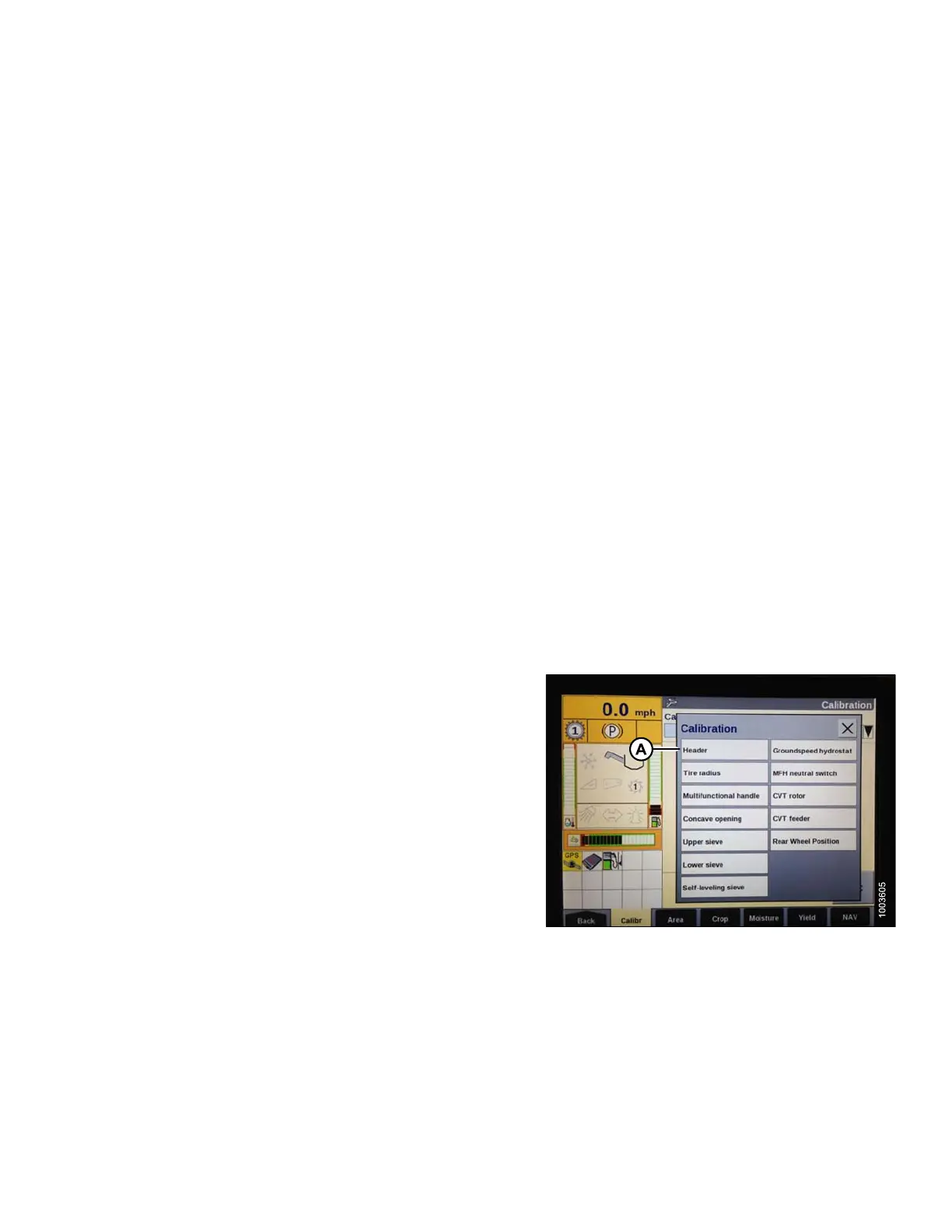
1. Select CALIBRATION on the combine display, and
press the right arrow navigation key to enter the
informa tion box.
2. Select HEADER (A), and press ENTER. The
CALIBRATION window opens.
NOTE:
You can use the
up and down navigation keys to
move betwee n o
ptions.
Figure 3.254: Combine Display
147695 167 Revision A









 To Next Page