OPERATION
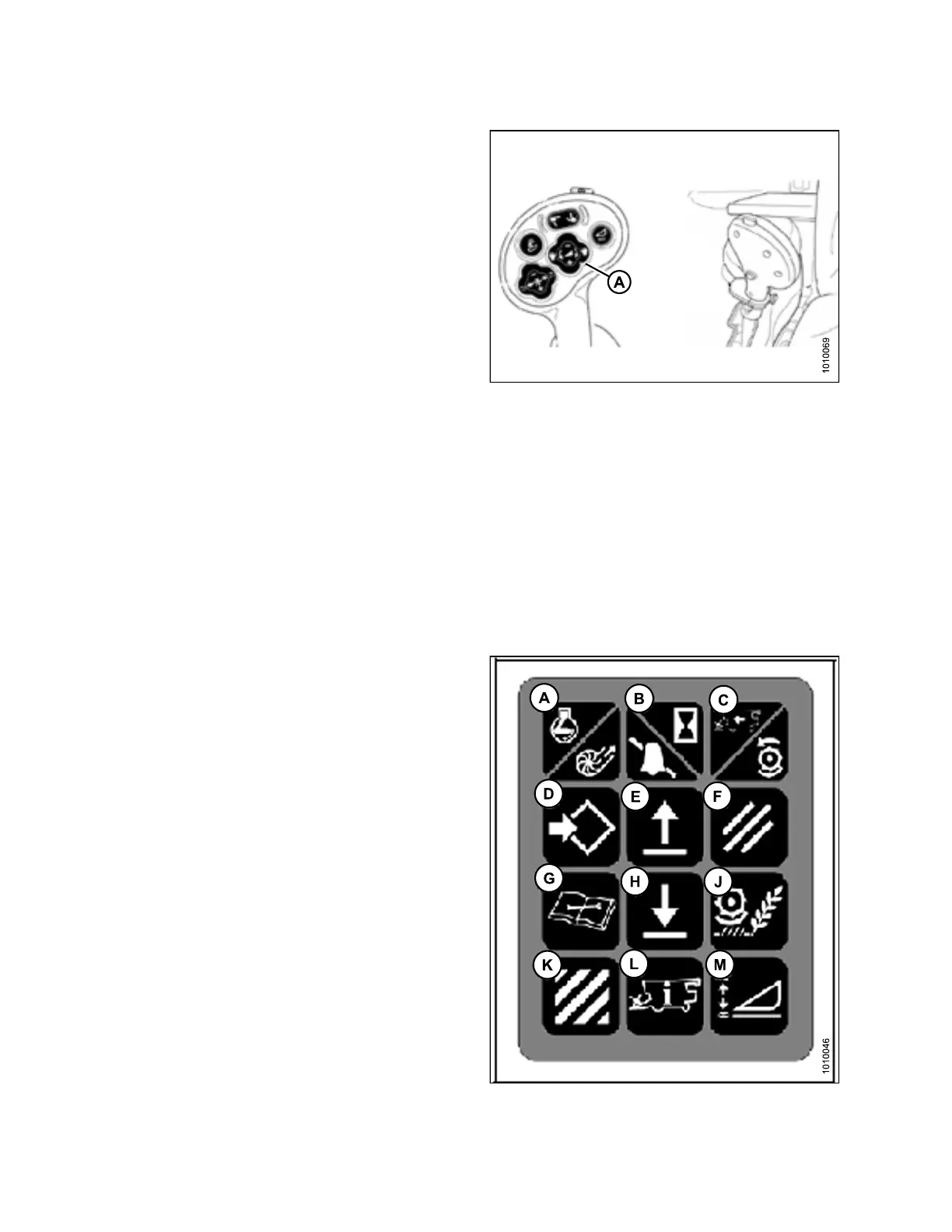
Figure 3.123: Joystick Lever (Case IH
5088/6088/7088)
Setting the Sensitivity of the Auto Header Heigh t (Case IH 2300/25 00 and 5088/6088/7088)
The sensitivity adjustment controls the distance the cutterbar must travel up or down before the Auto Header
Height Control (AHHC) reacts and raises or lowers the feeder house. When the sensitivity is set to m aximum, only
small changes in ground height are needed to cause the feeder house to raise or lower. W hen the sensitivity is set
to minimum, large changes in the ground height are needed to cause the feeder house to raise or lower.
NOTE:
Changes
may have been made to the combine controls or display since this document was published. Refer to
the comb
ine operator’s manual for updates.
1. Use the HEADER SETTING S key (M) to display the
HEADER SENSITIVITY CHANGE SCREEN.
2. UsetheUPorDOWNkeys(EandH)toadjust
the highlighted item. The height sensitivity setting
range is 0 (least sensitive) to 250 (most sensitive) in
incremen ts of 10.
NOTE:
Adjustments take effect immediately. Use the
CANCEL key to return to the original settings.
3. Use t he HEAD ER SETTIN GS key (M) t o highlight the
next changeable item.
4. Use the ENTER key (D) to save changes and return to
the monitor screen. If there are no changes, the screen
will return to the monitor screen after five seconds.
Fi
gure 3.124: Combine Controls
147695 104 Revision A









 To Next Page