MAINTENANCE AN D SERVICING
5.14.2 Replacing Double Reel U-Joint
The reel drive
U-joint allows movement between the two reels. This allows either reel to move independently.
Lubricate the
U-joint in accordance with the requirements. Refer to 5.3.6 Lubrication and Servicing, page 259.
U-joint sho u l
d be replaced if severely worn or damaged. Refer to Removing Double Reel U-Joint, page 375.
Removing Dri
ve Cover
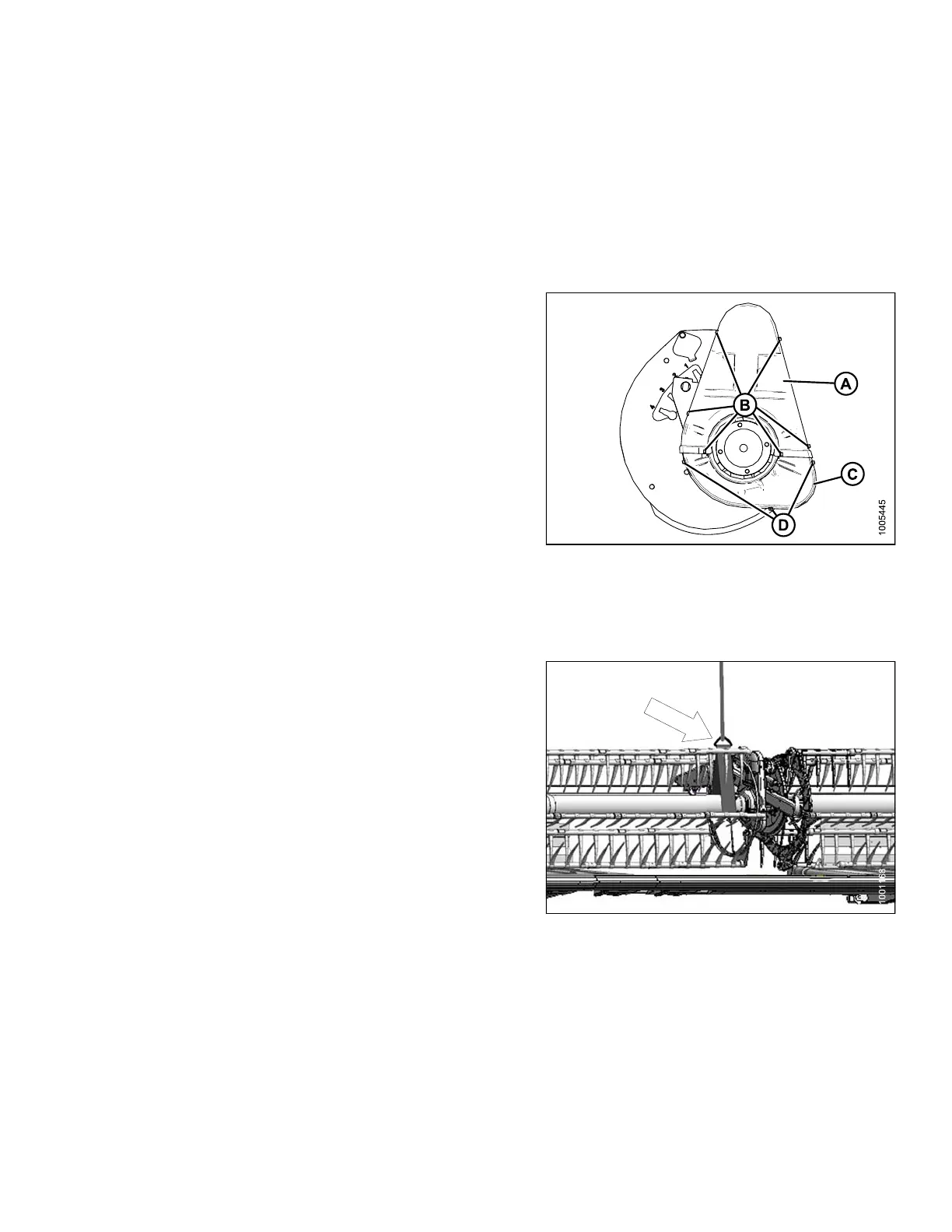
1. Remove the six bolts (B) that secure the upper
cover (A) to the reel drive and to the lower cover (C).
NOTE:
The lower cover (C) may also be removed by
taking off the three bolts (D).
Figure 5.250: Double Reel
Removing Double Reel U-Joint
To remov
e the U-joint, follow these steps:
1. Suppor
t inboard end of right reel with a front end loader
and nyl
on slings (or equivalent setup).
IMPORTAN T:
To avoid damaging or denting center tube, support
reel as close as possible to t he end disc.
Figure 5.251: Reel and Reel Support
147695 375 Revision A









 To Next Page