OPERATION
Calibrating Feeder House Speed (John Deere 70 Series)
The feeder house speed must be calibrated before you calibrate the Auto Header Height Control (AHHC) system.
Refer to the combine operator’s manual for instructions.
Calibrating the Auto Hea der Height Control (John Deere 70 Series)
For best perf
ormance of the Auto Header Height Control (AHHC), perform these procedures with the center-link
settoD.When
setup and calibration are complete, adjust the center-link back to desired header angle. R efer to
3.7.3 Heade
r Angle, page 66.
NOTE:
Changes may have been made to the combine controls or display since this do cument was published. Refer to
the combine operator’s manual for updates.
1. Ensure ce nt er-link is set to D.
2. Rest header on down s tops and unlock adapter float.
3. Place w ings in locked position.
4. Start the combine.
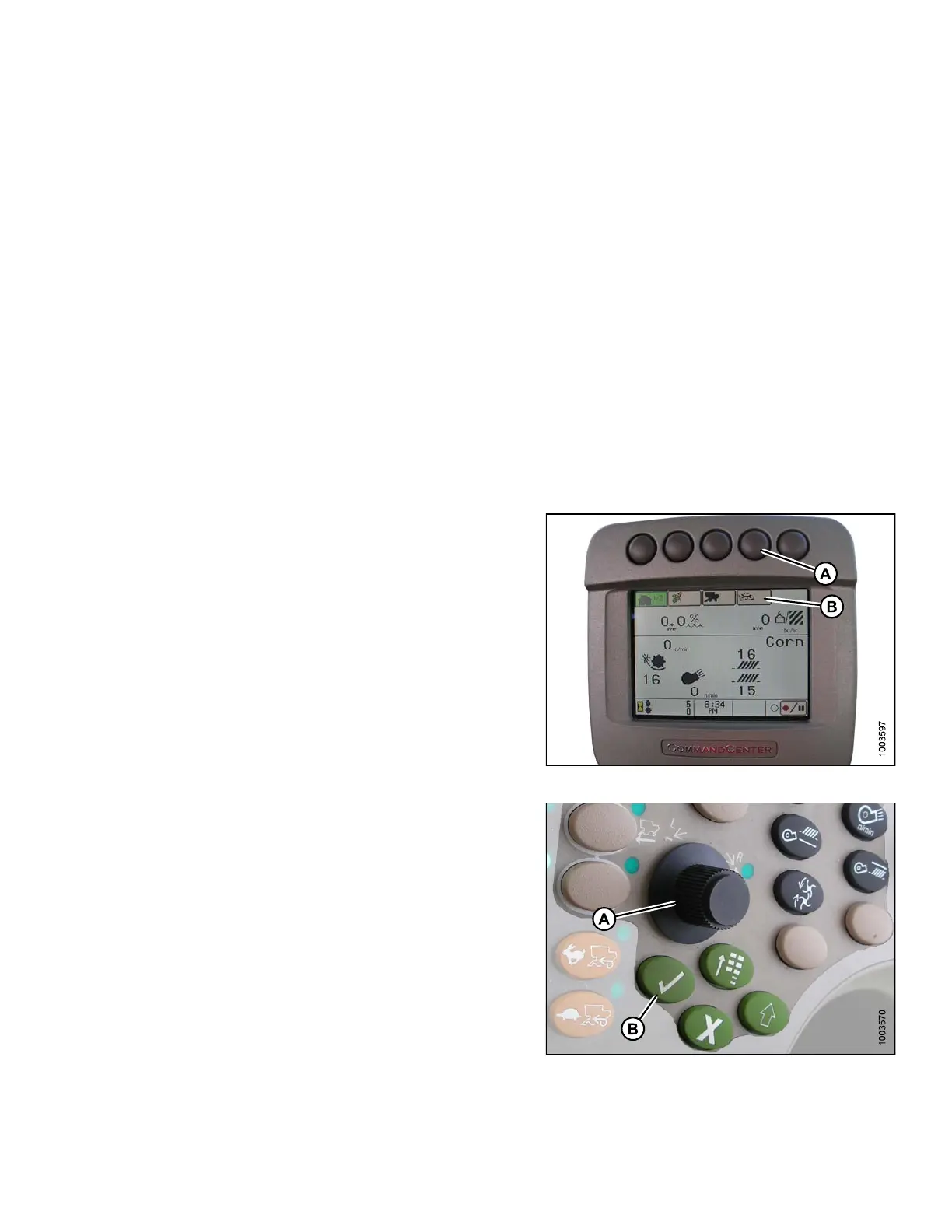
5. Press the button located fourth from the left along the
top of the monitor (A) to select the icon that resembles
an open book with a w rench on it (B).
6. Press the top button (A) a second time to enter
diagnostics and calibration mode.
Figur
e 3.192: Combine Display
7. Use scroll knob (A) to highlight the HEADER option and
press the check mark button (B) to select it.
8. Use the scroll knob (A) to highlight the lower right-hand
icon that resemb les an arrow in a diamo nd and press
the check ma rk bu tton (B) to select it.
9. Follow the steps listed on the monitor to perform
the calibration.
NOT
E:
If a
n error code appears on screen, the sensor
is n
ot in the correct working range. Refer to
Che
cking Voltage Range from the Combine Cab
(Jo
hn Deere 70 Series), page 137 to check and
adj
ust the range.
Fig
ure 3.193: Combine Control Con sole
147695
1
41
Revision A









 To Next Page