OPERATION
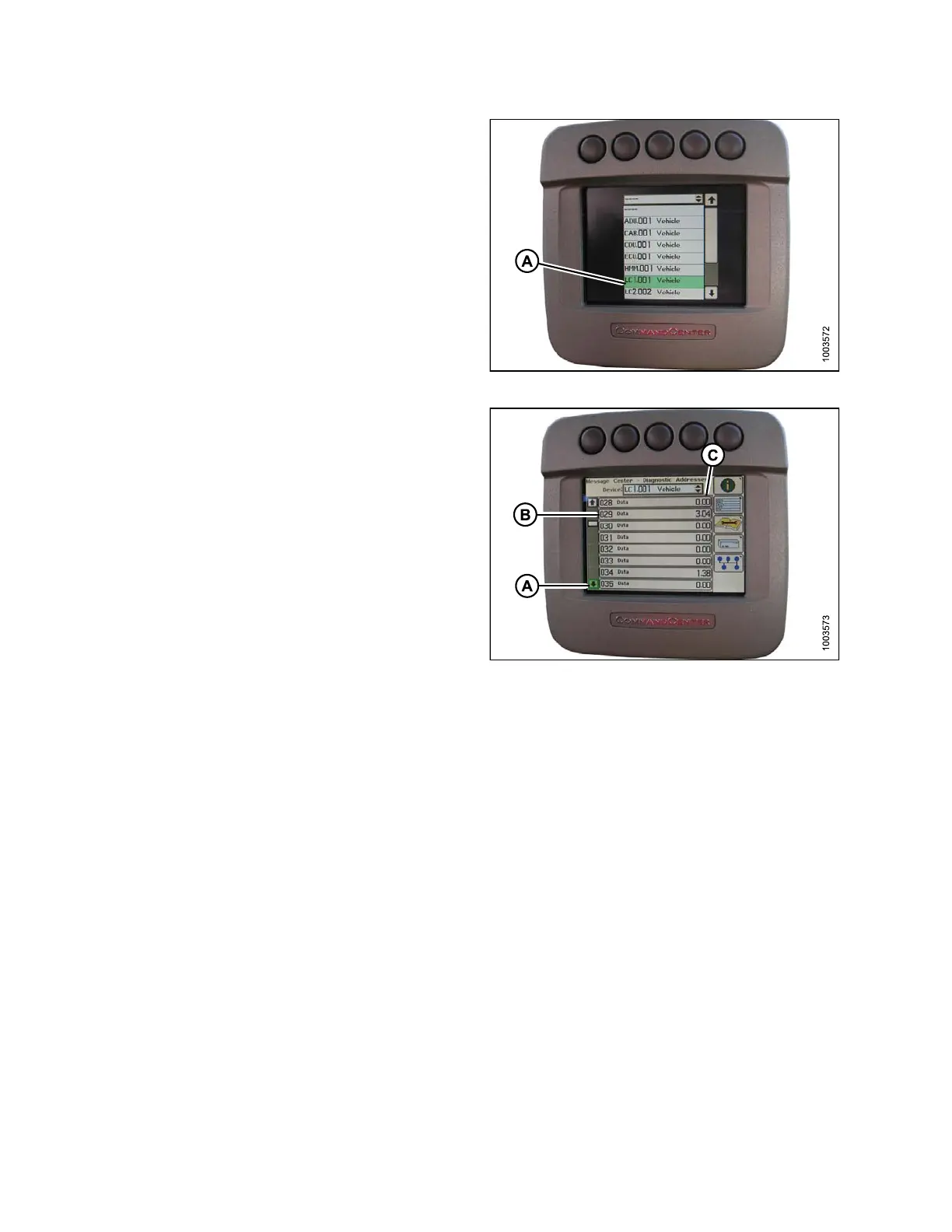
9. Use the scroll knob to highlight LC 1.001 VEHICLE (A)
is highlighted and press the check mark button to
select it.
Figure 3.190: Combine Display
10. UsethescrollknobtohighlighttheDOWNARROW(A)
and press the check mark button to scroll through
the list until 029 DATA (B) is displaye d an d voltag e
reading (C) appears on the monitor.
Figure 3.191: Combine Display
11. Ensure h ea der float is unlocked.
12. Start the combine and fully lower feeder house to the ground.
NOTE:
You may need to hold the header down switch for a few seconds to ensure the feeder house is
fully lowered .
13. Check the sensor reading on the monitor.
14. Raise the header so it is just off the ground and recheck the sensor reading.
15. Adjust the voltage limits (refer to Adjusting Voltage Limits, page 93) if the sensor voltage is not within the low
and high limits or if the range between the low and high limits is insufficient ( refer t o Table 3.10 Combine Voltage
Limits, page 91).
147695 140 Revision A









 To Next Page