OPERATION
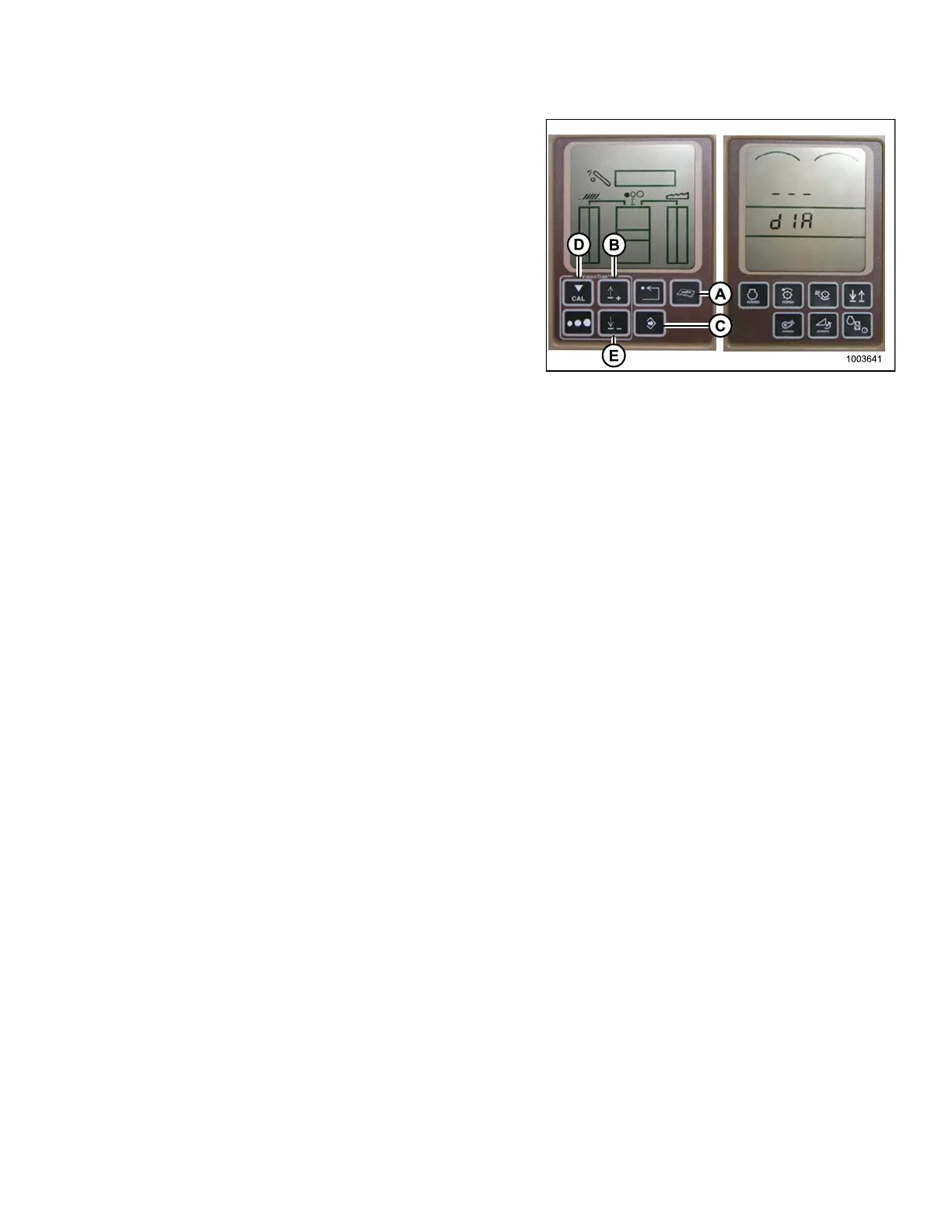
1. Press t he DIAGNO ST IC button (A) on t he monito r –
DIA appears on the monitor.
2. Press the UP button (B) until EO1 appears on
the monitor and press ENTER (C) – this is the
header adjustment.
3. Press the UP (B) or DOWN butto n until ‘114’ is
displayed on the top portion of the monitor – this is the
setting that adjusts when the fast drop rate starts with
respect to the dead band.
NOTE:
The default setting is 100. Ideal operating range
is typically between 60–85.
4. Press ENTER (C) to select 114 as the fast drop rate
(this will allow you to change the first digit of the
number sequence).
5. Press U P (B) or DOWN (E) until th e desired n um b er
is displayed, then press the CAL button (D). This will
bring you to the second digit. Repeat this procedure
until the desired setting is achieved.
6. Press ENTER (C) to save changes.
NOTE:
The numbers depicted on the displays in these
illustrations are for reference purp os es o nly ;
they are not intended to represent the specific
settings fo r your equ ipment.
Figure 3.183: Combine Display
3.8.9 John Dee
re 70 Series Combines
Checking Volt
age Range from the Combine Cab (John Deere 70 Series)
NOTE:
Changes may have been made to the combine controls or display since this do cument was published. Refer to
the combine operator’s manual for updates.
To ch eck the s
ensor output voltage range from the combine cab, follow these steps:
1. Position th
e header 6 in. (150 mm) above the ground, and unlock the adapter float.
147695 137 Revision A









 To Next Page