OPERATION
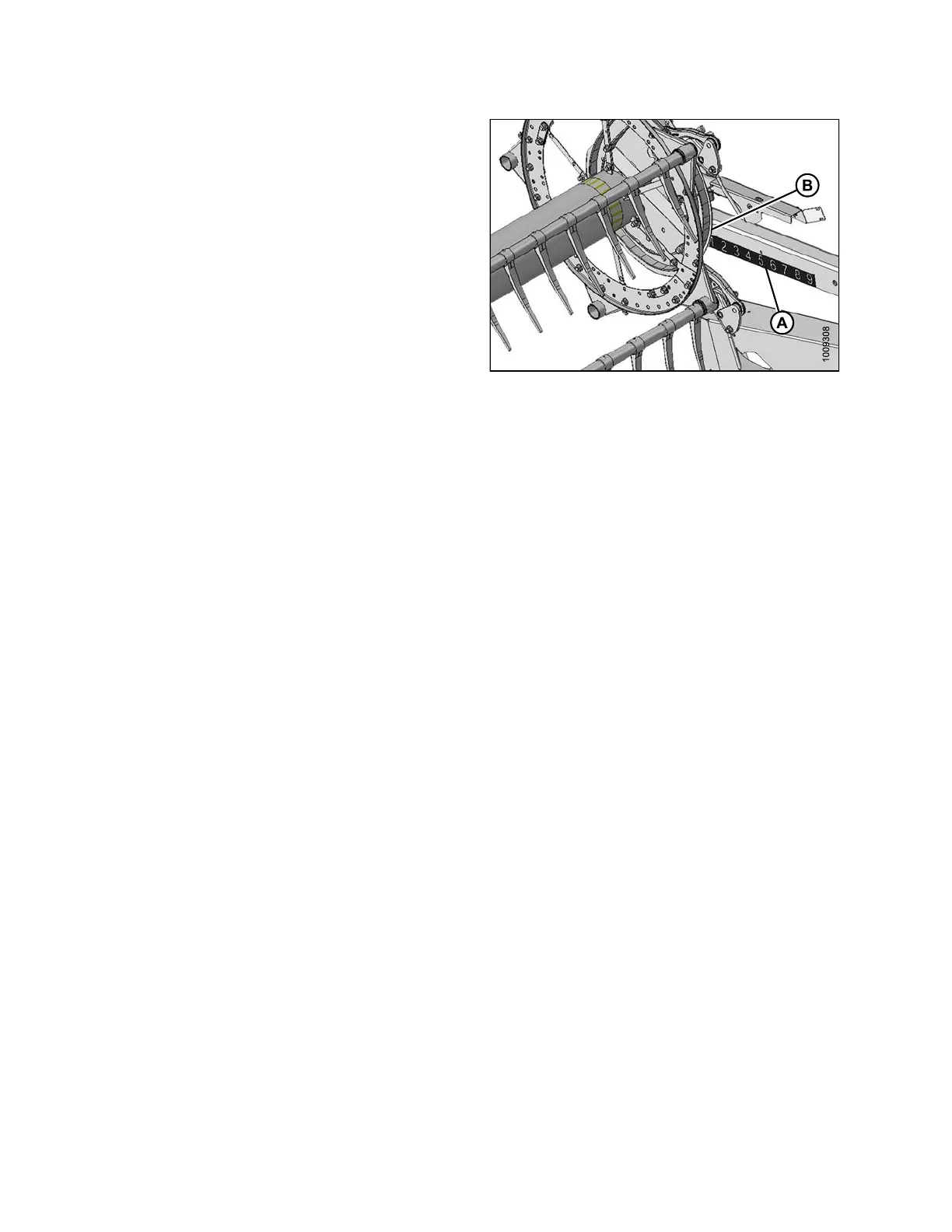
A decal (A) is provided on the reel right support arm for
identifying reel position. The cam disc aft edge (B) is the
gauge indicator.
For straight standing crop, center the reel over the cutterbar
(4–5 on decal).
For crops that are down, tangled, or leaning, it may be
necessary to move the reel ahead of the cutterbar (lower
number on decal).
IMPORTANT:
When having difficulty picking up flatte ned crop, ad just
header angle to a steeper position. Refer to Controlling
Header Angle, page 67 for adjustment details. Adjust
reel position only if header angle adjustments are not
satisfactory.
Refer to 3.6.2 H eader Settings, page 44 for recommended
reel positions in specific crops and crop conditions.
NOTE:
In crops that a re difficult to pick up such as rice, or
severely lodged crops that require full forward positioning
ofthereel,thereeltinepitchcanbesettoprovideproper
placement of the crop onto the drapers. Refer to 3.7.11
Reel Tine Pitch, page 80 for adjustment details.
Figure 3.63: Fore-Aft Decal
Adjusting Reel Fore-Aft Position
To adjust the re
el fore-aft position, follow t hese step s:
1. Select FORE-A
FT mode on the selector switch in the cab.
2. Operate the hy
draulics to move the reel to the desired position, again using the gauge as a reference.
3. Check r eel cle
arance to cutterbar after making changes to cam setting. Refer to the following for m easurements
and adjustme
nt procedures:
• 5.13.1 Reel Clearance to Cutterbar, page 350
• 5.13.2 Reel Frown, page 353.
IMPORTANT:
Operating with the reel too far forward can cause the fingers to contact the ground. Lower the skid shoes or
adjust header tilt as required when operating with the reel in this position to prevent damage to the fingers.
147695
7
4
Revision A









 To Next Page