OPERATION
Locking/Unlocking Header Wings
The FD75 is designed to operate with the cutterbar on the ground. The three sections move independently to follow
the ground contours. In this mode, each wing is unlocked andisfreetomoveupanddown.
The FD75 can also be operated as a rigid header with the cutterbar straight. A typical application is in cereals when
cutting above the ground. In this mode, the wing is locked.
OperatinginFlexMode
The three se
ctions move independently to follow the ground contours.
Unlock the w
ings as follows:
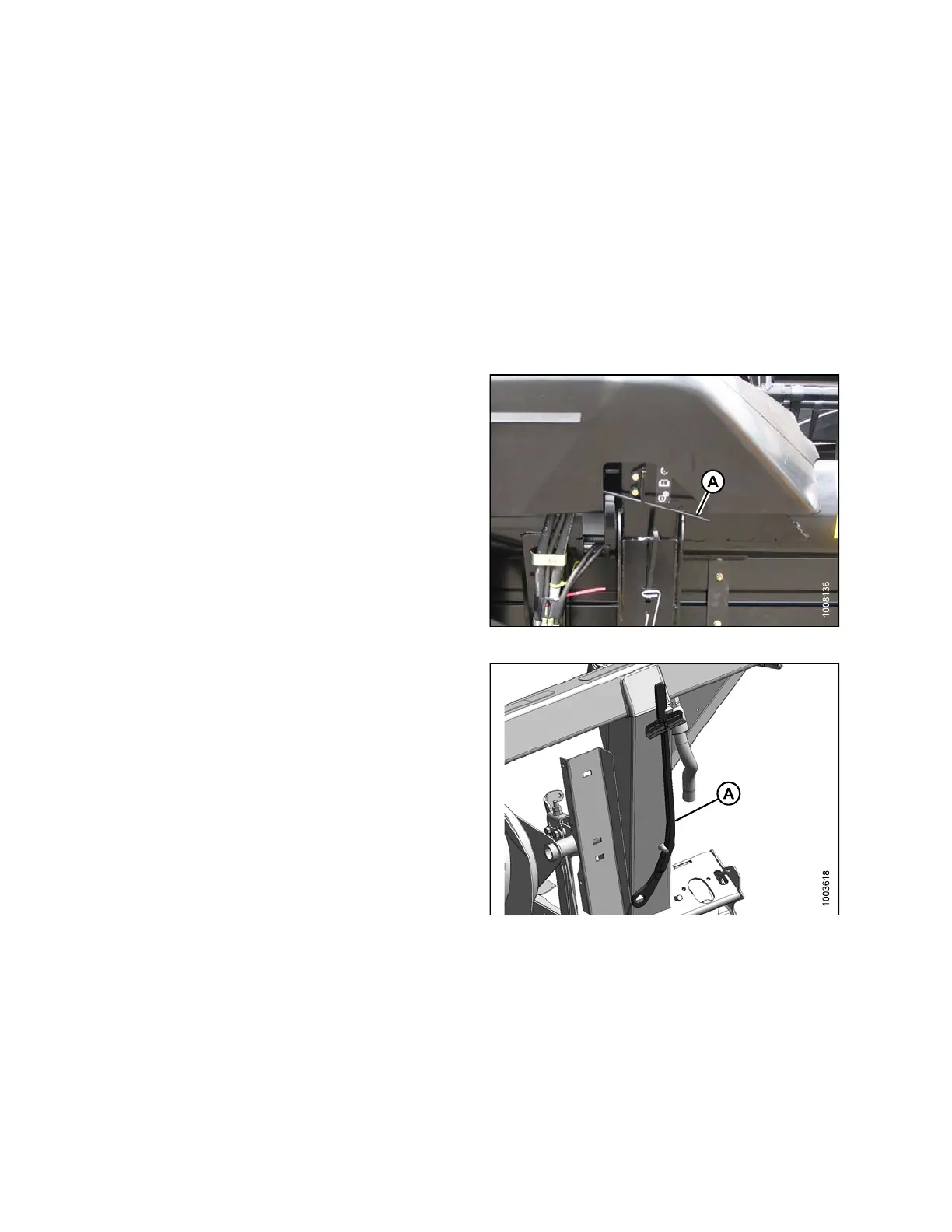
1. Move spring handle (A) in the lower slot to unlock the
wing. The unlocking should be audible.
2. If the lock link does not disengage, move the wing by
raising and lowering the header, changing the header
angle, or driving the combine until it disengages.
Figure 3.48: Wing Lock
NOTE:
The following steps are only required if the above
has not wo rke d.
3. Remove the linkage cover. Refer to Removing Linkage
Covers, page 38.
4. Retrieve the supplied torque wrench (A) that is sto re d
on the adapter frame on the right-hand side.
Figure 3.49: Torque Wrench
147695 64 Revision A









 To Next Page