OPERATION
3.8.7 John Dee
re 50 Series Combines
Checking Volt
age Range from the Combine Cab (John Deere 50 Series)
NOTE:
Changes may have been made to the combine controls or display since this do cument was published. Refer to
the combine operator’s manual for updates.
To ch eck the
sensor output voltage range from the combine cab, follow these steps:
1. Position th
e header 6 in. (150 mm) above the ground, and unlock the adapter float.
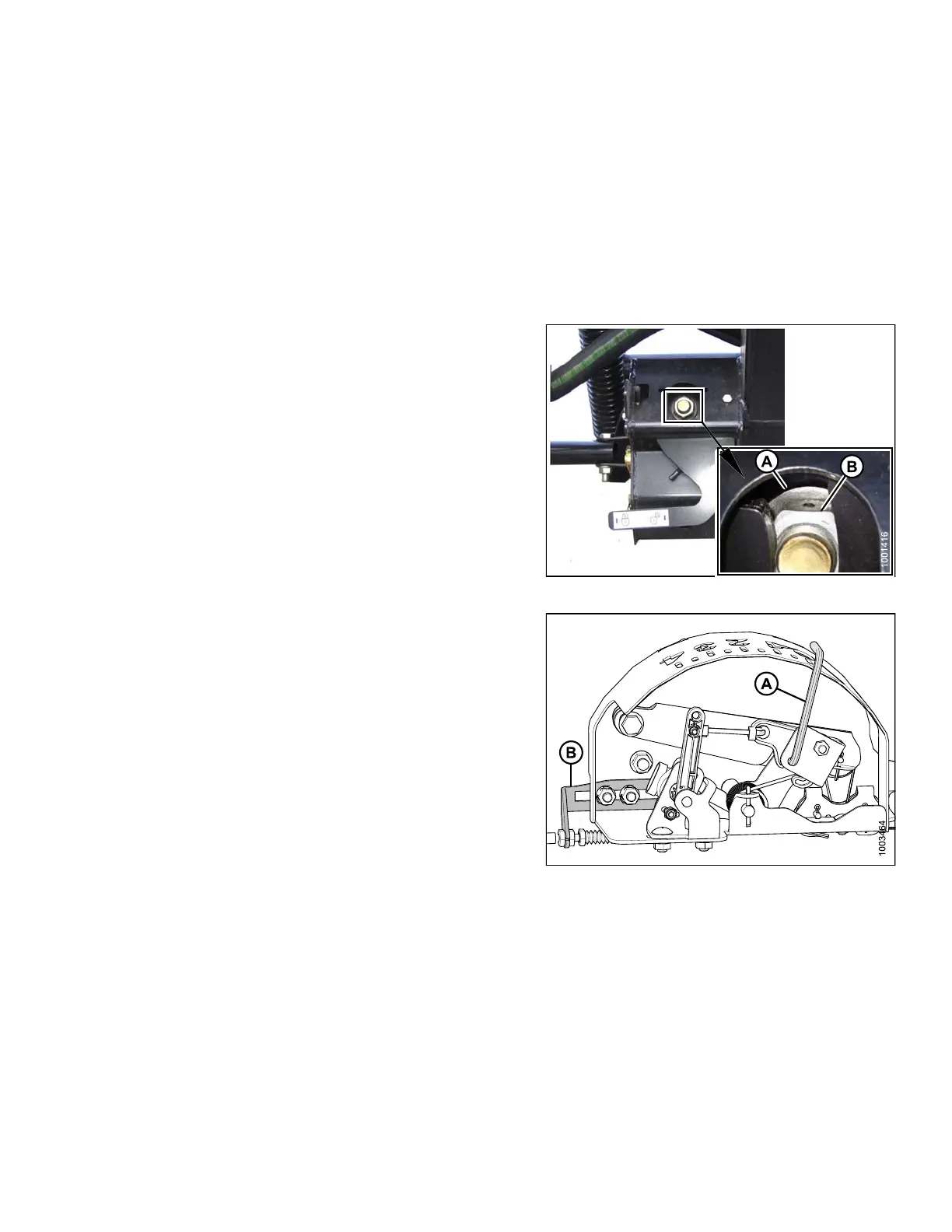
2. Check that fl
oat lock linkage is on down stops
(washer [A]
and nut [B] cannot be moved) at both
locations
.
NOTE:
If the header is not on down stops during the next
two steps, the voltage may go out of range during
operation causing a malfunction of the AHHC system.
Figure 3.167: Float Lock
3. Adjust t
he cable take-up bracket (B) (if necessary) until
the poi
nter (A) on the float indicator is on ‘0’.
Figure 3.168: Float Indicator Box
147695
1
27
Revision A









 To Next Page