OPERATION
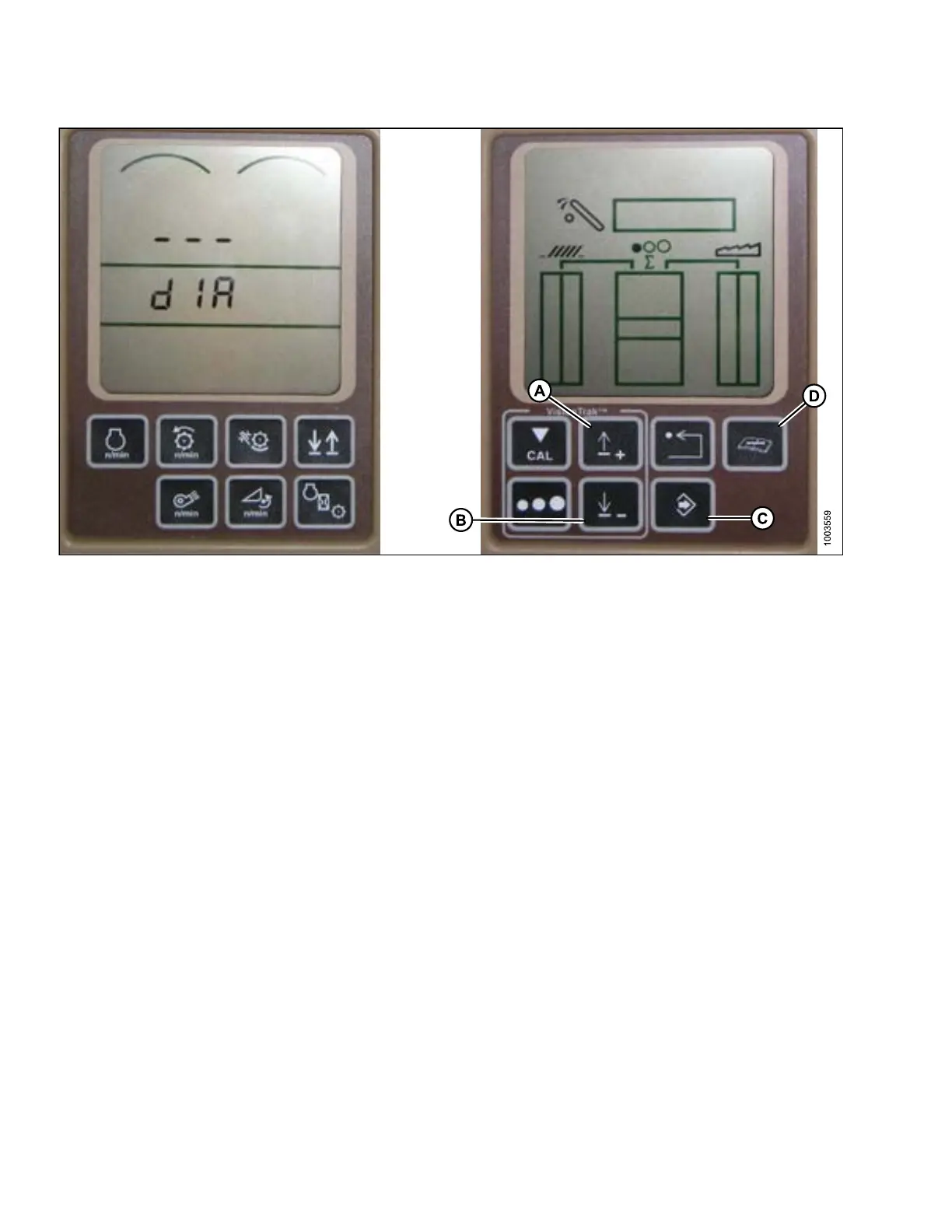
Figure 3.169: Combine HHS Monitor
4. Press the DIAGNOSTIC button (D) on the monitor – DIA appears on the monitor.
5. Press the UP button (A) until EO1 appears on the monitor – this is the header adjustments.
6. Press the ENT E R button (C).
7. Press the UP (A) or D OW N button (B) until ‘24’ is displayed on the top portion of the monitor – this is the voltage
readingforthesensor.
8. Ensure header float is unlocked.
9. Start the combine, and fully lower feeder house to the ground.
NOTE:
You ma
y need to hold the header down switch for a few seconds to ensure the feeder house is
fully
lowered.
10. Chec
k th e sens or read in g on the monito r.
11. Rais
e the header so it is just o ff the ground, and recheck the sensor reading.
12. Adju
st the voltage limits (refer to Adjusting Voltage Limits, p ag e 93) if the sensor voltage is not within the low
and h
igh limits or if the range between the low and high limits is insufficient (refer to Table 3.10 Combine Voltage
Lim
its, page 91).
147695 128 Revision A









 To Next Page