MAINTENANCE AND SERVICING
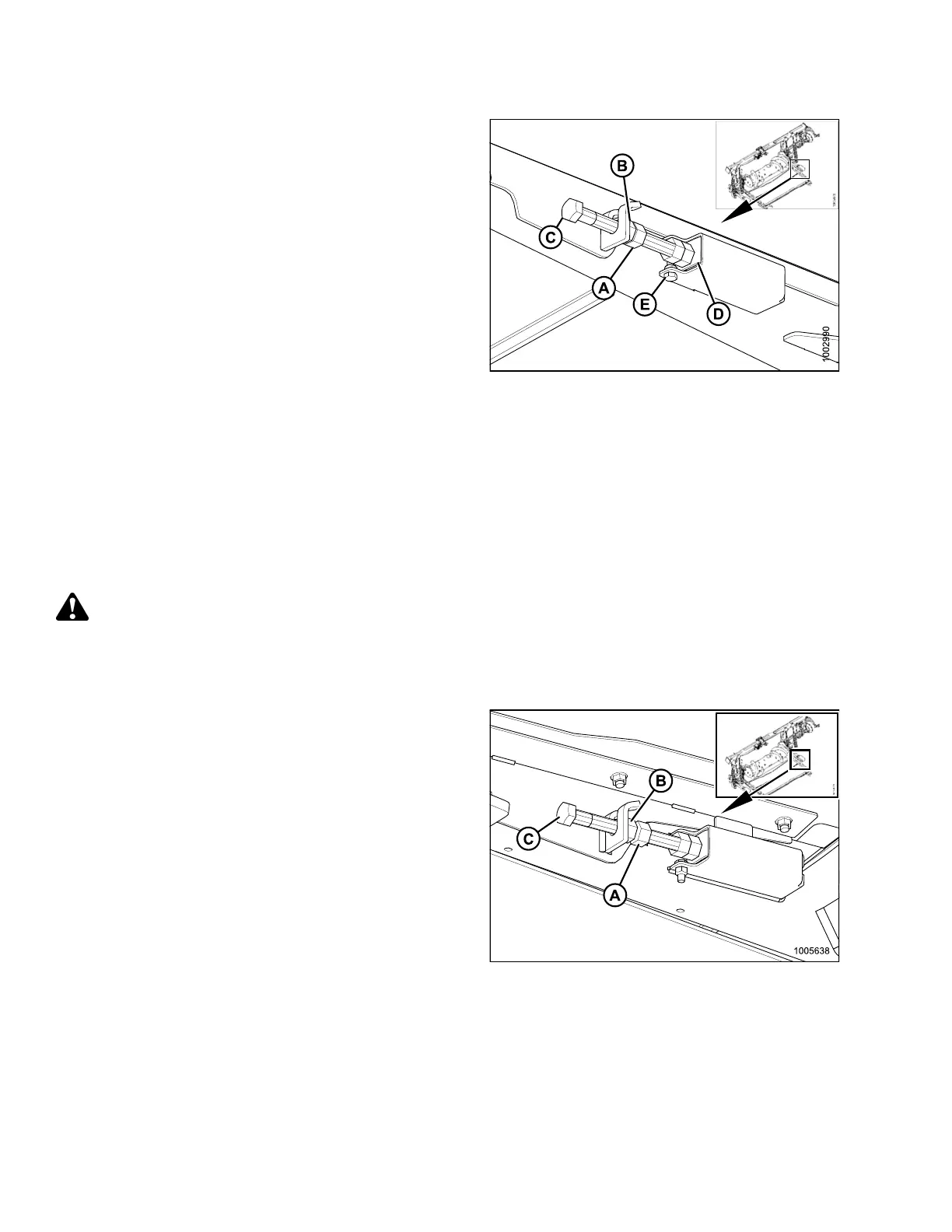
3. Loosen jam nut (A).
4. Hold nut (B) with a wrench and turn bolt (C)
clockwise to increase tension and counterclockwise to
decrease tension.
IMPORTANT:
Adjust both sides equally.
5. Correct tension is whe n retainer (D) is flushwithspring
holder and bolt (E) is free.
NOTE:
Draper tension should be just enough to
prevent slipping and keep draper from sagging
below cutterbar.
6. Tighten jam nut (A).
Figure 5.131: Tensioner
5.10.3 Adapter Dri
ve Roller
Removing Ad apter
Feed Draper Drive Roller
1. If header is attached to combine, detach header from the adapter. For instructions, refer to 4.7.1 Detaching
Header from Adapter and Combine, page 240.
WARNING
To avoid bodily injury or death from unexpected startup of machine, always stop combine engine and
remove key before making adjustments to machine.
2. Raise header fully, stop engine, and remove key. Engage header safety props.
3. Loosen jam nut (A).
4. Hold nut (B) with a wrench and turn bolt (C)
counterclockwise to decrease tension. Repeat at
opposite side.
Figure 5.132: Tensioner
147695 324 Revision A









 To Next Page