MAINTENANCE AND SERVICING
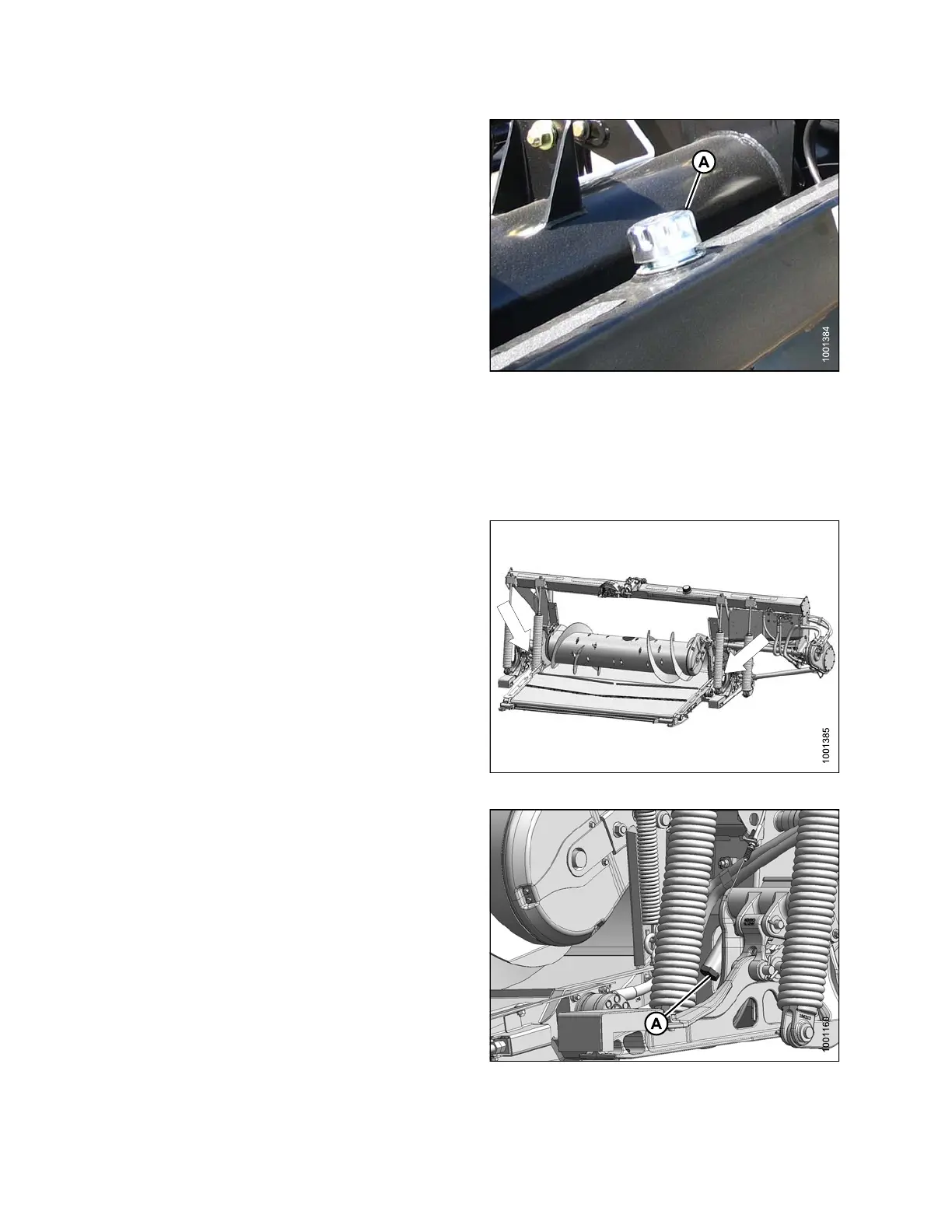
1. Clean filler cap (A) of any dirt or debris.
2. Turn filler cap (A) counterclockwise until loose, and
then remove cap.
3. Add warm oil (approximately 70°F [21°C.]) a nd fill to
required level. Refer to 5.2.1 Recommended Fluids
and Lubricants, page 252 for specifications.
IMPORTANT:
Warm oil will flow t hro ugh the screen better than cold
oil. DO NOT REMOVE THE SCREEN.
4. Reinstall filler cap (A).
Figure 5 .26: Oil Reservoir
Changing Oil
To change t
he oil in the reservoir, follow these steps:
Change oi
l every 1000 hours or 3 years.
1. Detach he
ader from adapter. Refer to 4 Header
Attachme
nt/Detachment, page 197.
2. Raise fee
der house and engage lift cylinder
safety p
rops.
Figure 5.27: Adapter Reservoir Drains
3. Place
a suitable container (at least 8 US gallons
[30 li
ters]) under each of the two drains (A) located at
the ba
se of each side frame.
4. Remov
e drain plugs (A) with a 1-1/2 in. hex socket and
allo
wtheoiltodrain.
5. Repl
ace drain plugs when reservoir is empty.
6. Chan
ge filte r if required. Refer to 5.4.2 Changing Oil
Filt
er, page 275 .
7. Add
approximately 16 US gallons (60 liters) of oil to the
res
ervoir. Refer to Adding Oil, page 273.
Figure 5.28: Reservoir Drain
147695
2
74
Revision A









 To Next Page