OPERATION
Calibrating the Auto Header Height Control (Gleaner R65/R75)
Calibration should be done on flat, level ground without the header clutches engaged. Header height and header
tilt must not be in auto or standby modes. The engine rpm also must be above 2000 rpm. The Header Tilt option on
2004 and earlier model combines does not work with MacDon headers. This system will have to be removed and
disabled in order to calibrate the Auto Header Height Control (AHHC). Refer to combine manual for instructions.
NOTE:
Changes may h
ave been made to the combine controls or display since this document was published. Refer to
the combine o
perator’s manual for updates.
Figure
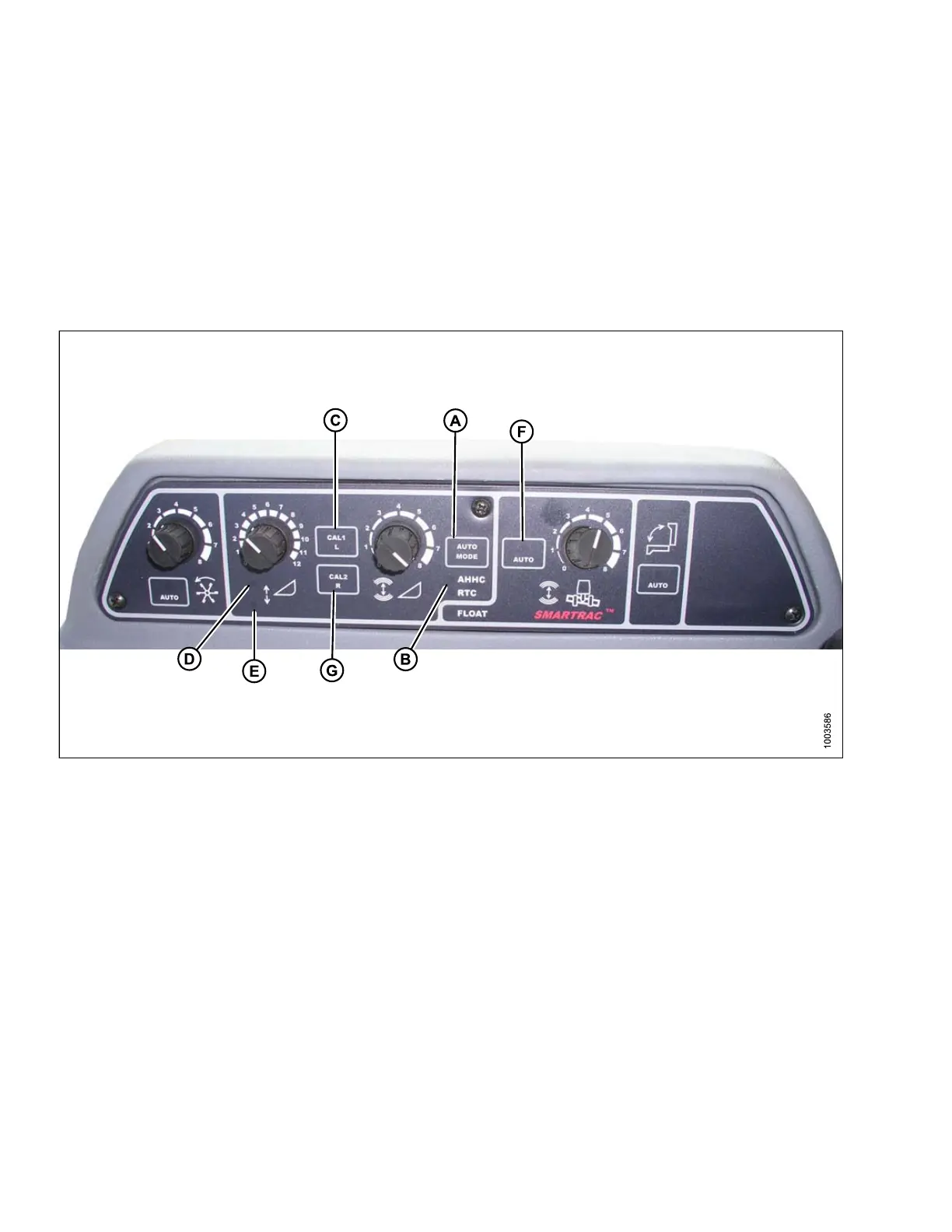
3.159: Combine AHHCs
A - AUTO MODE B utton B - AHHC Light C - C A L1 Button
D - Raise Header E - Lower Header F - Auto Mode
G - CAL2 Button
NOTE:
For be
st performance of the Auto Header Height Control (AHHC), perform these procedures with the center-link
set to
D. When setup and calibration are complete, adjust the center-link back to desired header angle. Refer to
3.7.3
Header Angle, page 66.
1. Ensure center-link is set to D.
2. Press AUTO MODE button (A) until the AHHC light (B) is illuminated.
3. Press and hold CAL1 button (C) until you see the following lights flash: raise header (D), lower header (E), tilt
auto mode (F), and AHHC (B).
4. Fully lower the header, and continue to hold the header lower button for 5–8 seconds to ensure adapter has
separated from header.
147695 120 Revision A









 To Next Page