OPERATION
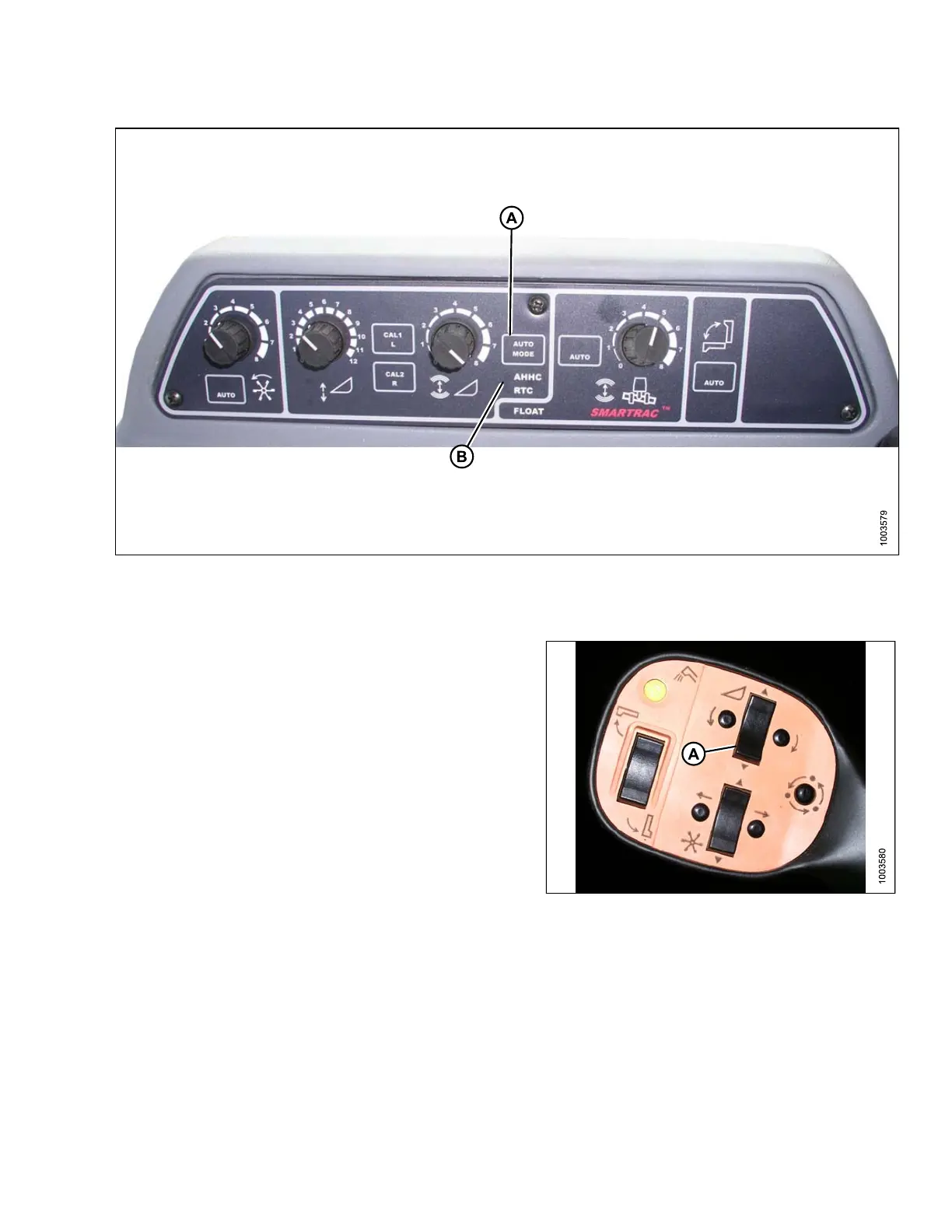
Figure 3.157: Combine AHHCs
1. Press the AUTO MODE (A) button until the AHHC LED light (B) begins flashing. If the RTC light is flashing,
press the AUTO MODE (A) button again until it switches t o AHHC.
2. Briefly press button (A) on the control hand le. The
AHHC ligh t should change fro m flashing to solid. T he
header also should drop toward the ground. The
AHHC is now engaged and can be adjusted for height
and sensitivity.
3. Use controls to adjust height and sensitivity to
changing grou nd c onditions such as shallow gullies
and field drainage trenches.
Figu
re 3.158: Control Handle
147695 119 Revision A









 To Next Page