OPERATION
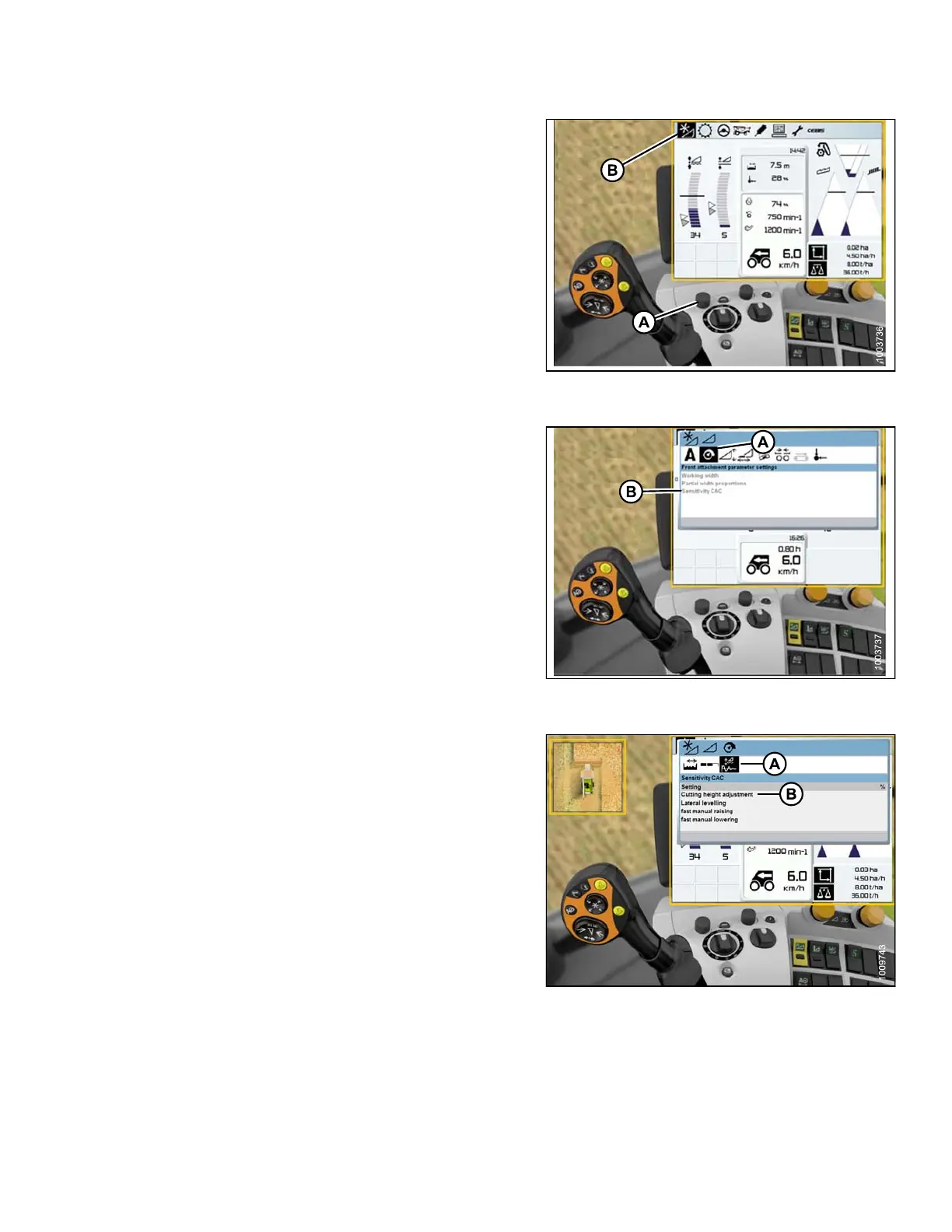
1. Use control knob (A) to highlight the HEADER/REEL
icon (B), and press control knob (A) to select it. The
HEADER/REEL window opens.
2. Select HEADER icon.
Figure 3 .238: Combine Display, Console, and
Joystick Lever
3. Select the FRONT ATTACHMENT PARAME TE R
SETTINGS icon (A). A list of settings appears.
4. Select SEN SITIVITY CAC (B) from the list.
Figure 3 .239: Combine Display, Console, and
Joystick Lever
5. Select the SEN SITIVITY C AC icon (A).
NOTE:
To set t
he sensitivity, you will have to change the
CUTTIN
GHEIGHTADJUSTMENTfromthe‘0’
defaul
t. The settings from 1–50 provide a faster
respo
nse, whe reas the settings from -1– -50
provi
de a slower response. For best results,
make a
djustments in increments of five.
6. Incr
ease the CUTTING HEIGHT ADJUSTMENT
sett
ing if the reaction time between the header and
the a
dapter is too slow while cutting on the ground,
and d
ecrease the CUTTING HEIGHT ADJUSTMENT
sett
ing if the reaction time between the header and the
adap
ter is too fast.
7. Inc
rease the sensitivity if the header is lowered too
slo
wly, and decrease the sensitivity if the header hits
the
ground too hard or is lowered too quickly.
Figure 3.240: Combine Display
147695 161 Revision A









 To Next Page