OPERATION
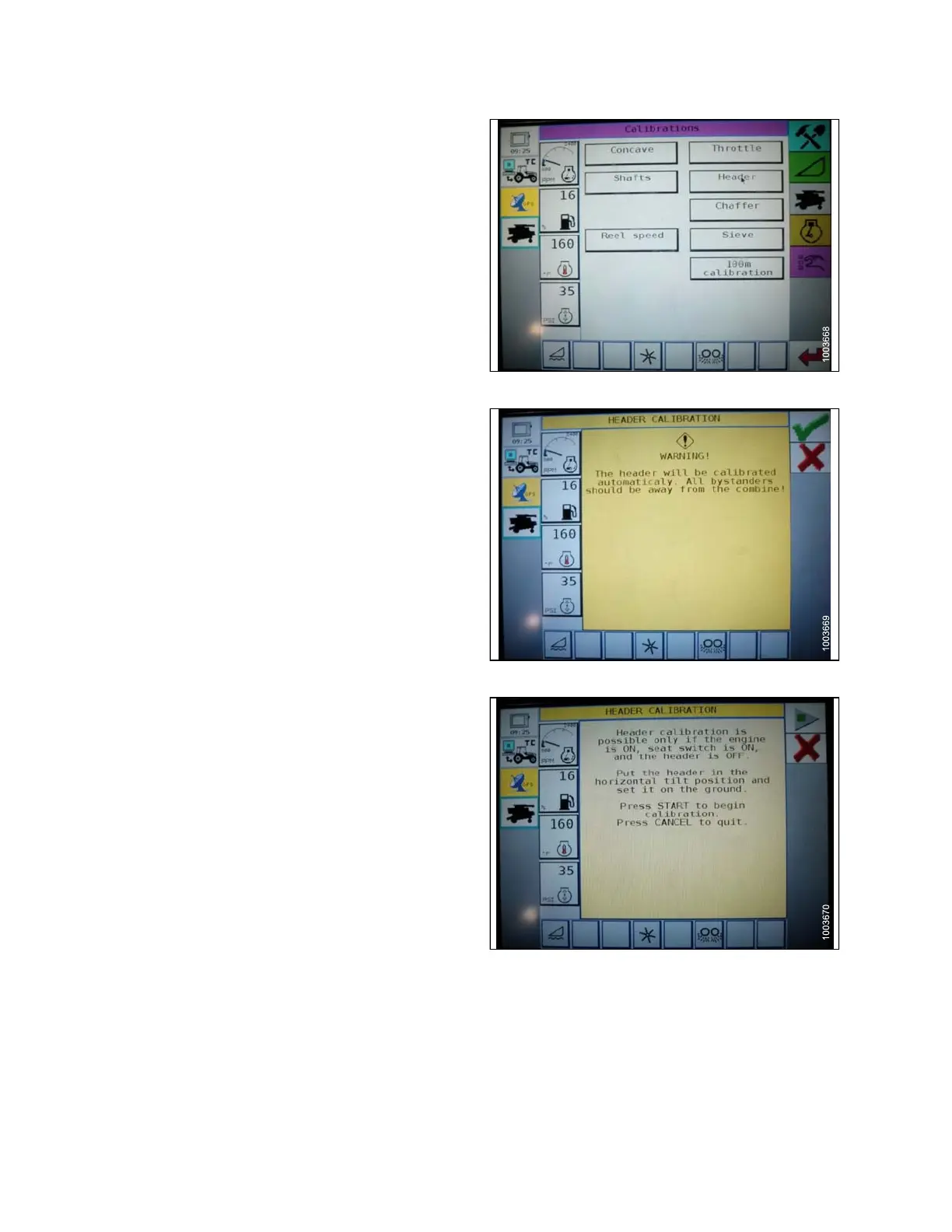
4. Press the HEADER button. The HEADER
CALIBRATION page disp lay s a warnin g.
Figure 3.109: Challenger Combine Display
5. Read the wa
rning message, and t hen pres s the green
check mark
button.
Figure
3.110: Challenger Combine Display
6. Follow the on-screen pro mpts to complete calib ration.
NOTE:
The calibration procedure can be cancelled at
anytimebypressingthecancelbuttoninthe
bottom right corner of the screen. While the
header calibration is running, the calibration can
also be canceled by using the up, down, tilt right,
or tilt left buttons on the control handle.
NOTE:
If the combine does not have hea der tilt installed
or if it is inoperable, you may receive warnings
during calibration. Press the green check m ark
if these warnings appear. This will not affect the
AHHC calibration.
Figure 3.111: Challenger Combine Display
147695 98 Revision A









 To Next Page