OPERATION
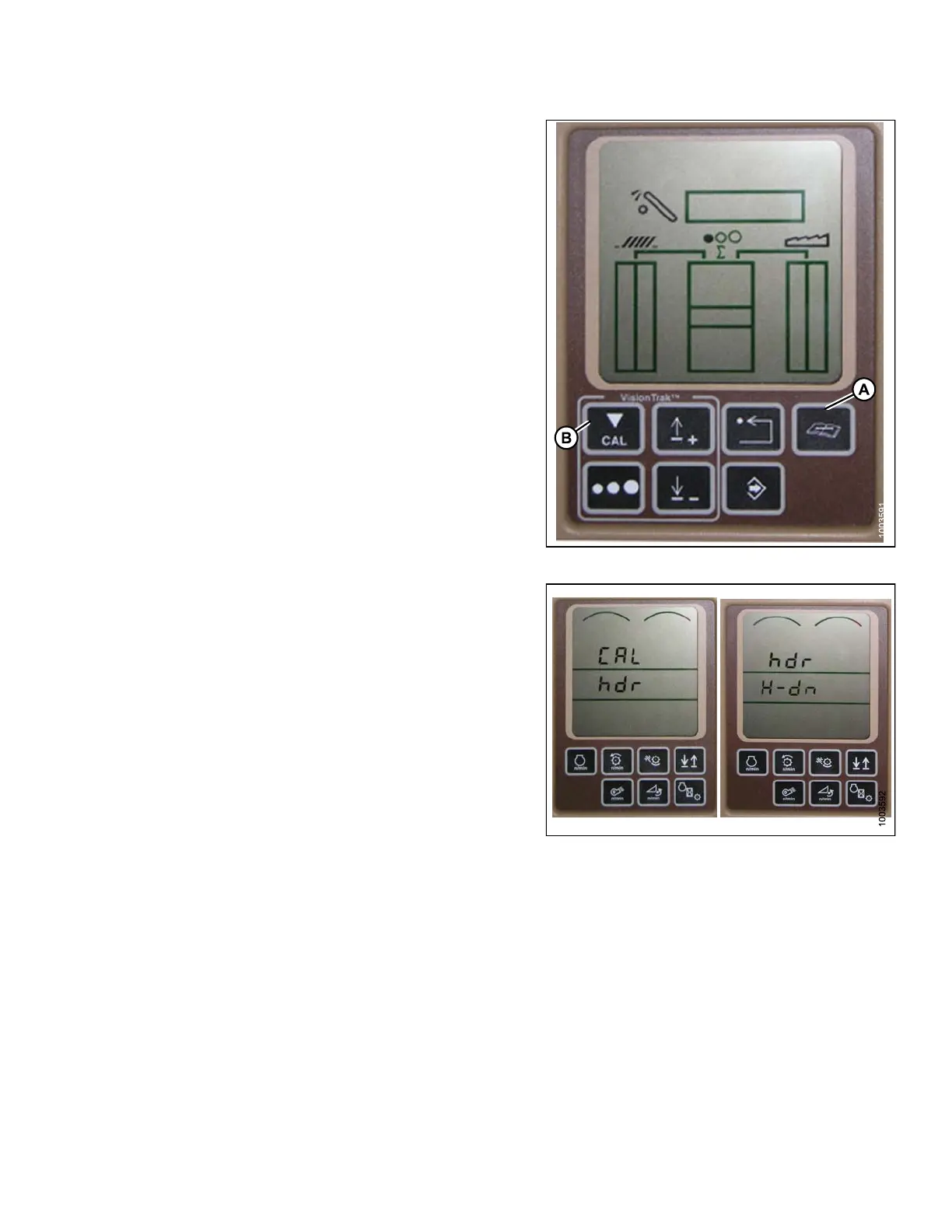
5. Press t he DIAGNO ST IC button (A) on t he monito r –
DIA appears on the monitor.
6. Press the CAL button (B) – DIA-CAL appears on
the mo nitor.
Figure 3.
176: Combine Display
7. Press the UP or DOWN buttons until HDR appears on
the mo nitor.
8. Press the enter button – HDR H-DN appears on
the mo nitor.
Figur
e 3.177: Combine Display
9. Fully lower feeder house to the ground.
NOTE
:
You may need to hold the header down switch
for a few seconds to ensure the feeder house is
fully lowered.
147695 133 Revision A









 To Next Page