Phaser 6128MFP Service Manual 8-21
Service Parts Disassembly
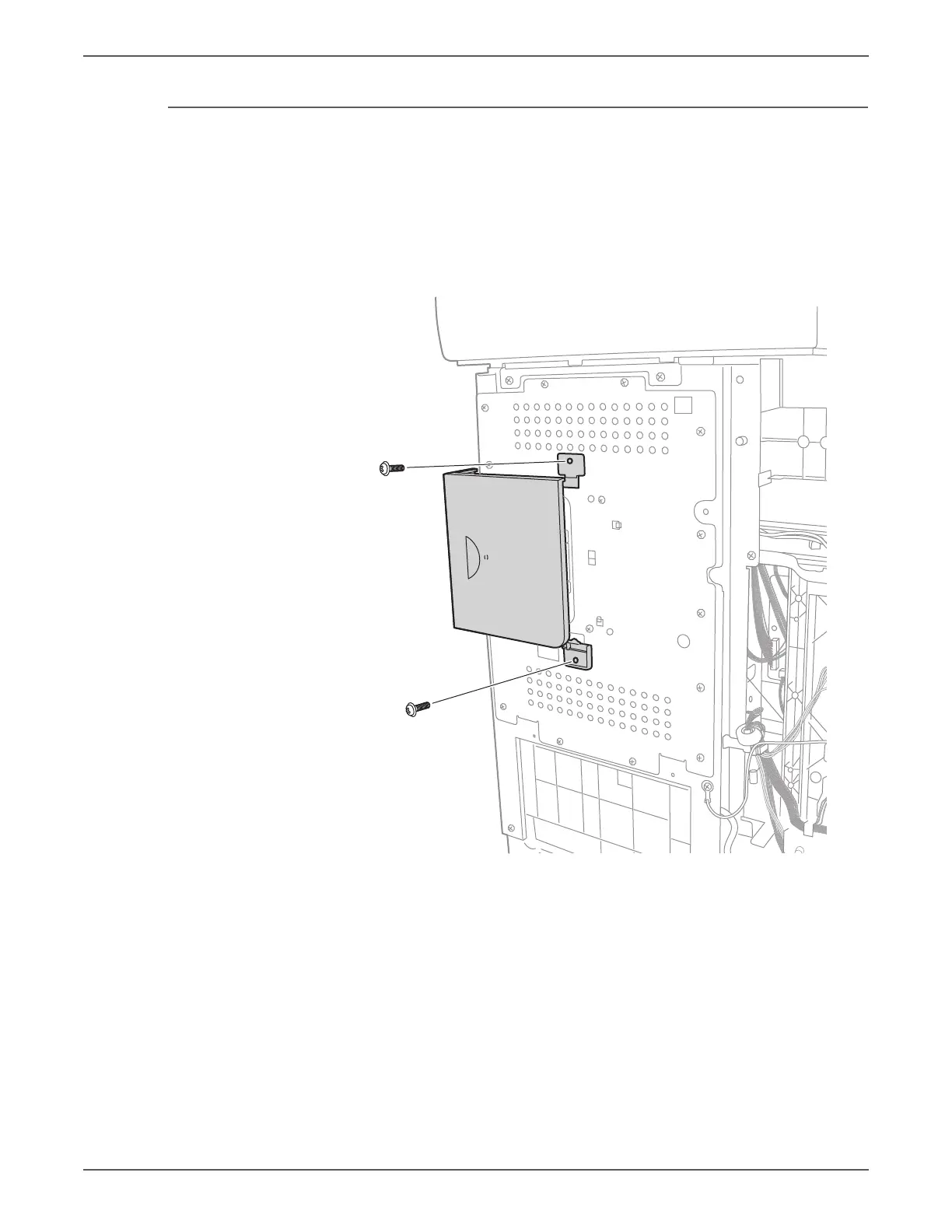
ESS Cover
PL10.1.11
1. Open the Front Cover.
2. Remove the Left Side Cover (page 8-17).
3. Remove the Outer Pole Cover (page 8-19).
4. Remove the 2 screws that secure the brackets to the chassis and remove the
ESS Cover.
Align the bosses of the ESS Cover brackets to the chassis before tightening
the screws.


 To Next Page
 Loading...