8-58 Phaser 6128MFP Service Manual
Service Parts Disassembly
Main Drive Assembly
PL 7.1.2
1. Open the Front Cover.
2. Remove the Left Side Cover (page 8-17).
3. Remove the Drive Clutch Kit (page 8-35).
4. Remove the Feed Drive Assembly (page 8-37).
5. Remove Gear P2 from the Sub-Drive shaft.
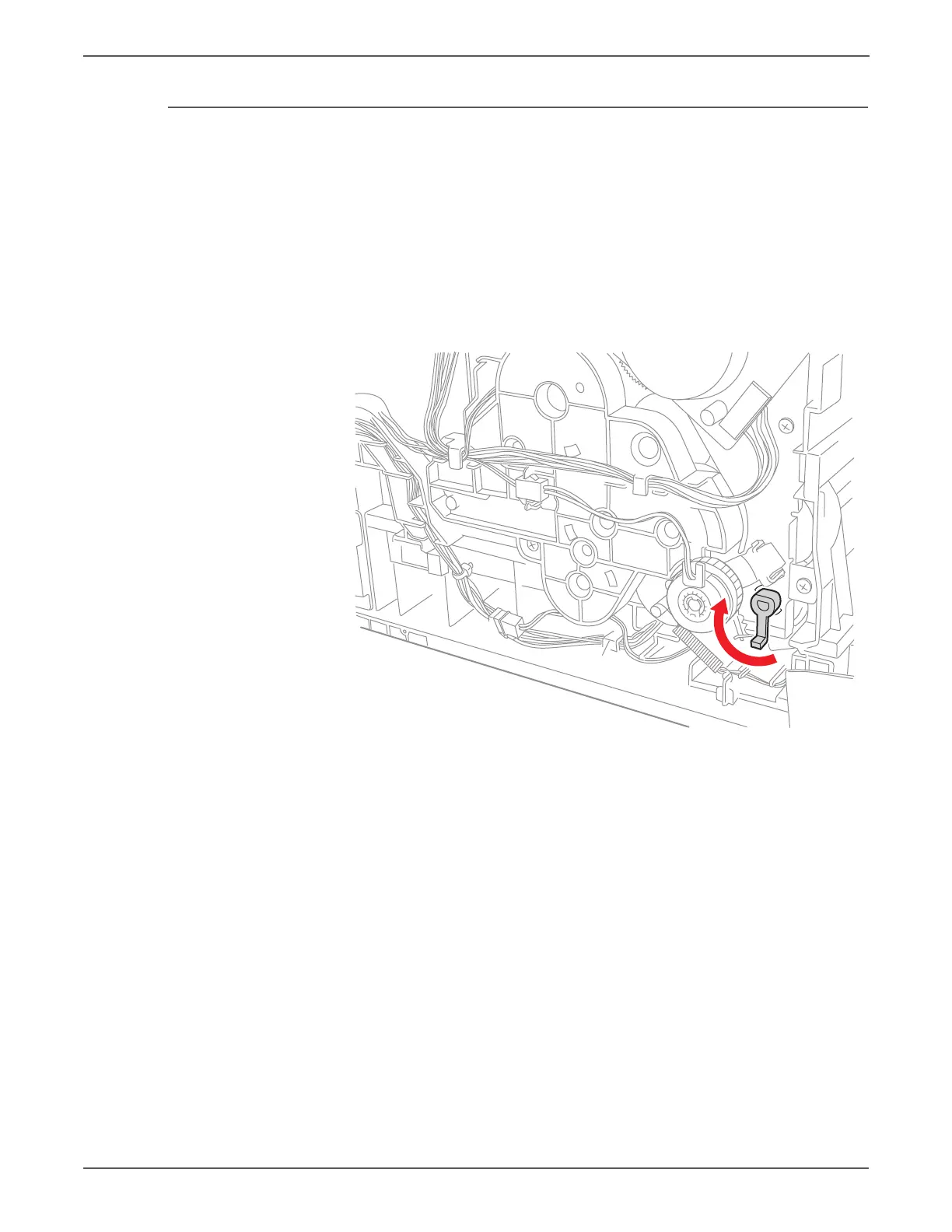
6. Rotate the Stopper Pivot(PL6.1.3) counter clockwise to align the tabs with
openings in the Main Drive Assembly and remove the stopper.


 To Next Page
 Loading...