8-46 Phaser 6128MFP Service Manual
Service Parts Disassembly
ESS Shield
PL 10.6.19
1. Open the Front Cover.
2. Remove the Left Side Cover (page 8-17).
3. Remove the Outer Pole Cover (page 8-19).
4. Remove the Rear Cover (page 8-22).
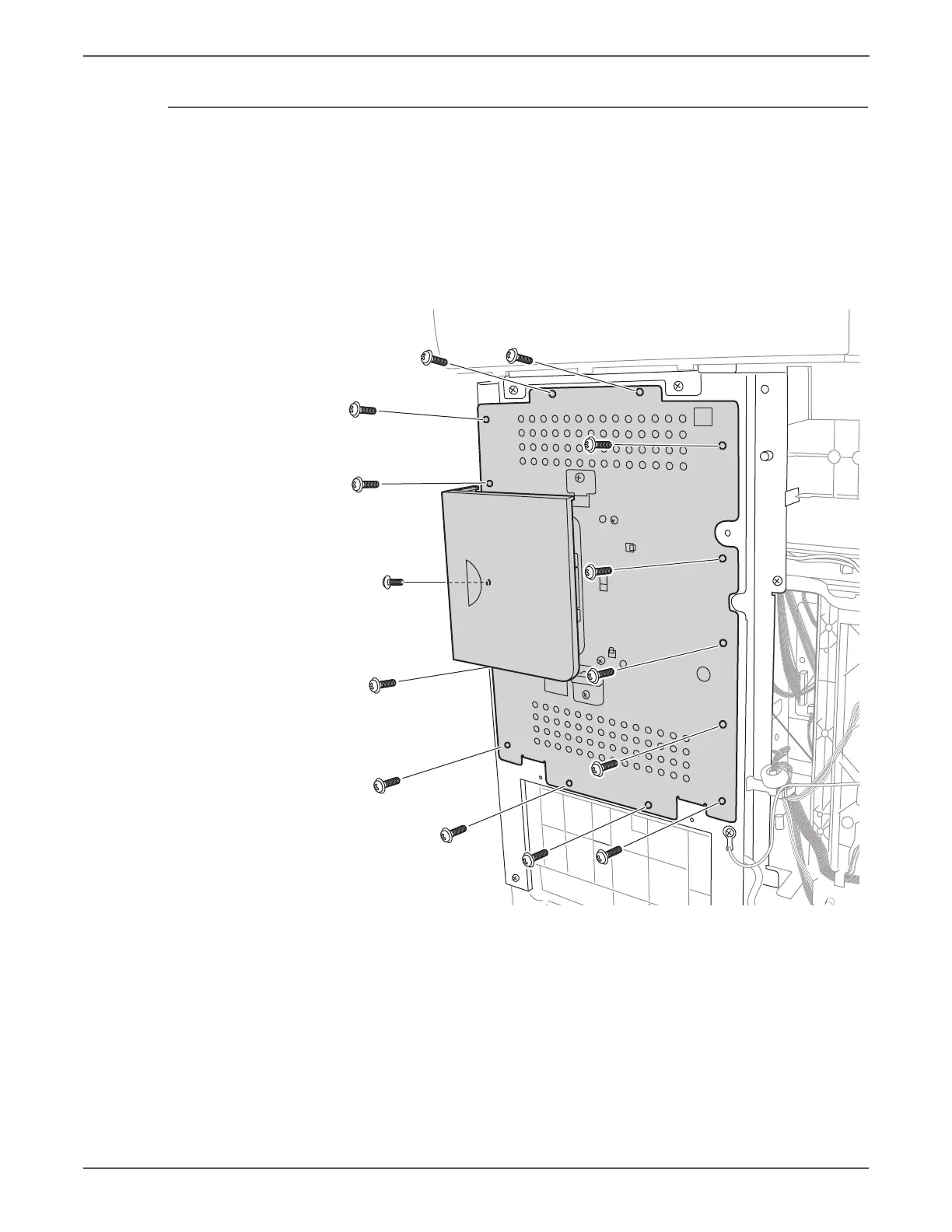
5. Remove the 14 screws that secure the ESS Shield to the chassis.
6. Lift the shield to release the 2 tabs at the bottom and remove the shield.
s6128mfp-211


 To Next Page
 Loading...