118
5.4 Exposure with CR cassette
HINT
•••••••••••••••••••••••••••••••••••••
• When a multi-touch monitor is used, zoom in/out can
be performed with the following operations. In this case
[ZOOM+] or [ZOOM-] do not need to be pressed.
Zoom in
Simultaneously press 2 points with the thumb and in-
dex nger and spread the 2 points (spread the nger-
tips) to zoom in on the image.
Zoom out
Simultaneously press 2 points with the thumb and
index nger and move to close the 2 points (close the
ngertips) to zoom out on the image.
• You can also zoom in or out from/to an image by rotat-
ing the mouse wheel up and down on the focused im-
age.
• Use the user tool to set the amount of change associ-
ated with rotating the mouse wheel.
•••••••••••••••••••••••••••••••••••••••••••••••••••••
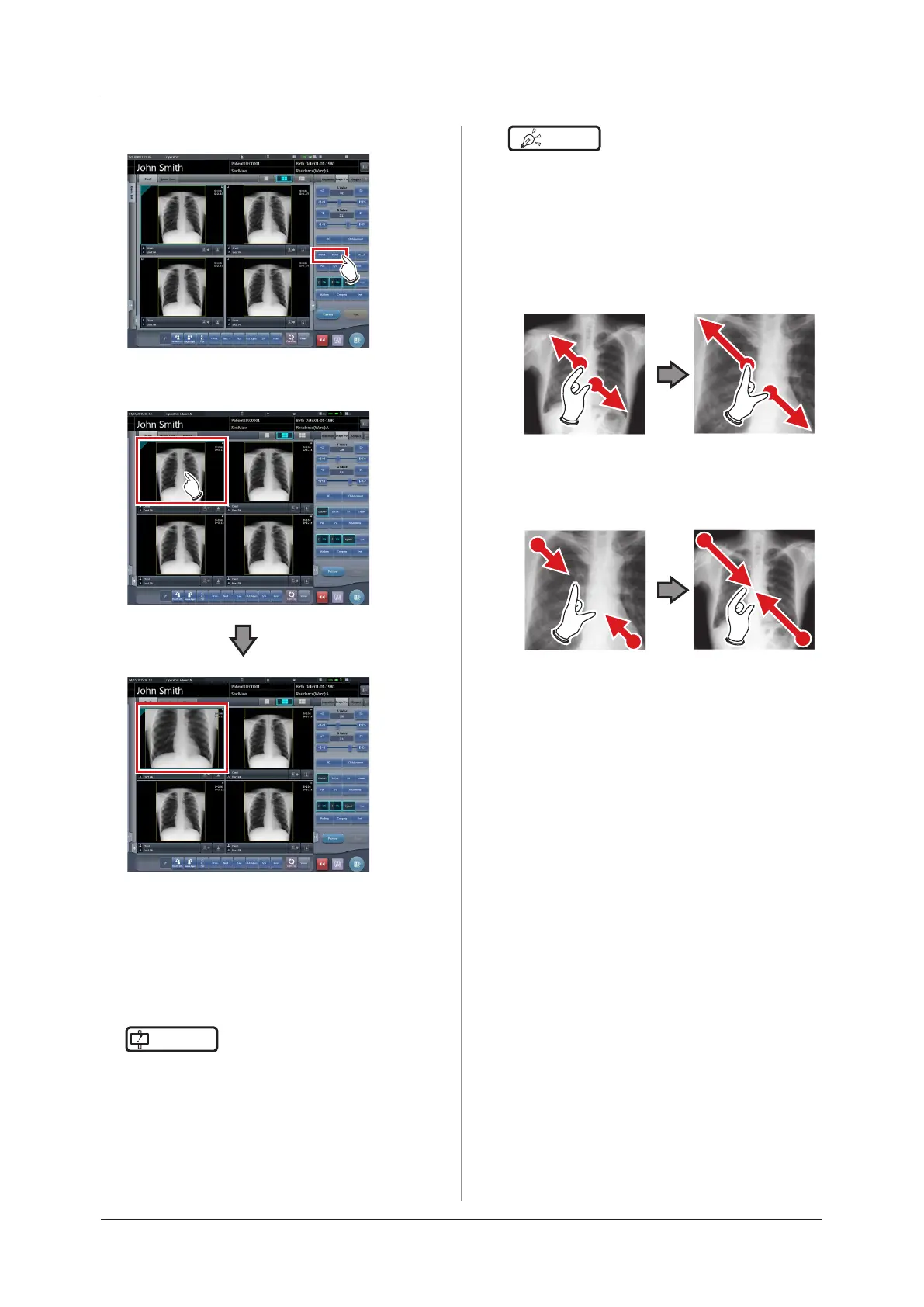
2
Press [ZOOM+] or [ZOOM-].
3
Press any part of the image.
• Zooming in/out is displayed, centering on the
clicked part.
• Every time you press a part of the image, the
image is gradually zoomed in/out.
• If you focus on another image or perform any
other operations, the image will return to its
original size.
IMPORTANT
•••••••••••••••••••••••••••••••••••••
• Eects of resizing are not reected at the time of out-
put.
•••••••••••••••••••••••••••••••••••••••••••••••••••••



 To Next Page
 Loading...










