325
7.18 Checkup mode
Chapter 7
5
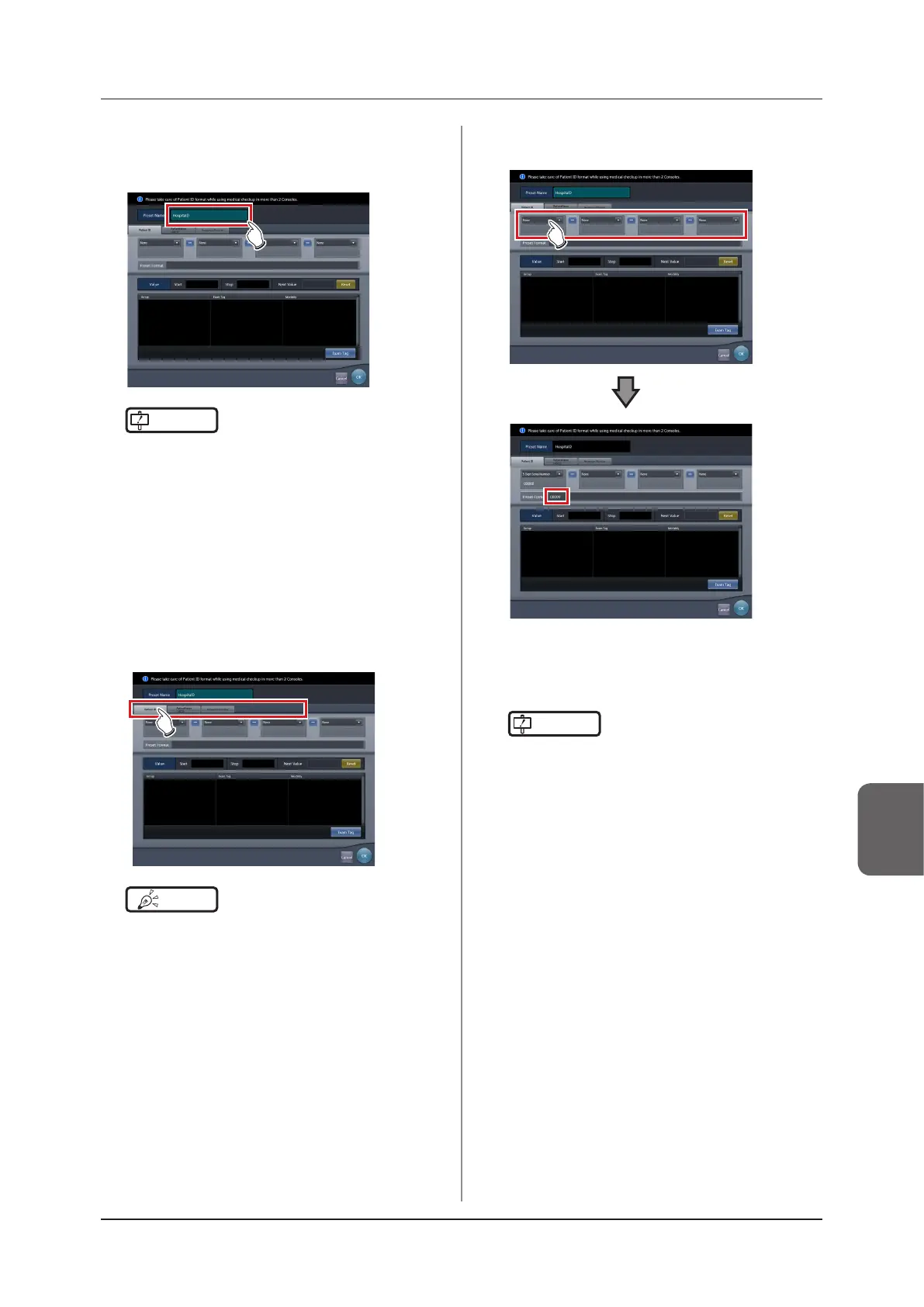
Enter the desired preset name in [Preset
Name].
• Up to 16 characters can be usable.
IMPORTANT
•••••••••••••••••••••••••••••••••••••
• When you use the checkup preset on two or more of
the devices, ensure that no overlapping occurs among
the set items.
•••••••••••••••••••••••••••••••••••••••••••••••••••••
6
Select the target item of the automatic
number issuing by choosing the corre-
sponding tab.
• The following items can be selected.
– [Patient ID]
– [PatientName (ASCII)]
– [Accession Number]
HINT
•••••••••••••••••••••••••••••••••••••
• [Patient ID] is a mandatory setting item.
•••••••••••••••••••••••••••••••••••••••••••••••••••••
7
Select the components of the number
from the menu.
• An example of the automatically issued number
is displayed in [Issue image]. Using the corre-
sponding tabs, set the components for each of
the items you require.
IMPORTANT
•••••••••••••••••••••••••••••••••••••
• Serial numbers can be set at between 3 and 5 digits
long, but when setting multiple serial numbers, such
as for [Patient ID] and [Accession Number], select se-
rial numbers with the same amount of digits.
• Be careful. When neither serial numbers nor the time
is set for [Patient ID], the same ID will be issued each
time.
•••••••••••••••••••••••••••••••••••••••••••••••••••••



 To Next Page
 Loading...










