OPERATION
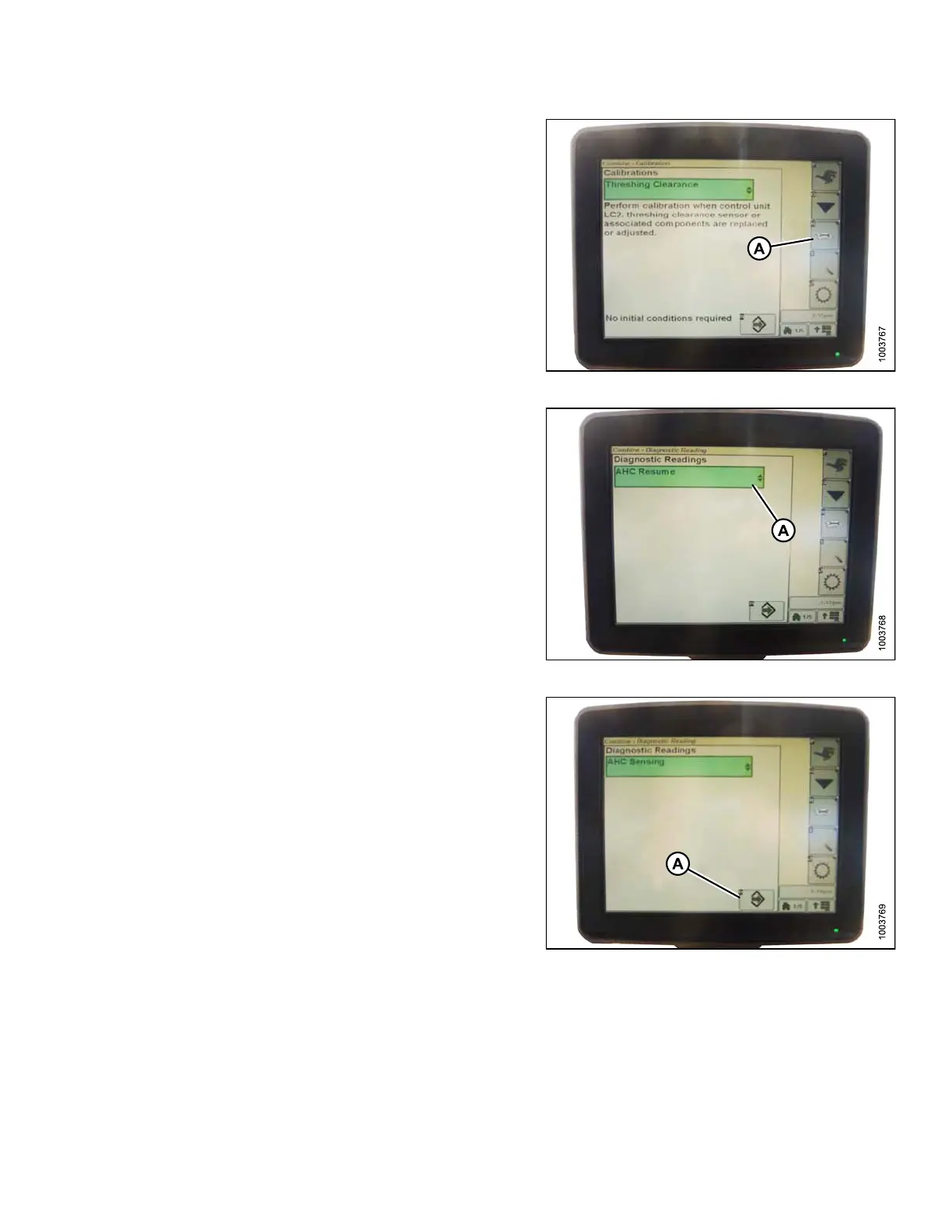
5. Press the DIAGN OSTIC READINGS icon (A)
on the CALIBRATION page. The DIAGNOSTIC
READINGS page appears. This page provides
access to calibrations, header options, and diagnostic
informa tion.
Figure 3.201: Combine Display
6. Select AHHC RESUME (A) and a list o f calibration
options appears.
Figure 3.202: Combine Display
7. Select the AHHC SENSING option.
8. Press the icon that resembles an arrow in a box (A).
The AHHC SENSING menu appears and five pages of
informatio n are displayed.
Figure 3.203: Combine Display
147695 145 Revision A









 To Next Page