OPERATION
NOTE:
Changes may have been made to the combine controls or display since this document was published. Refer to
the combine operator’s manual for updates.
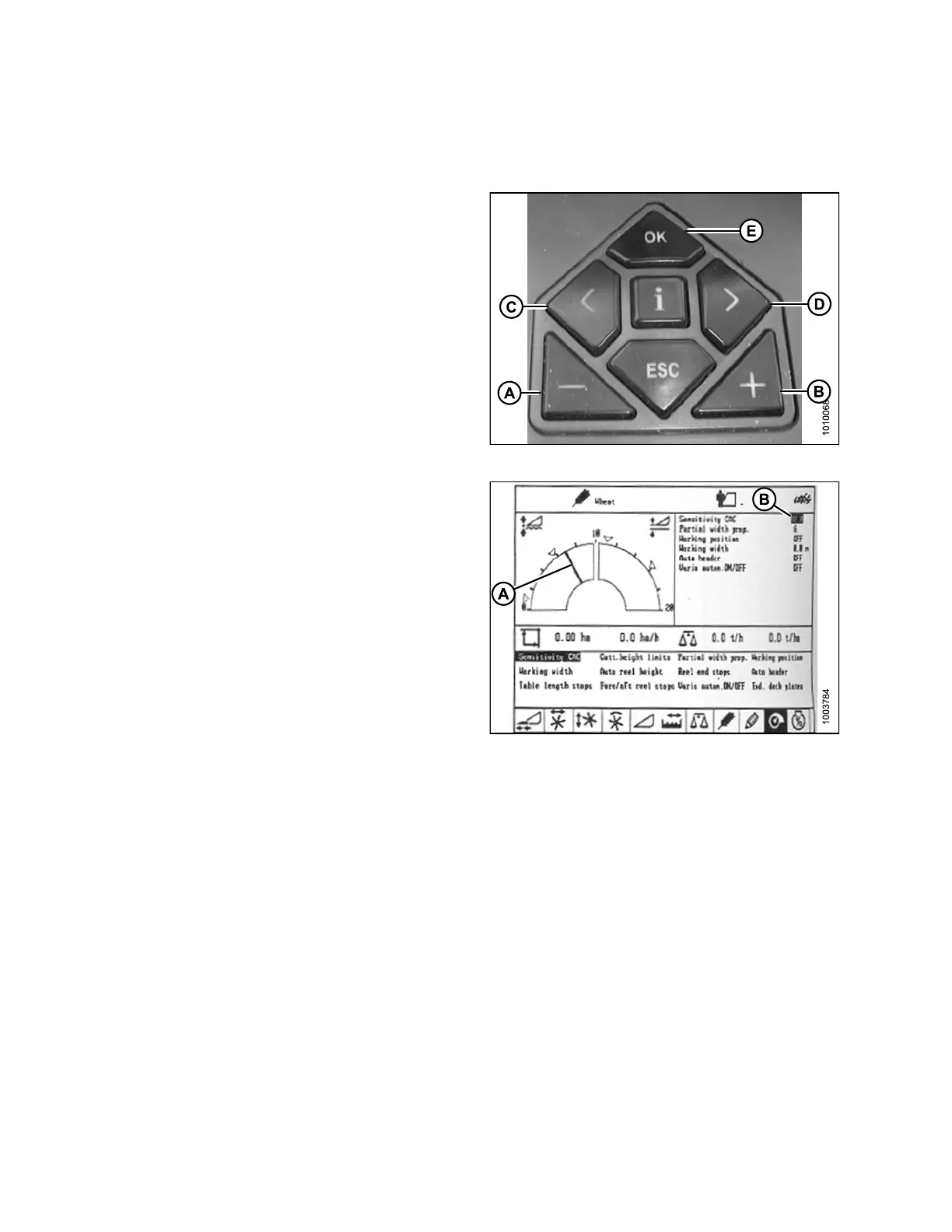
1. Use the ‘<’ key (C) or the ‘>’ key (D) to select
SENSITIVITY CAC, and press the OK key (E).
2. Use the ‘-’ key (A) or the ‘+’ (B) key to change the
reaction speed setting, and press the OK key (E).
Figure 3.2
23: Combine Controls
3. Use line (A) or value (B) to determine the
sensitivity setting.
Figure
3.224: Combine Display
147695 154 Revision A









 To Next Page