OPERATION
4. Ensure header float is unlocked.
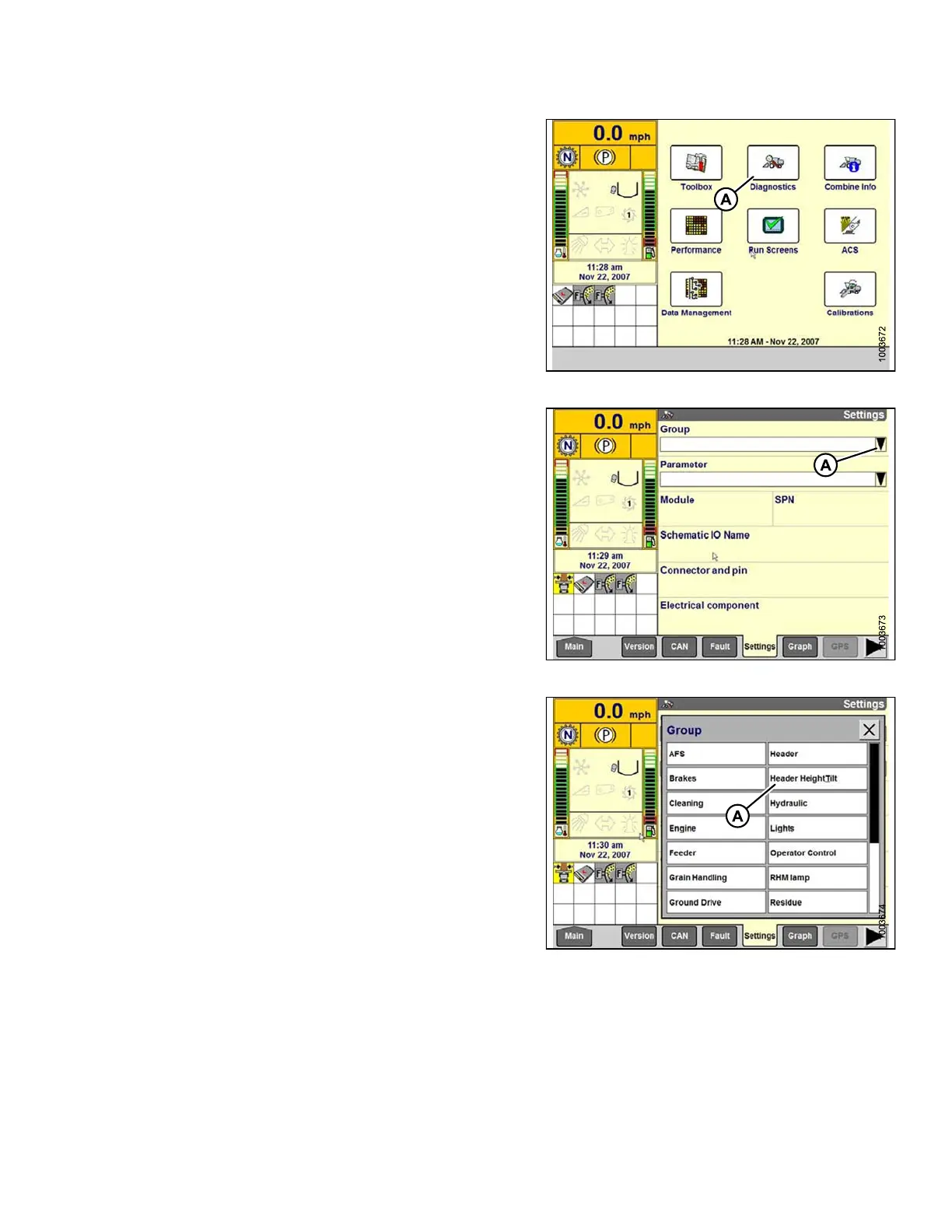
5. Select DIAGNOSTICS (A) on the main screen. The
DIAGNOSTICS screen displays.
6. Select SETTINGS. The SETTINGS screen displays.
Figure 3.248: Combine Display
7. Select the GROUP drop-down arrow (A). The GROUP
window opens.
Figure 3.249: Combine Display
8. Select HEADER HEIGHT /T ILT(A). The PARAMETE R
window opens.
Figure 3.250: Combine Display
147695 165 Revision A









 To Next Page