20.PROFINET COMMUNICATION
20.9.3 PROFIdrive parameter (Manufacturer-specific)
This section describes the details of the Manufacturer-specific parameters for each group.
The following is shown in the "Access" column.
"R": Readable
"W": Writable
"R/W": Readable and writable
20.9.3.1 General Objects
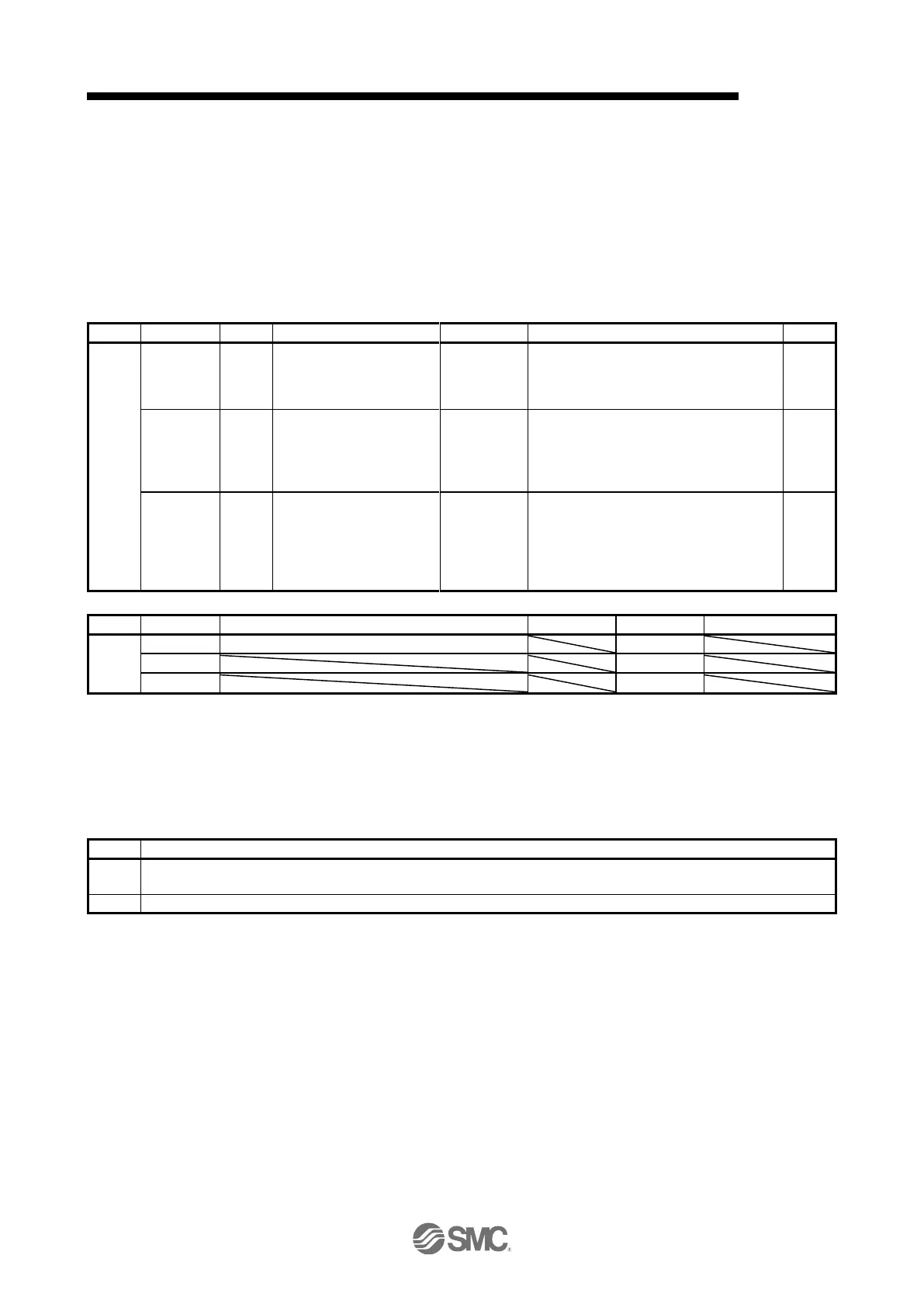
(1) Store parameters (P4112)
Saves all parameters.
Writing "save" (= 65766173h) saves all the
parameters which can be stored in the
EEP-ROM.
1
(not
compatible)
(Note)
Store communication
parameters
Saves communication parameters.
Writing "save" (= 65766173h) saves the
objects that can be saved in the EEP-ROM
for the communication objects in the
EEP-ROM.
2
(not
compatible)
(Note)
Store application parameters
Saves application parameters.
Writing "save" (= 65766173h) saves the
objects that can be saved in the EEP-ROM
except for the communication objects
(PROFIdrive parameters in the 900s) in the
EEP-ROM.
This is not supported by the driver.
Writing "65766173h" (= reverse order of ASCII code of "save") to the corresponding Subindex saves a
parameter value in EEP-ROM.
Whether saving a parameter has been completed can be checked by reading this object. The read
values are as follows.
0: The parameter cannot be saved with the command. (A parameter is being saved.)
1: The parameter can be saved with the command. (No parameter is being saved.)
0: The parameter is not automatically saved.


 To Next Page
 Loading...