18.EtherCAT COMMUNICATION
One-touch tuning via a network is available with drivers
Refer to section 6.2 of "_ Driver Instruction Manual" for one-touch tuning. Using One-touch tuning mode
(2D50h) allows one-touch tuning from a upper side.
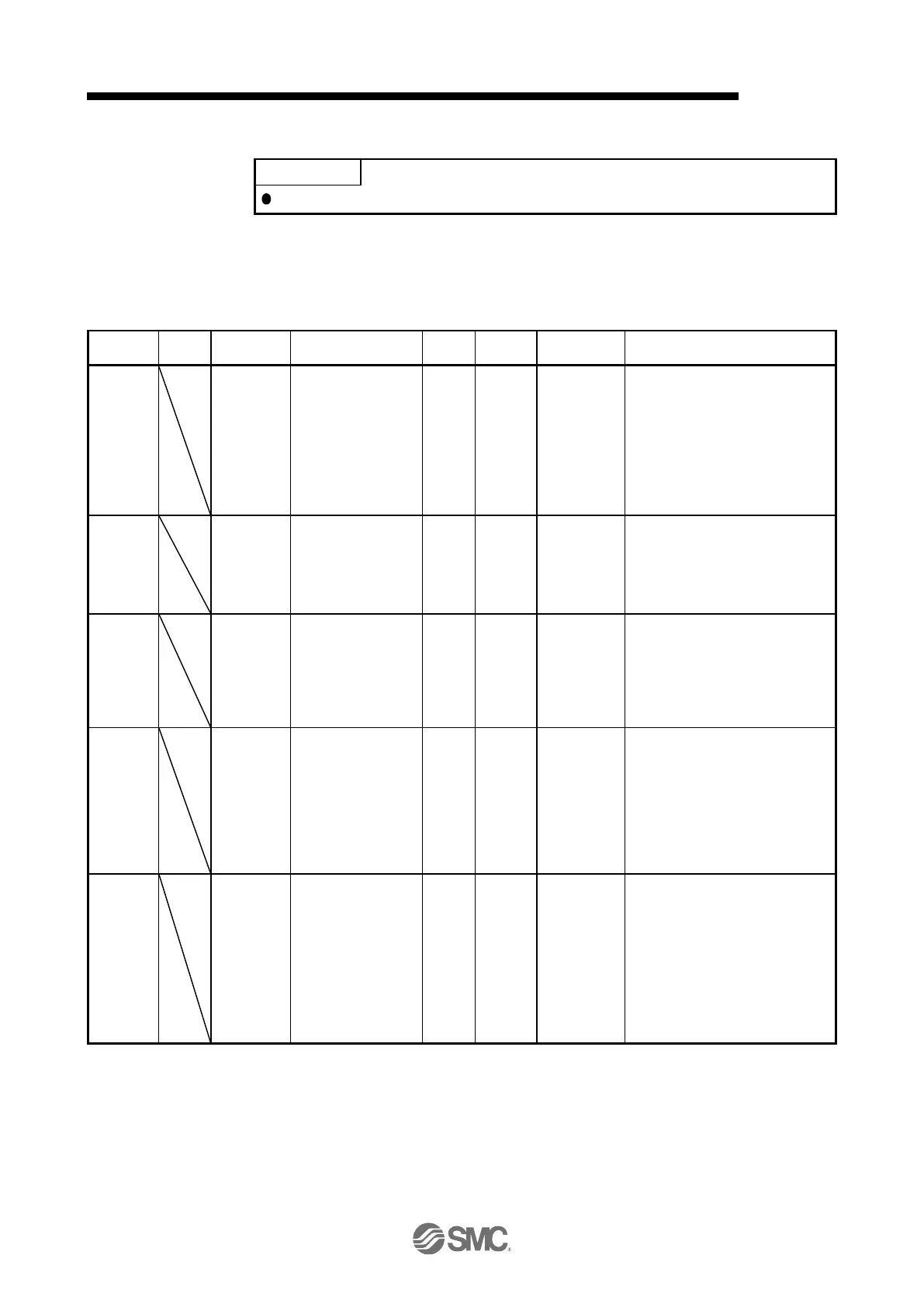
(1) Related object
One-touch tuning command
Setting a value of "1" to "3" starts
one-touch tuning. After one-touch
tuning is completed, the setting
value automatically changes to "0".
0: During one-touch tuning stop
1: Basic mode
2: High mode
3: Low mode
One-touch tuning status
Regardless of whether one-touch
tuning is properly completed or not,
the setting value changes to 100%
at the completion.
Unit: %
One-touch tuning stop command
Writing "1EA5h" stops one-touch
tuning.
Writing any value other than
"1EA5h" causes SDO Abort Code
(0609 0030h Value range of
parameter exceeded).
The parameter changed in
one-touch tuning can be returned to
the value before the change.
0000h: Restores the initial value.
0001h: Restores the value before
one-touch tuning.
The setting value of the restored
parameter is stored to the
EEP-ROM.
One-touch tuning
Error Code
One-touch tuning error code
0000h: Finished normally
C000h: Tuning canceled
C001h: Overshoot exceeded
C002h: Servo-off during tuning
C003h: Control mode error
C004h: Time-out
C005h: Load to motor inertia ratio
misestimated
C00Fh: One-touch tuning disabled


 To Next Page
 Loading...