5. PARAMETERS
5 - 64
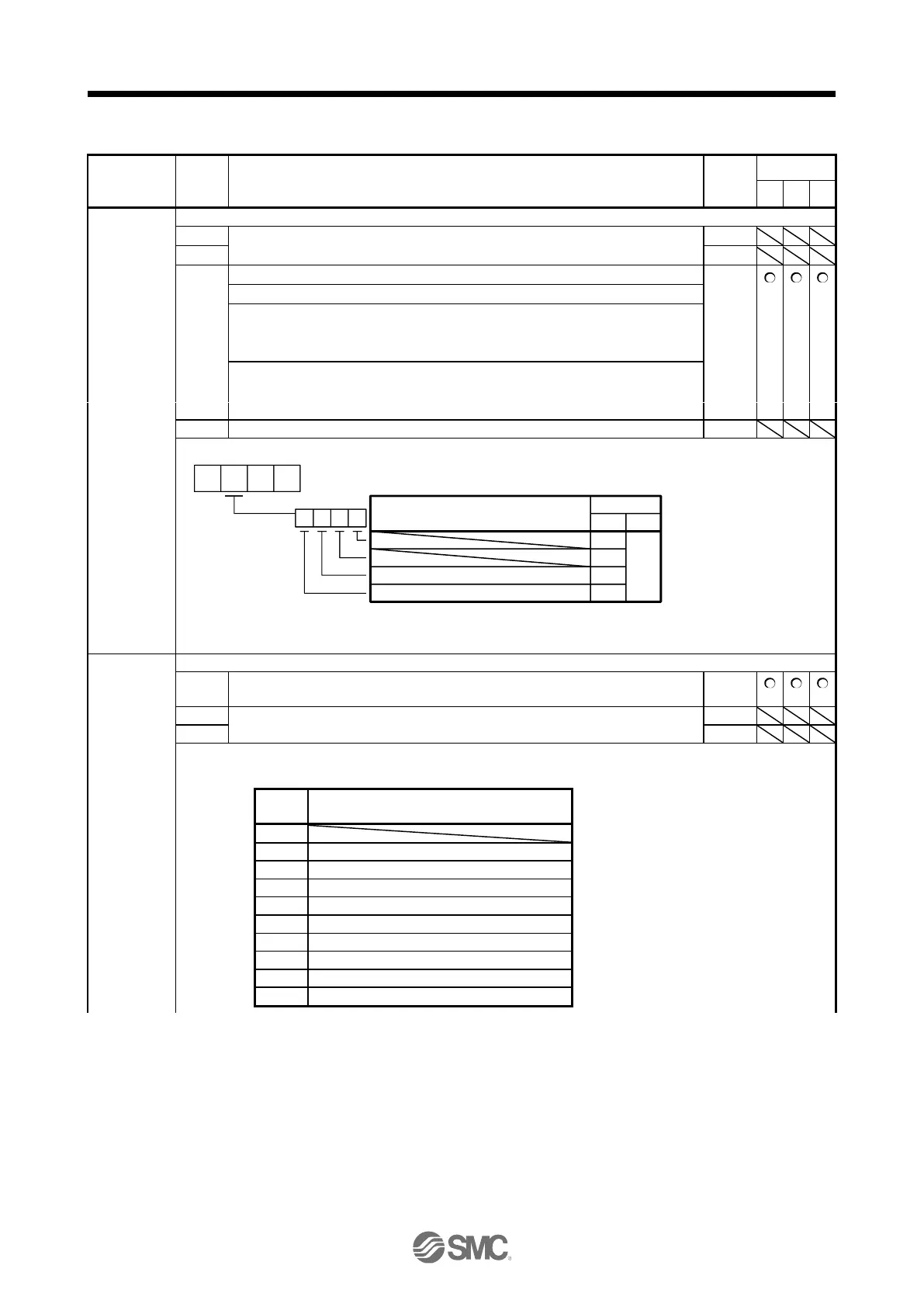
5.2.4 I/O setting parameters ([Pr. PD_ _ ])
PD01
*DIA1
Input signal
automatic on
selection 1
Select input devices to turn on automatically.
_ _ _ x (BIN): For manufacturer setting
_ _ x _ (BIN): For manufacturer setting
_ x _ _ (BIN): LSP (Forward rotation stroke end)
0: Disabled (Use for an external input signal.)
1: Enabled (automatic on)
x _ _ _ (BIN): LSN (Reverse rotation stroke end)
0: Disabled (Use for an external input signal.)
1: Enabled (automatic on)
Convert the setting value into hexadecimal as follows.
0
0
BIN 0: Use for an external input signal.
BIN 1: Automatic on
Initial value
BIN HEX
Signal name
0
0
0
0
LSP (Forward rotation stroke end)
LSN (Reverse rotation stroke end)
0 0
PD03
*DI1
Input device
selection 1
Any input device can be assigned to the CN3-2 pin.
Device selection
Refer to table 5.9 for settings.
Table 5.9 Selectable input devices
PC (Proportional control)
LSP (Forward rotation stroke end)
LSN (Reverse rotation stroke end)
CLD (Fully closed loop selection)
DIA (General-purpose input A) (Note)
DIB (General-purpose input B) (Note)
DIC (General-purpose input C) (Note)


 To Next Page
 Loading...