Point User Guide 85
Print and e-mail options
Specifying paper configuration
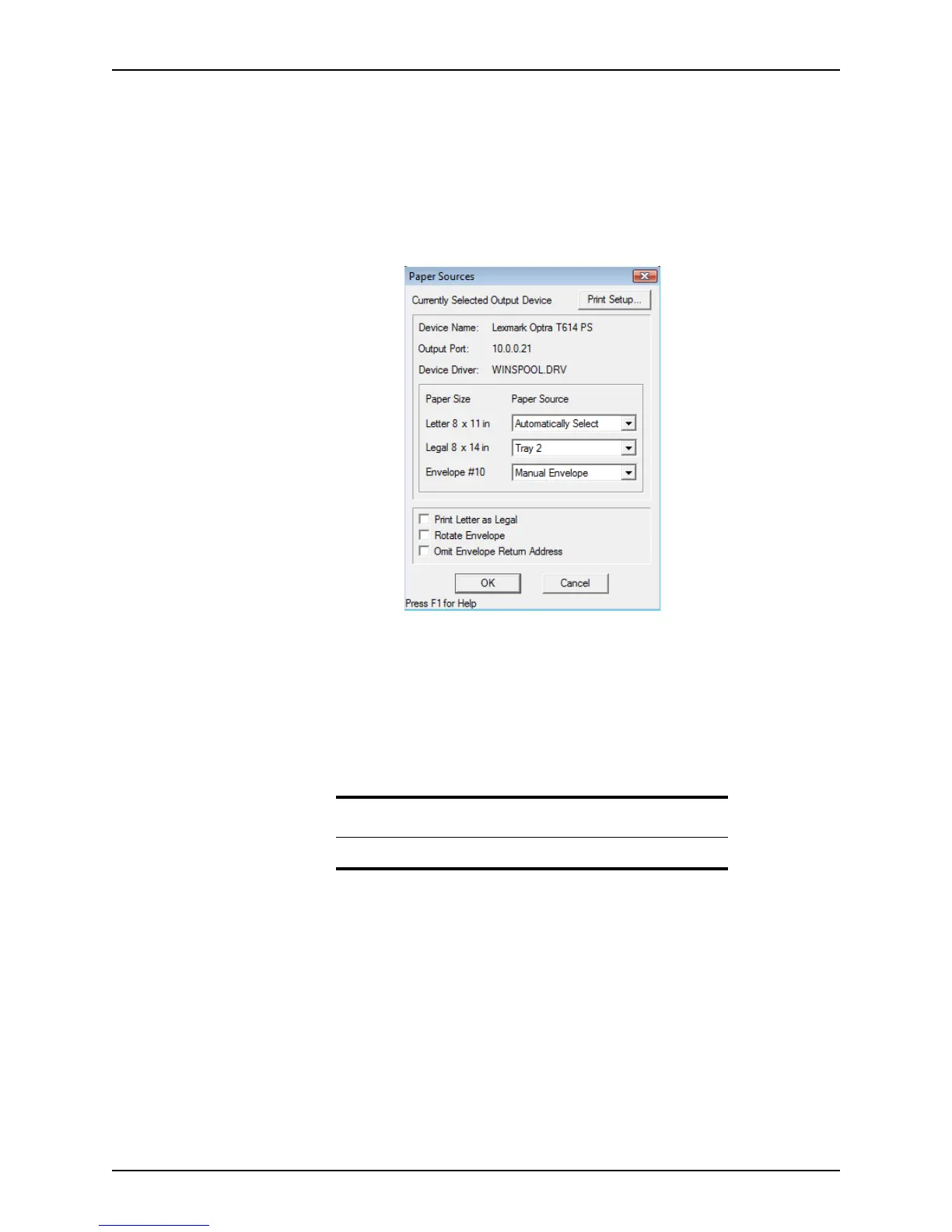
Use the Paper Sources option to specify your printer paper options and locations.
To configure your paper sources:
1 Open a prospect or borrower file.
2 Select File > Paper Sources.
The
Paper Sources dialog box is displayed.
3 Verify that the printer you need to use is specified as the currently selected output
device.
To change this specification, select Print Setup to access the
Print Setup dialog box.
4 Select the paper tray assignment for each paper type (letter, legal, and envelope) from
the corresponding dropdown list.
For example, to indicate that your printer stores legal paper in Tray 2, select Tray 2
from the Legal dropdown list.
5 To print letter size documents on legal paper, rotate envelopes, or omit the envelope
return address, select the corresponding check box.
6 Click OK to finish.
Attention
The paper source options can vary depending on the printer model.



 To Next Page