16 Calyx Software
User interface
Screen components
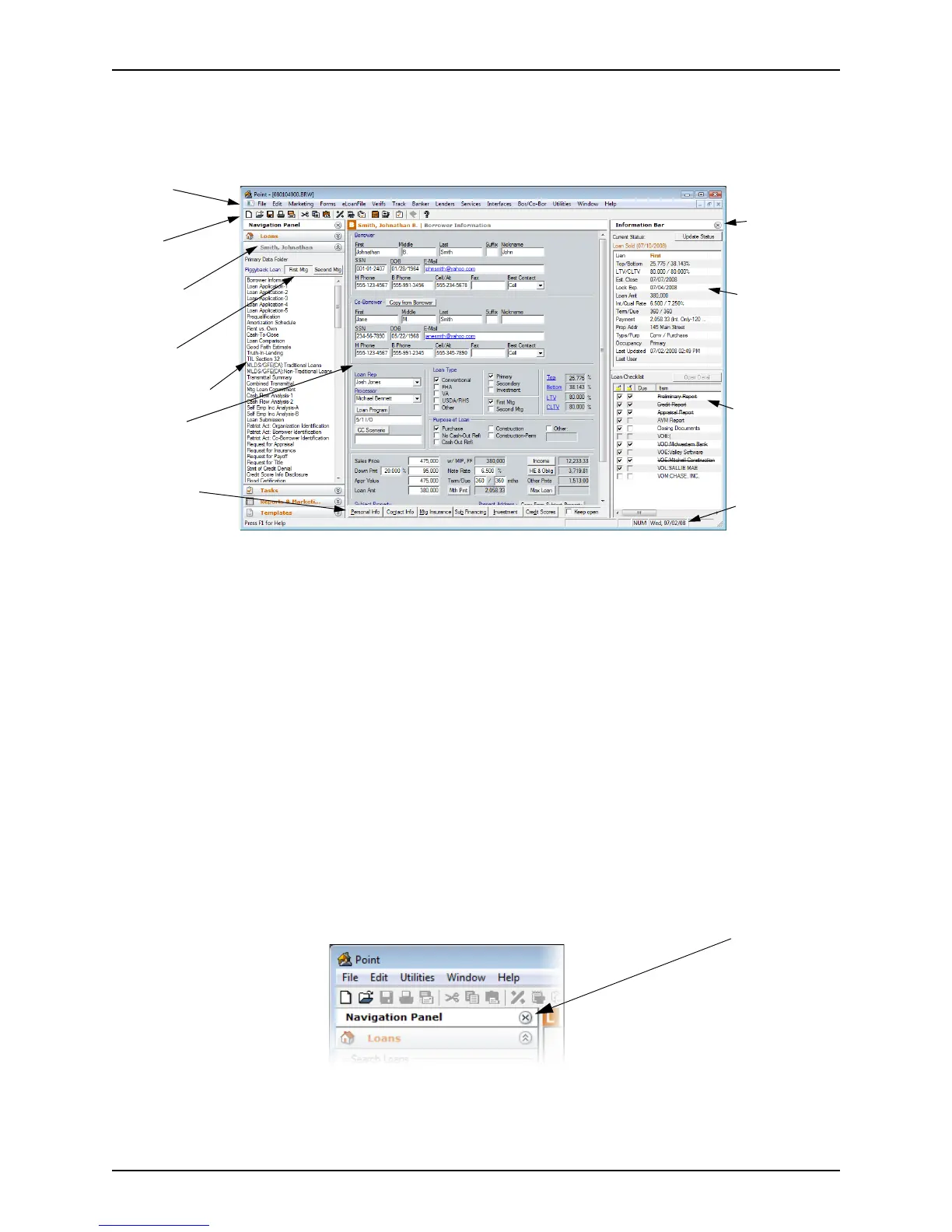
When you open a loan file, the Borrower Information screen is displayed in the
workspace. The following figure depicts a typical
Borrower Information screen:
The Point screen is comprised of the following three panels:
• Navigation panel
•Workspace
• Information bar
These panels are always accessible when a loan file is open.
Navigation panel
The navigation panel, located on the left side of the screen, is used to access Point
features. It is always available when Point is open, and contains the following four tabs:
• Loans
• Tasks
• Reports & Marketing
• Templates
Click a tab on the navigation panel to launch the corresponding feature from any screen in
Point.
To expand the workspace, collapse the navigation panel by clicking the X button next to
the title.
Menu bar
Toolbar
Navigation
panel
Loan toggle
buttons
Shortcut toolbar
Workspace
Command bar
Information
bar
Current status
Loan checklist
Task bar



 To Next Page