Point User Guide 117
Completing the Government Monitoring information
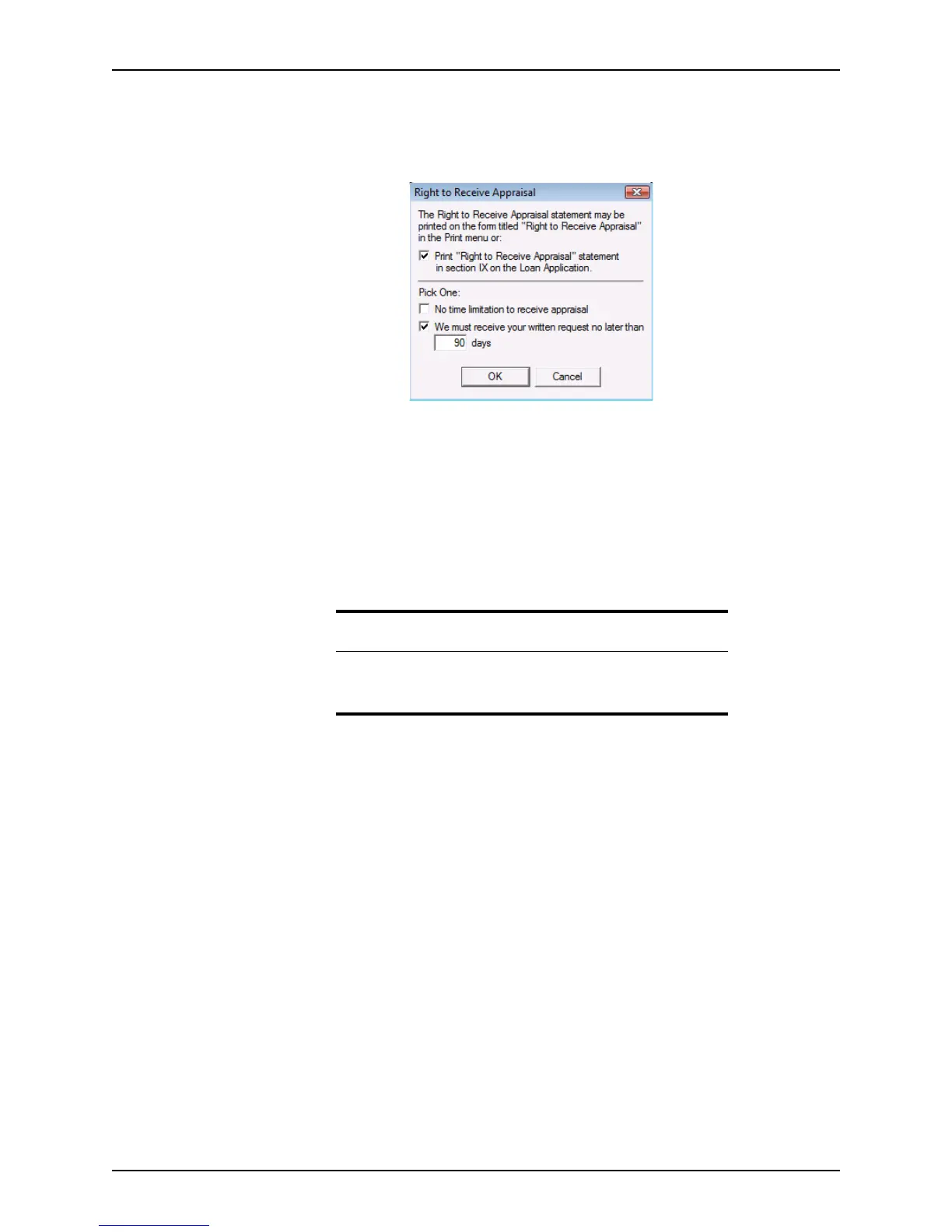
To print the statement when the Loan Application is printed:
1 Open a borrower file.
2 Select Utilities > Company Defaults > Right to Receive Appraisal.
3 Select the
Print “Right to Receive Appraisal” statement in section IX on the loan
application
check box to include this statement when the Loan Application is
printed.
4 Select either the
No time limitation to receive appraisal or the We must receive your
written request no later than
check box to specify whether there is a time limit to
receive the request for appraisal.
If there is a time limit, specify the number of days when the request must be received.
5 Click OK.
Completing the Government Monitoring information
The information in this section must be provided to comply with anti-discrimination laws.
The current standards for HMDA reporting require you to keep data about these racial or
ethnic groups.
Related information
For more information about the Acknowledgement and Agreement
section, refer to http://www.efanniemae.com/sf/formsdocs/forms/
1003.jsp.



 To Next Page