Point User Guide 347
Interfaces
Completing and submitting the Freddie Mac Loan Application
The Point Loan Application is the same as the Freddie Mac Loan Application (1003).
Information that was already entered in Point is automatically populated into the Freddie
Mac forms.
To complete and submit the Freddie Mac Loan Application:
1 Open a prospect or borrower file.
2 Select Interfaces > Freddie Mac > Loan App (Page #).
3 Verify the prepopulated information and complete fields with missing data throughout
the
Loan Application.
4 Click the Loan Prospector button or select Interfaces > Freddie Mac > Loan
Prospector to open the Freddie Mac interface screen.
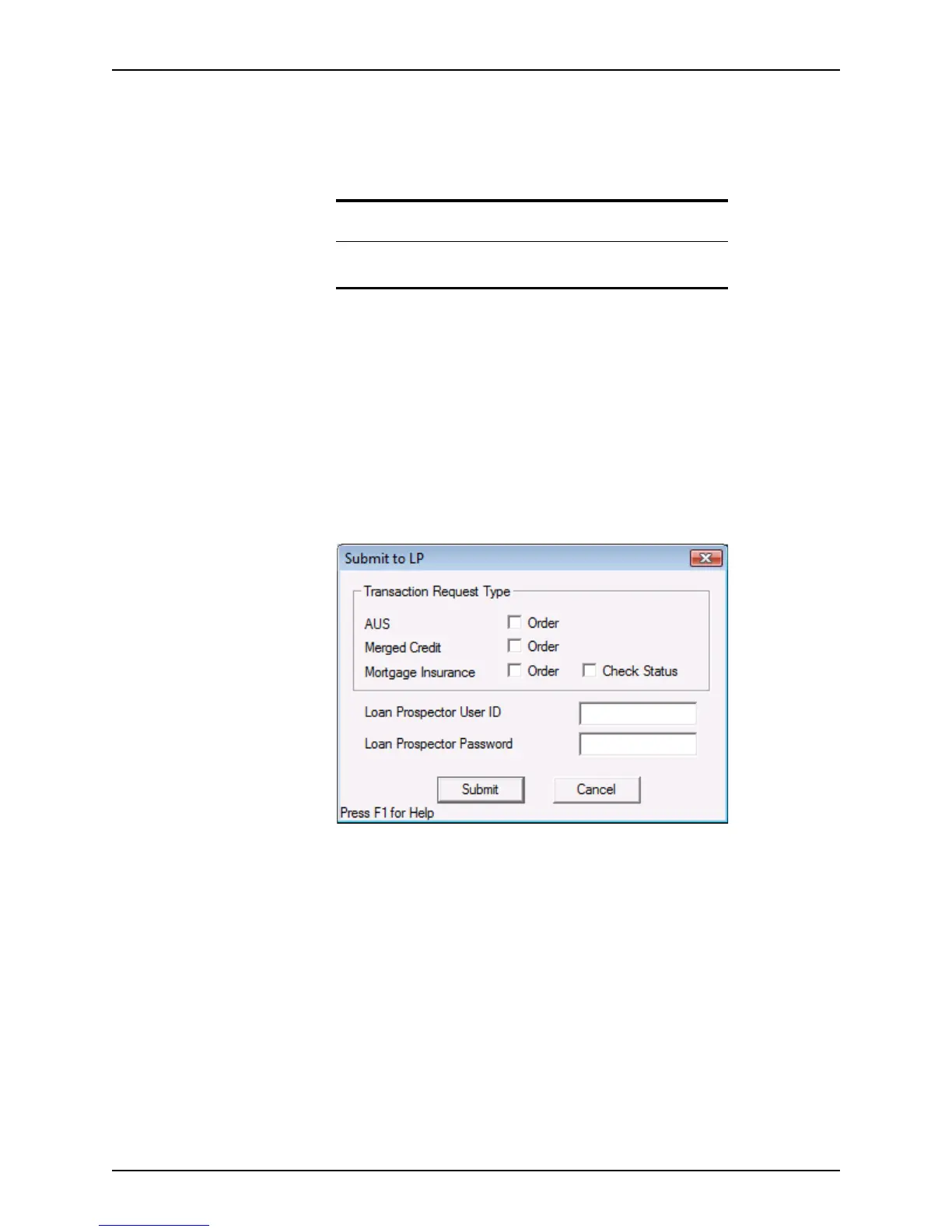
5 Click Send Loan to LP.
The
Submit to LP dialog box is displayed.
6 Select the type or types of service you are requesting. You can order any or all of the
following services:
Automated Underwriting Services (AUS)
Computerized underwriting services that do not require processing by hand.
Merged Credit
Credit results from Experian, TransUnion, and Equifax all in one submission.
Mortgage Insurance
Order PMI or check the order status.
7 Enter your Loan Prospector user ID and password and click Submit.
If you are prompted, enter your authentication information.
Prerequisite
Before you can submit the loan to Freddie Mac, you must complete the
Freddie Mac Addendum.



 To Next Page