Point User Guide 55
Communications
The new files are automatically added to the correct data folder and to the prospect or
borrower file list on the computer in Host mode.
Checking borrower status from a remote location
Checking borrower status from a remote location is an excellent tool for mobile loan
agents who need access to loan status after business hours. It is also a time saver for
busy processors who cannot afford to spend time on the phone.
When someone requests the status for a specific borrower file, the file is transferred and
immediately displayed in a status dialog box.
The status record is viewable and printable, and contains the following:
• Current tracking sheet
• Conditions
• Agent Information list
• Conversation log information
Requesting file status from a remote location
You must know the names of the files you want to transfer before you connect to the
computer in Host mode. To request file status from a remote location:
1 Select the Loans tab from the navigation panel.
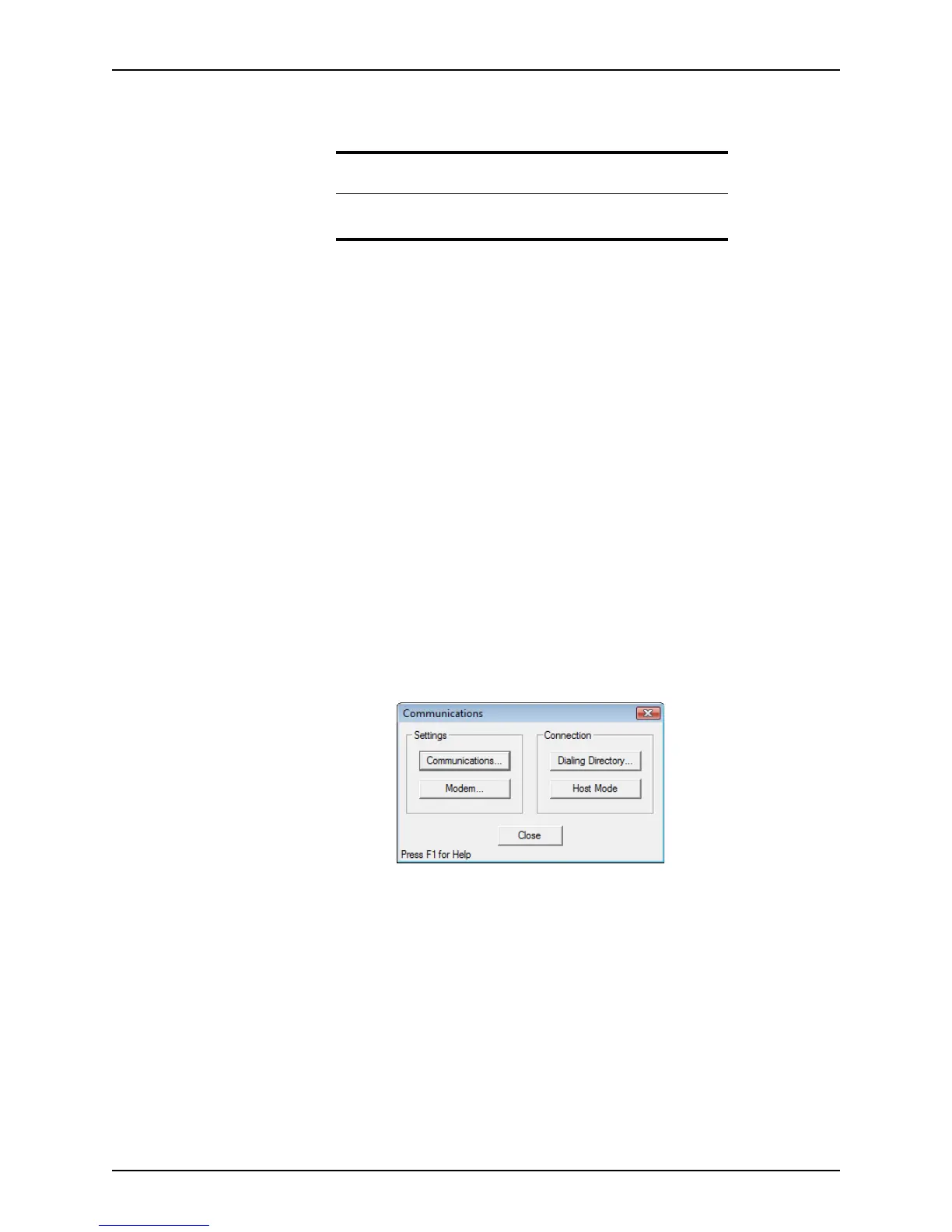
2 Select Utilities > Communications.
The
Communications dialog box is displyed.
3 Select Dialing Directory in the
Connection section.
Related information
For information about creating a remote host, refer to Sending files to a
remote host, on page50.



 To Next Page