102 Calyx Software
Loan Application
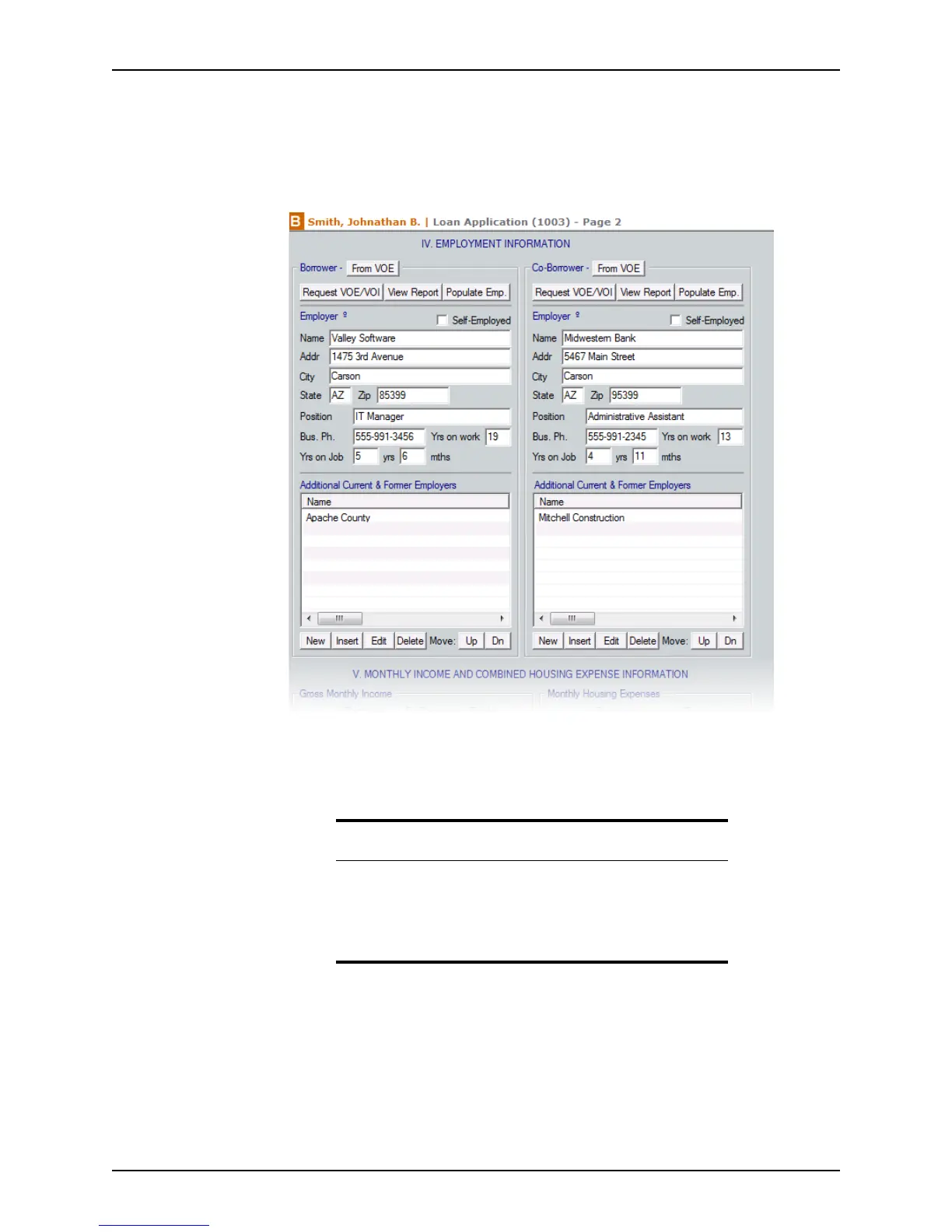
Entering employment information
To enter employment information into the Loan Application:
1 Open page 2 of the
Loan Application and go to Section IV. Employment
Information
.
2 Enter the current employer for both the borrower and co-borrower.
If the borrower is self-employed, select the
Self-Employed check box.
Populate the employment fields by using one of the following methods:
• If the employment information is recorded in the Verification of Employment/
Income
screen, click the From VOE button to populate the current and former
employer fields.
• If the employment verification has not been requested, request it in Point by
clicking Request VOE/VOI and populating the fields during the process.
• If the employment verification was already requested and received, populate
these fields by clicking the Populate Emp. button.
Caution
Entering employment information by importing it from the verification
screens or by populating it from the VOE/VOI requests replaces all
existing information in the employment section.
To prevent loss of data, use only one of these methods and enter
additional information manually after the import process is complete.



 To Next Page