120 Calyx Software
Disclosures and other forms
HE & Oblig
The HE & Oblig button opens the
Housing Exp & Other Obligations dialog
box where housing and other monthly expenses are recorded and calculated.
Completing the Good Faith Estimate
Many of the GFE fields are prepopulated from the Borrower Information screen, the
Loan Application, and if used, closing cost scenario and loan program templates.
To complete the
Good Faith Estimate:
1 Open a prospect or borrower file.
2 Open the
Good Faith Estimate from the Forms menu or the shortcut toolbar.
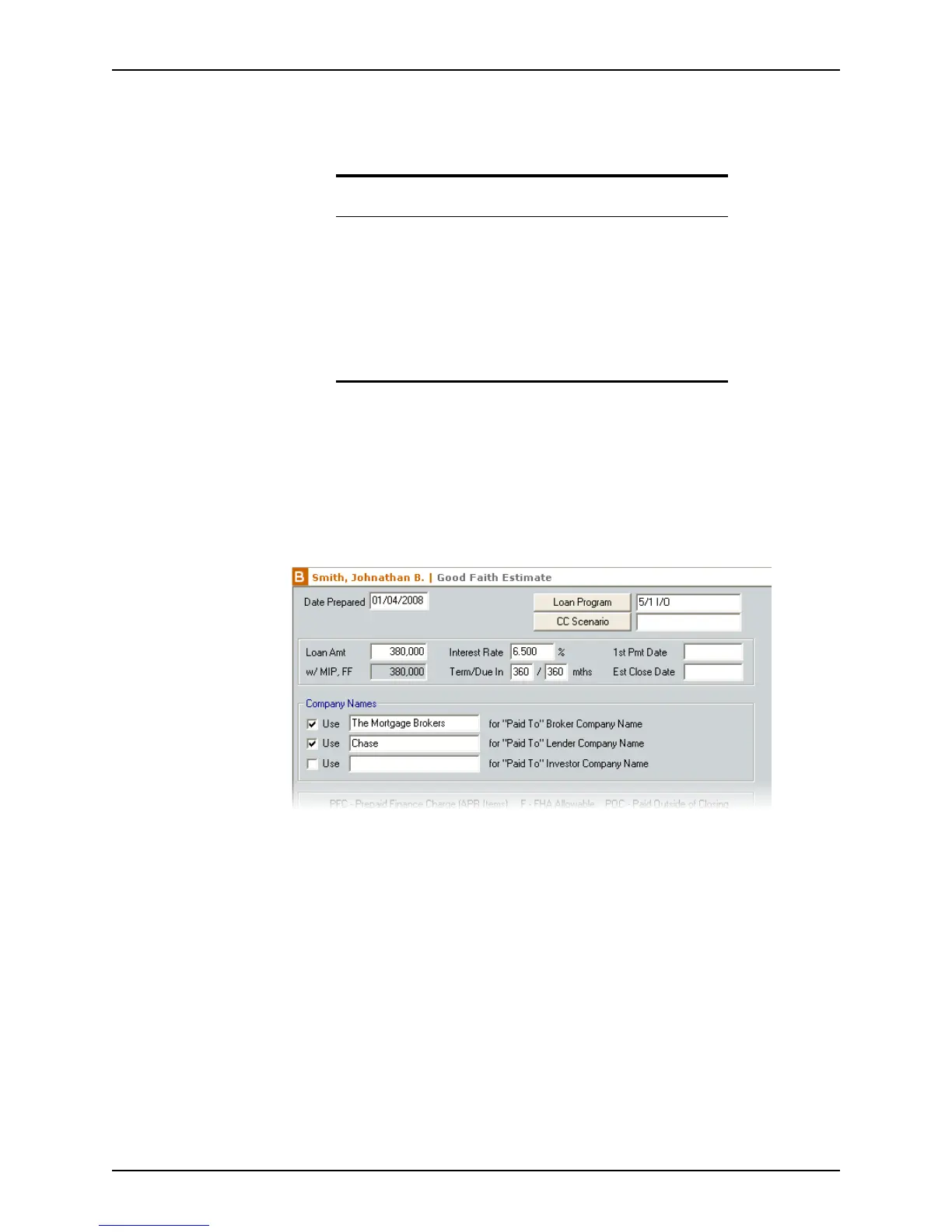
3 Complete the general loan information. Most of the fields are prepopulated.
a Click Loan Program to populate information into the loan file from a loan program
template.
b Click CC Scenario to enter the closing costs from a closing cost scenario template.
c Complete the
Company Names section.
If you select the
Use check boxes, the broker, lender, and investor names are
automatically populated when the corresponding Paid To option is selected when
entering additional loan charges.
For example, if you select Broker from the Paid To dropdown list when specifying
the loan origination fee, the
CompanyName field is automatically populated with
the company that was entered in the
Usefor“PaidTo”BrokerCompanyName
field in the
Company Names section.
Related information
• Refer to Entering income and housing expenses, on page104, for
detailed information about entering housing expenses and other
obligations.
• Refer to Calculating ongoing escrow payments, on page168, for
detailed information about the
Aggregate Escrow Account
Disclosure
screen and Mortgage Insurance Premium/Funding
Fee
dialog box.
• Refer to Chapter 12, Loan scenarios, for detailed information about
the Subordinate Financing Information dialog box.



 To Next Page