Point User Guide 291
Construction loans
Creating construction loans
Complete the Loan Application as you would for any other loan. The following
exceptions apply to all construction loans:
1 In the
Borrower Information screen:
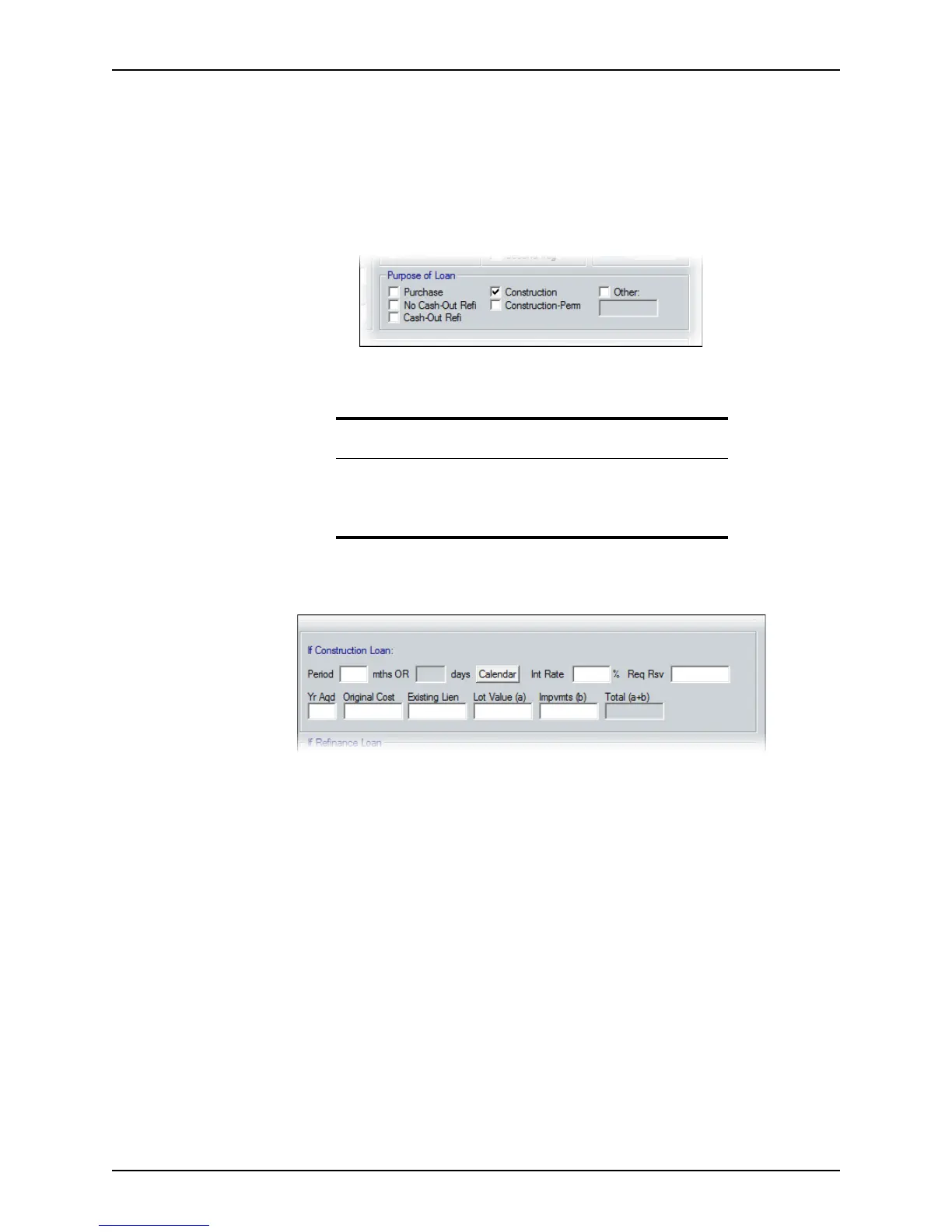
a Select either the
Construction or Construction – Permanent check box in the
Purpose of Loan section.
b Complete the
SalesPrice, ApprValue, LoanAmt, NoteRate, and Term/Due fields
for this loan.
2 Open page 1 of the
Loan Application and complete the If Construction Loan
section,
a Enter the estimated construction duration, in months, in the
Period field or click
Calendar and enter the estimated date range of the construction.
The number of days is automatically calculated.
b In the
IntRate and ReqRsv fields, enter the interest rate and required reserves (if
the values are known).
c Complete the
YrAqd (year acquired), OriginalCost, ExistingLien, LotValue(a),
and
Impvmts (b)(Improvements) fields.
The
Total(a+b) is calculated with these figures.
3 Open the
Good Faith Estimate and enter the loan fees.
Tip
Point does not calculate construction draws. To indicate draws in the
payment schedule, select the
Customize check box on the Truth-In-
Lending
disclosure, and enter the information there. When you finish,
click the Calculate button again.



 To Next Page